In this article 5 sections
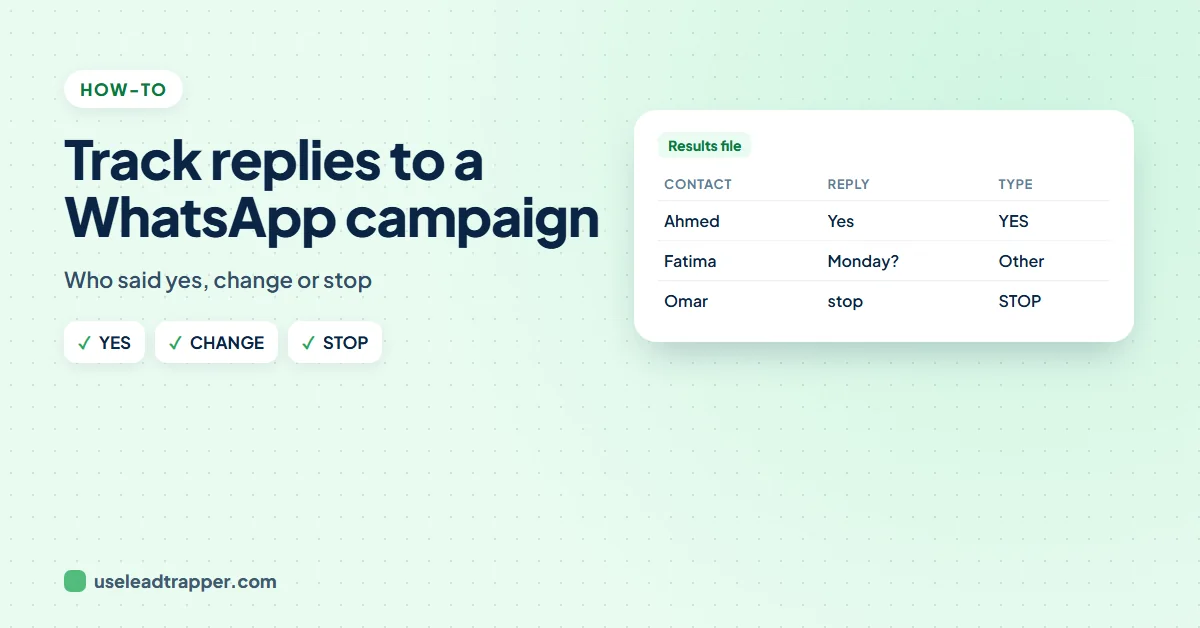
To track replies to a WhatsApp campaign, match each reply to the contact you sent to and sort it: yes, change, stop or other. LeadTrapper does this for you: after a campaign it checks for replies every two minutes for seven days, and Download Results and Replies (Excel) adds Reply, Reply Type and Replied At columns.
- Replies are where a campaign pays off, but in WhatsApp they arrive mixed in with every other chat.
- LeadTrapper checks for replies to your last campaign every two minutes, for messages sent in the last seven days, and keeps them after a restart.
- Each first reply is saved with the time it arrived and sorted into YES, CHANGE, STOP or Other, from its first words, in English, Arabic, Urdu, Hindi, Spanish and French.
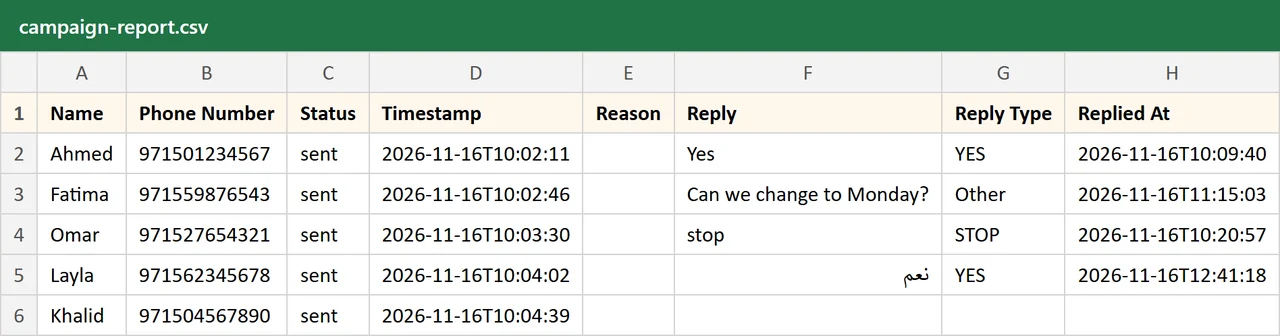
- Download Results and Replies (Excel) gives one row per contact with Status, Reply, Reply Type, Replied At and your own Excel columns.
- Ask for one-word replies (YES, CHANGE, STOP): a full sentence is sorted as Other, so you read it yourself.
A campaign’s results are not the messages sent; they are the replies. Who confirmed, who wants another time, who asked you to stop. In WhatsApp those answers arrive between all your other chats, and with a few hundred contacts it is easy to miss one. This guide shows how to collect them, contact by contact, in one file.
Why Track Replies
- Act on the yeses the same day, while they are interested.
- Handle changes before the appointment or delivery, not after.
- Respect every stop, which the rules and WhatsApp both expect.
- Learn what works: compare reply rates between messages and times.
Ask for Replies You Can Count
End the message with clear one-word choices:
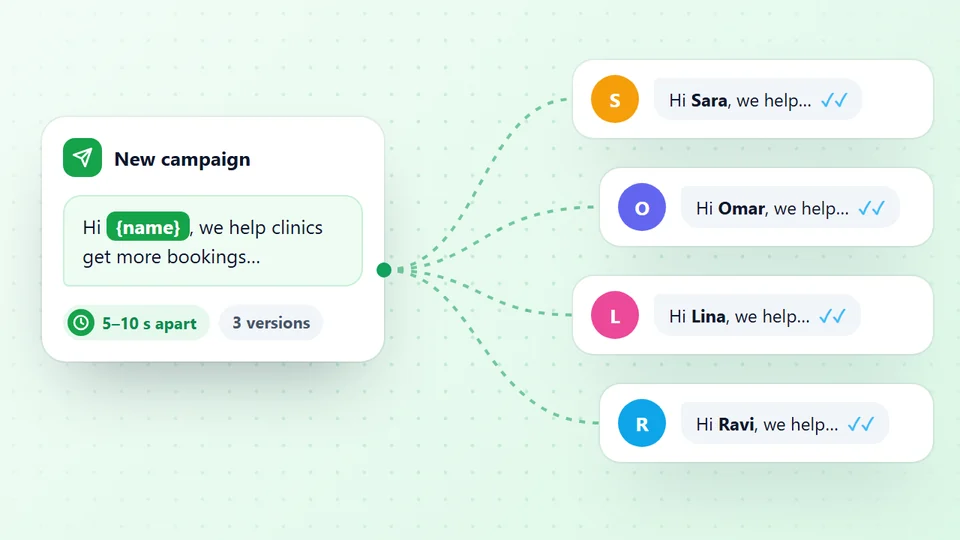
Hi {{name}}, your appointment is on Sunday at 10 am. Reply YES to confirm, CHANGE to move it, or STOP to stop messages.
One-word answers can be sorted automatically; a sentence such as “Can we change to Monday?” is still saved, but marked Other for you to read. Our appointment reminder templates use the same pattern.
How LeadTrapper Tracks Them
After you send a campaign with LeadTrapper’s WhatsApp bulk sender:
- It looks for replies every two minutes while your WhatsApp number is connected, for each contact the message reached in the last seven days.
- It saves the first reply from each contact, with the time it arrived. Photos, voice notes and other media are saved as their type, such as [image].
- It sorts each reply from its first words: YES (yes, ok, confirm, نعم, تمام, haan, sí, oui), CHANGE (change, reschedule, cancel, later, no, لا, nahi), STOP (stop, unsubscribe, توقف, إيقاف) or Other.
- It keeps them. Replies are saved with the campaign, so the file still works after the app or the computer restarts.
The Results File
Press Download Results and Replies (Excel) under Start Sending. The file has one row per contact: Name, Phone Number, Status, Timestamp, Reason (when a message failed), Reply, Reply Type and Replied At, followed by every column from your own Excel file, such as Company or Branch. Arabic, Urdu and Hindi replies open correctly in Excel.
Track your next campaign's replies free for 14 days
What to Do Next
- Filter Reply Type = YES and confirm or book them.
- Filter CHANGE and offer another time.
- Read Other yourself: questions, photos and voice notes need a person.
- Filter STOP, add those numbers to your do-not-send list, and never send to them again; our opt-out message guide shows how to confirm it politely.
- Set auto replies for YES and STOP so people get an answer at once; see WhatsApp auto reply messages.
To answer replies one by one from your computer, use the live chat inbox. To attach a file to the next campaign, see sending a PDF to many WhatsApp contacts.
LeadTrapper costs $50 a year with a 14-day free trial. LeadTrapper is not affiliated with or endorsed by WhatsApp.
Before you send: warm up new or quiet numbers first with the WhatsApp warmer (LeadTrapper's Account Warmer), which runs in the same app.
Frequently Asked Questions
In LeadTrapper, press Download Results and Replies (Excel) after the campaign. Each contact's row shows whether the message was sent, their first reply, the reply type (YES, CHANGE, STOP or Other) and when they replied.
For seven days after each message was sent. It checks every two minutes while your WhatsApp number is connected, and keeps the replies it found even if the app restarts.
From the first words of the reply. Yes, ok, confirm, نعم, haan or sí count as YES; change, cancel, later or no count as CHANGE; stop or unsubscribe count as STOP. A longer sentence, a photo or a voice note is Other, so you read it yourself.
They are marked STOP in the results file. Add them to your do-not-send list, and set an auto reply rule that confirms they won't hear from you again.
Yes. Replies arrive in your WhatsApp as usual, and LeadTrapper's live chat inbox lets you answer them from the app. The results file is for seeing the whole campaign at once.
About LeadTrapper
LeadTrapper is a Windows app for finding business leads and contacting them on WhatsApp. It collects business contacts from Google Maps, Instagram, Facebook, TikTok, LinkedIn and business websites, checks which numbers are on WhatsApp with its Number Filter, and sends personalised campaigns with automatic delays from one or more WhatsApp accounts. It also has a chatbot, a shared inbox for every account, and Store Orders for online shops. It installs from the Microsoft Store, and the full app is free for 14 days, then $50 a year. Free web tools, browser extensions and a Wix app are listed on the Free Tools page.
See Who Said Yes
LeadTrapper for Windows sends WhatsApp campaigns from your own number and matches every reply to its contact: YES, CHANGE, STOP or Other, in one Excel file. $50/year, 14-day free trial.