In this article 7 sections
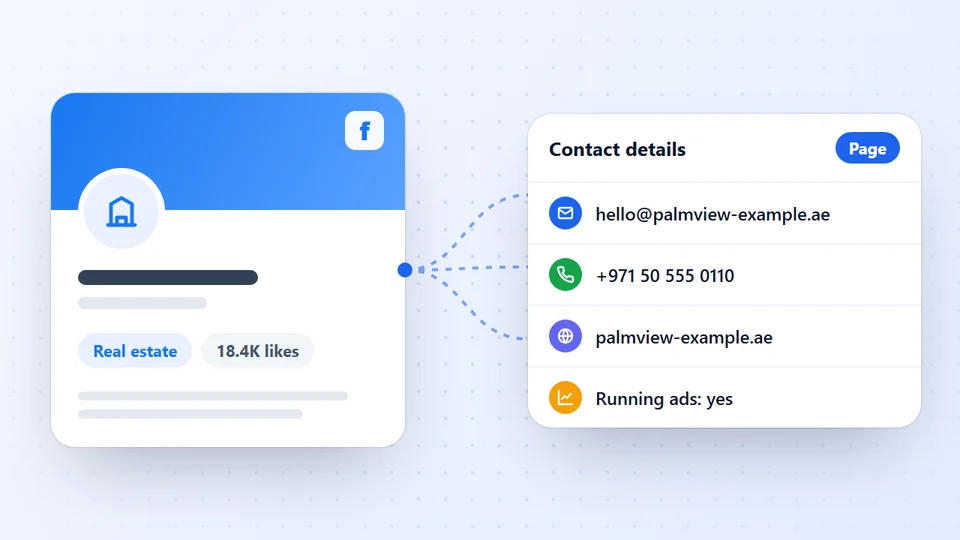
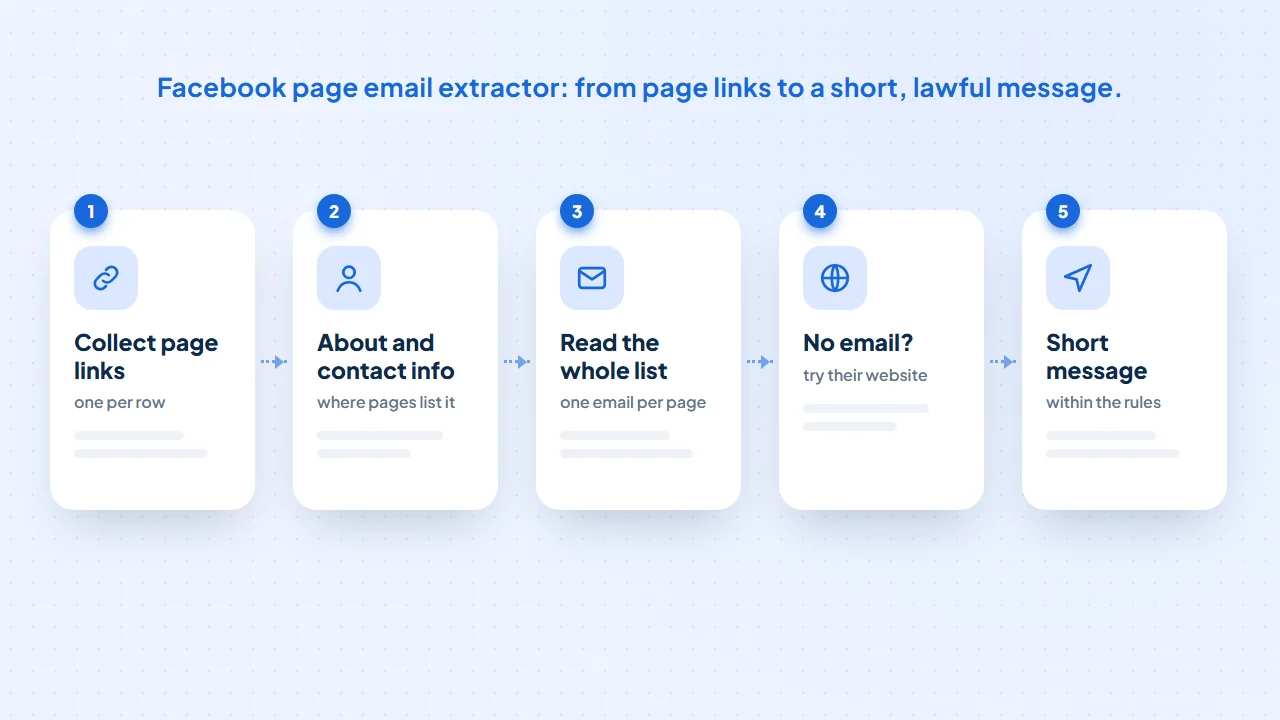
A Facebook page shows an email only if the business chose to publish one, usually under About, Contact info. An extractor reads that same text for a list of page links. Example: paste 12 page links, get the emails those pages show, and read the websites of the rest.
- A Facebook page email extractor can only read what a page publishes. If the business didn't add an email under About, Contact info, no tool can read one from Facebook.
- Check by hand first: the Intro panel and About, Contact info on the page, then the page's website link, then the business's Messenger button.
- For a list, LeadTrapper's Page Details tool takes full page URLs, one per line, and returns name, category, email, website, followers, rating and ad status for each.
- It keeps the first email it finds on a page's About text, ignoring addresses at facebook.com, example.com and no-reply addresses, so a page with two emails gives one.
- Meta's terms prohibit collecting data by automated means without its permission, and a Facebook email is for the page's own enquiries: check the email rules of your country before you send.
You have a list of Facebook business pages and you need an email for each. Opening every page by hand takes a minute or two each. This guide shows where a page keeps its email, how to read a whole list of pages at once, and what to do about the pages that show nothing, which is most of the work. If you want to search for pages by keyword and city rather than start from links, see our guide to the Facebook business page scraper.
Where a Page Keeps Its Email
A Facebook business page shows an email only if its admins entered one and chose to display it. Meta’s help page Add basic information to your Page (checked 23 November 2026) says a page’s contact details are edited from the page’s About section, under Contact and Basic Info. So that is also where you look.
On a page, check in this order:
- The Intro panel on the left of the page. Short contact details often appear here.
- About, then Contact info. Email, phone, website and address are listed if the page has them.
- The website link on the page. The site’s contact, about or team page often lists an address.
- Pinned and recent posts. Some businesses post “Orders: name@shop.com”. Rare, but quick to check.
- The Messenger button. No email, but a way to ask: “Hi, what’s the best address to send you a proposal?”
Two competing guides give the same list. LeadMagic’s guide to finding emails on Facebook says a page’s email is usually a shared inbox such as info@ and adds that Facebook’s search by email was disabled in April 2018. Findymail’s version mostly covers personal profiles and pairs a name with a company website to guess a work address. Both are sellers of email finders, so take the accuracy claims as theirs. They agree on the main point: Facebook itself shows an email only when its owner put one there.
Read Emails From a List of Page Links
To read the emails from many pages without opening each one, give an extractor the page links and let it read each page’s About text. In LeadTrapper this is Facebook, then Page Details.
- Open Facebook and choose Page Details. Click Connect Facebook if asked and log in once in the window that opens.
- Paste the full page URLs, one per line, such as https://www.facebook.com/somebusiness.
- Set Max Results (10 to 5,000) and press Start.
- Wait. The app opens each page’s About view and reads it, with a pause between pages.
- Download the table as CSV or Excel. Columns include Name, Category, Email, Phone, Website, Followers, Likes, Rating, Ad Status and Profile URL.
Two details. The app reads the email from the page text and keeps the first address it finds. It skips addresses at facebook.com and example.com and anything containing “noreply”. If a page shows two emails, you get one. A page with no email gives an empty field, not a guess.
If you’d rather find the pages first, the same Facebook section has Find Pages and Business Leads, which search by keyword and city and read each page’s details; our business page scraper guide covers that route. Our Facebook scraper page lists every Facebook tool in the app.
What You See and What to Do
Each page ends up in one of a few cases, and each case has a next step. Use this table to decide what to do with your list.
| What the page shows | What it means | Next step |
|---|---|---|
| An email under Contact info | The business published it | Use it; check it’s a business address |
| A general inbox (info@, hello@, sales@) | Shared mailbox, read by staff | Fine for a first enquiry; ask for a named contact later |
| An email at gmail.com or outlook.com | A sole trader or small shop | Treat as an individual’s address under email rules (see below) |
| Phone and website, no email | Email not published on Facebook | Read the website with the Email Finder |
| Only a Messenger button | They want enquiries inside Facebook | Send a short Messenger message, or find a phone on Google Maps |
| Nothing at all | An inactive or personal page | Skip it |
| Email looks wrong or bounces later | Typo on the page or an abandoned inbox | Check the address with an email checker; see our guide to checking if an email is valid |
A Worked Example: 12 Pages
A bookkeeper wants to contact twelve local restaurants she found through a Facebook group. She pastes their twelve page URLs into Page Details and presses Start. This is an illustration, not a measured result.
- 4 pages return an email: two info@ inboxes, one gmail.com address and one named owner address.
- 6 pages return a phone number and a website but no email.
- 2 pages return neither: one has been inactive for two years, the other is a private person’s page.
She exports the table. For the six pages with a website she copies the website column into the Email Finder, which reads each site’s contact and team pages and finds addresses for four of them. She now has 8 emails from 12 pages, and a phone number for the remaining 2 that have one. Her next step is a short, specific message, not a mass mail.
When the Page Has No Email
Most pages without a visible email still have a way to reach the business. The best second source is the page’s website, then Google Maps, then Messenger.
- The website. The page’s website field is in the same export. LeadTrapper’s Email Finder reads contact, about, team and branch pages for any number of websites and labels each email as a general inbox, a department, a team member or a branch. Our guide to finding a website owner’s email shows where owners are named.
- Google Maps. If the business has a listing, the Google Maps scraper collects its phone and website.
- WhatsApp. Many small businesses answer faster on WhatsApp than on email. Our guide to contacting a business without an email covers this route.
- Messenger. Free and read by the owner, but replies to people who are not already contacts can land in message requests, as LeadMagic notes.
Rules Before You Send
Two sets of rules apply, and they are separate. Meta’s rules govern collecting; your country’s rules govern emailing.
- Facebook. Meta’s Terms of Service prohibit accessing or collecting data from its products by automated means without Meta’s prior permission. LeadTrapper can’t give that permission, so the risk is yours. Use an account you can afford to have limited and keep runs modest.
- Email law. In the US, the FTC’s CAN-SPAM compliance guide requires your real identity, an honest subject line and a working opt-out. In the UK, the ICO’s guidance on electronic mail marketing says you can email corporate bodies, but sole traders and some partnerships count as individuals and need consent first. A one-person café with a gmail.com address is likely on that side. Our guide to whether email scraping is legal goes through the main countries.
This isn’t legal advice.
What the Tool Can't Do
LeadTrapper reads only what a page shows publicly. It can’t see a hidden email, can’t read emails from a page you can’t open, and returns one email per page.
- One email per page. It keeps the first address found in the page text.
- Public text only. It doesn’t read private messages, admin settings or profiles’ hidden fields.
- Login needed. The Facebook tools ask you to connect an account, and if Facebook shows a security check, the app stops Facebook runs for 24 hours to protect the account.
- No verification. It doesn’t check whether an address accepts mail; use a checker for that.
- No guessing. It never invents an address from a name and a domain.
Where LeadTrapper Finds Leads
LeadTrapper collects leads from each of these sources in one Windows app, then checks the numbers and sends the WhatsApp messages from the same place.
- Google Maps Scraper: Business leads from any city.
- Facebook Scraper: Advertisers, pages and group members.
- Instagram Scraper: Leads from profiles and hashtags.
- TikTok Scraper: Creators, hashtags and commenters.
- LinkedIn Scraper: Profiles by role and city.
- Email Finder: Emails from business websites.
Frequently Asked Questions
On the page, look in the Intro panel on the left or open About and find Contact info. It appears only if the page's admins entered an email and chose to show it. Many small businesses leave it blank and list only a phone number, a website or a Messenger button.
Yes, if you already have the page links. In LeadTrapper, Facebook, Page Details takes full page URLs one per line and returns each page's email, website, category, followers, rating and ad status. It reads only what each page publishes, so pages with no email show an empty field.
Because the page doesn't publish one. Facebook doesn't expose a hidden address, and no legitimate extractor can read one that isn't shown. Use the website link on the page, or message the page on Messenger and ask for the right contact.
Two separate questions apply. Meta's Terms of Service prohibit accessing or collecting data from its products by automated means without permission, which puts your account at risk. Emailing the addresses is covered by your country's marketing rules, such as CAN-SPAM in the US or PECR in the UK. This isn't legal advice.
Read the website. Most businesses list a contact address on their contact, about or team page. LeadTrapper's Email Finder reads those pages for a whole list of websites and labels each email as a general inbox, department, team member or branch.
In LeadTrapper, yes. The Facebook tools show a Connect Facebook button, and a browser window opens for you to log in once. Without a session Facebook shows less on many pages, so results would be thinner.
About LeadTrapper
LeadTrapper is a Windows app for finding business leads and contacting them on WhatsApp. It collects business contacts from Google Maps, Instagram, Facebook, TikTok, LinkedIn and business websites, checks which numbers are on WhatsApp with its Number Filter, and sends personalised campaigns with automatic delays from one or more WhatsApp accounts. It also has a chatbot, a shared inbox for every account, and Store Orders for online shops. It installs from the Microsoft Store, and the full app is free for 14 days, then $50 a year. Free web tools, browser extensions and a Wix app are listed on the Free Tools page.
Page Emails and Websites in One List
LeadTrapper's Facebook tools and Email Finder come with the Windows app. $50/year, all features included, after a 14-day free trial.