In this article 6 sections
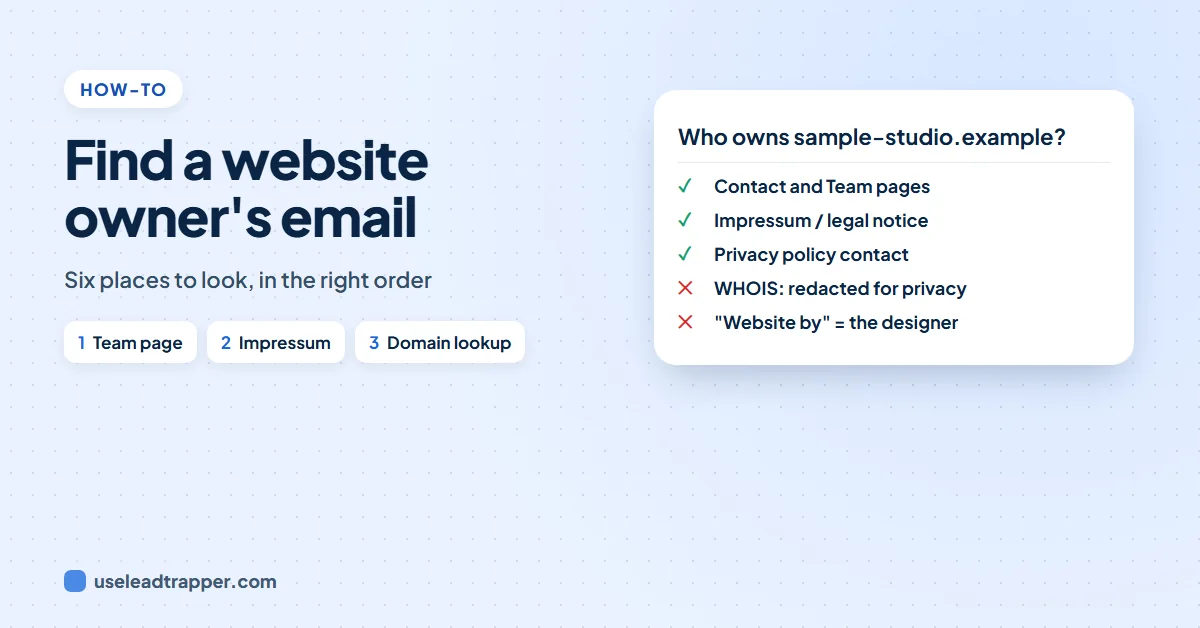
To find a website owner's email, check the site's Contact, About and Team pages, then its legal pages: EU business sites must publish an email, and German sites list it in the Impressum. Domain lookups (RDAP, formerly WHOIS) usually hide the owner's email since 2018, so the website itself is the best source.
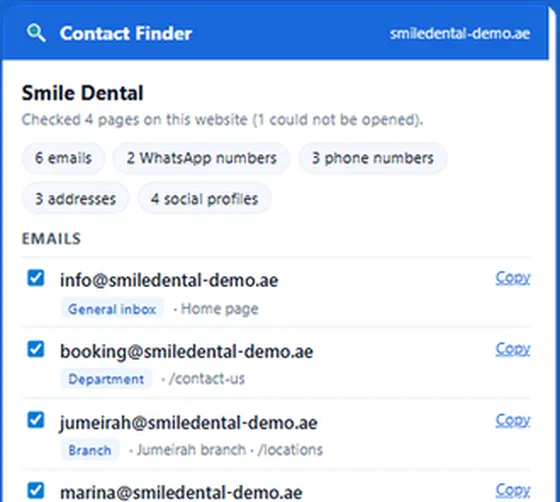

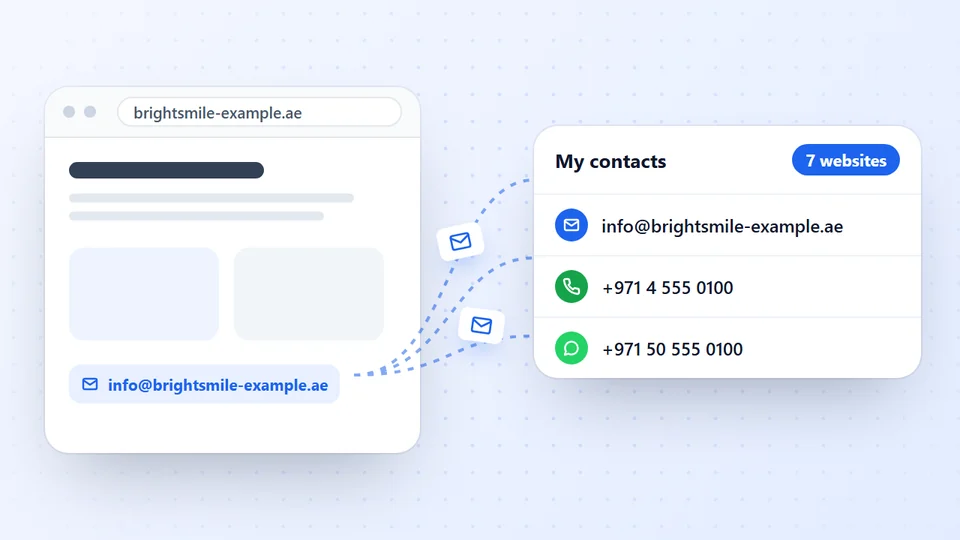
Reads a business website and its Contact, Team, About and Impressum pages, and lists every email, phone and WhatsApp number, labelled by person, branch or department.
- Checks Contact, Team, About and Impressum pages for you
- Labels each email as a person, branch, department or inbox
- Free, no account; your list stays on your computer
- The website itself is the best source: its Contact, About, Team and legal pages.
- Businesses in the EU must publish an email address on their website under the e-Commerce Directive. In Germany it sits in the Impressum, required by section 5 of the Digital Services Act (DDG) since 14 May 2024.
- A privacy policy names who controls your data and how to contact them, which is often the owner or the company.
- Domain lookups rarely show the owner's email: most registration details have been redacted since GDPR in 2018, and RDAP replaced WHOIS as the required lookup for generic domains on 28 January 2025.
- A 'Website by' credit in the footer names the web designer, not the owner.
- The LeadTrapper app marks the owners and managers a business names on its own website as decision makers, with their job titles. It links an email to a person only when the address is plainly theirs, and never guesses one.
- To read many websites at once, a tool such as Contact Finder checks the contact, team and Impressum pages and labels each email as a person, branch or inbox.
The email of the person who owns a website is usually on the website, just not on the home page. A domain lookup, which used to be the shortcut, has hidden owners’ details for most domains since 2018. This guide goes through the places that still work, in the order worth checking, and the two common mistakes: writing to the web designer, and guessing an address that bounces.
Start With the Website
Most businesses put their contact details in three places: the footer of every page, a Contact page and an About or Team page. The footer usually carries a general address such as info@ or hello@. The Team page is where you find people: a dental clinic in Madrid lists its doctors, an estate agency in Toronto lists its agents, each sometimes with a direct email.
For a small business, the general address often goes straight to the owner. For a company with staff, look for the person whose role matches what you are offering: the owner or managing director for a partnership, the practice manager for a clinic, the marketing lead for an advertising offer.
If you only see a contact form, keep looking. Many sites hide the email behind the form on the Contact page but still print it in the legal pages.
The Legal Pages
This is the step most people skip, and in Europe it is often the fastest.
The Impressum or imprint. German and Austrian business websites must carry an Impressum, a legal notice with the name of the person or company responsible, a postal address and an email address. In Germany the duty sits in section 5 of the Digitale-Dienste-Gesetz (DDG), which replaced the old Telemedia Act on 14 May 2024, and German courts have held that a contact form alone does not satisfy it. Look for a link called Impressum, Imprint or Legal Notice in the footer.
EU business websites in general. The EU e-Commerce Directive (2000/31/EC, Article 5) requires online service providers to show their name, geographic address and email address. Many sites in France, Spain or Italy put these in a page called Mentions légales, Aviso legal or Note legali.
The privacy policy. Under the GDPR, a privacy policy must say who controls the personal data and how to contact them. On small sites that is the owner, by name, with an email address.
What a Domain Lookup Shows Now
The old advice was to run a WHOIS lookup on the domain and read the registrant’s email. That rarely works today.
When the GDPR took effect in May 2018, registrars started redacting the owner’s name, email and phone from public lookups for most domains, and many kept doing so worldwide. In their place you usually see “REDACTED FOR PRIVACY” or a privacy service, plus a web form or an anonymised address that forwards to the owner.
The lookup itself has also changed. For generic domains such as .com and .net, RDAP replaced WHOIS as the required lookup service on 28 January 2025. You can use ICANN’s free tool at lookup.icann.org. Country domains such as .de, .uk or .ae follow their own registry’s rules.
A lookup is still worth a minute: it tells you the registrar, when the domain was created and when it expires. An old domain belongs to an established business; a domain registered last month may be a new venture still looking for suppliers.
Designer or Owner?
Many footers say “Website by” or “Designed by” with a link. That is the web agency that built the site, not the business that owns it. If you write to that address about the business’s needs, it goes to the wrong company. The same applies to the email in a site’s code or a contact form’s settings, which often belongs to the developer.
Guessing the Address
When a business publishes a name but not an address, finder tools such as Hunter guess one from the company’s usual pattern, for example firstname@company.com, and show a confidence score. This works best at larger companies with consistent patterns. At a small business it often fails, because the owner reads info@ or uses a personal Gmail. Our Hunter.io alternative guide compares the two approaches for local businesses.
Two cautions. A guessed address that bounces harms your sending reputation, so check the domain can receive mail first; our guide to checking if an email is valid shows how. And a personal address you guessed is more sensitive under privacy laws than one the business published for contact.
Reading Many Websites at Once
Checking footers, team pages and Impressums by hand takes two or three minutes a site. For a list of fifty businesses that is a morning.
Contact Finder, our free Chrome extension, does the reading for you. On a business website it checks the page you are on and up to six of the site’s own pages whose links point to contact, team, about, branches or Impressum. It then lists every email with a label: a general inbox, a department, a branch, or a person with their name when the page prints one next to the address. Paste a whole list of websites, or scan your open tabs, and it works through them one by one. The guide to extracting contact details from a website shows each step.
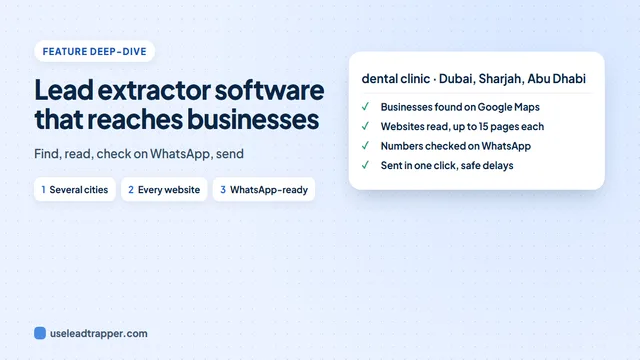
When you need the businesses as well as their emails, the email finder in the LeadTrapper Windows app starts from a business type and a city, finds the businesses on Google Maps and reads each website the same way, with no limit on websites. It can then mark which phone numbers are on WhatsApp and load those into the app’s WhatsApp sender in one click. For the wider method, see how to find business email addresses.
The app also picks out the people behind each business. It reads the names and job titles the site publishes in its Impressum (“Geschäftsführer”, “Inhaber”), on team cards, in contact cards and in the website’s built-in business details, and marks owners, founders, managing directors and general managers as Decision maker. An email is linked to that person only when the address is plainly theirs, such as max.weber@ for Max Weber; a name alone never produces a guessed address. In My contacts, choose Belongs to: Decision makers (owner, director…) to see only them. Our guide to finding the decision makers in a company covers the method in more detail.
However you find an owner’s email, write a short message that is relevant to their business, say who you are, and make it easy to say no. That is what the law in most countries asks, and it is also what gets replies.
Frequently Asked Questions
Start with the website: its About, Team, Contact and legal pages (Impressum, imprint, terms, privacy policy) usually name the company and often the people behind it. A domain lookup at lookup.icann.org shows the registrar and dates, but for most domains the owner's name and email have been hidden since 2018.
Rarely. Since GDPR took effect in May 2018, most registrars redact the registrant's details and show a contact form or an anonymised forwarding address instead. For generic domains such as .com, RDAP replaced WHOIS as the required lookup on 28 January 2025, with the same privacy rules.
It is the official contact address of the business or person responsible for the site. In Germany section 5 of the DDG requires it, along with the name and address. For a small business that is often the owner; for a larger company it is a general address.
Tools like Hunter guess addresses from a company's usual pattern, such as firstname@company.com, and give a confidence score. A guessed address can bounce, and writing to a personal address you guessed is more sensitive under privacy laws than writing to one the business published.
Yes, when the business publishes them. The LeadTrapper app reads the legal notice, team and about pages, contact cards and the website's built-in business details, and marks owners, founders, managing directors and general managers as decision makers, with the job title the site gives. An email is linked to that person only when the address is plainly theirs, such as max.weber@ for Max Weber.
Use a tool that reads each website and its contact, team, about and legal pages. Contact Finder by LeadTrapper does this for free in Chrome for a pasted list or your open tabs, and the LeadTrapper Windows app's Email Finder does it for any number of websites, or for businesses it finds by type in several cities.
About LeadTrapper
LeadTrapper is a Windows app for finding business leads and contacting them on WhatsApp. It collects business contacts from Google Maps, Instagram, Facebook, TikTok, LinkedIn and business websites, checks which numbers are on WhatsApp with its Number Filter, and sends personalised campaigns with automatic delays from one or more WhatsApp accounts. It also has a chatbot, a shared inbox for every account, and Store Orders for online shops. It installs from the Microsoft Store, and the full app is free for 14 days, then $50 a year. Free web tools, browser extensions and a Wix app are listed on the Free Tools page.
Reach the Owners of Hundreds of Businesses
LeadTrapper for Windows finds businesses by type and city, reads each website for emails, phones and WhatsApp, and messages them with safe delays. $50/year, 14-day free trial.