In this article 8 sections
Lead extractor software collects business contact details from public sources into a list. LeadTrapper for Windows searches Google Maps for a business type in one or more cities, reads each business's website for emails, phones and WhatsApp numbers, marks which numbers are on WhatsApp and sends your messages, for $50 a year.
- A lead extractor is only as useful as the step after it: a list you cannot reach is a spreadsheet, not leads.
- LeadTrapper's Website Contact Finder searches Google Maps for a business type in several cities in one run, one city after another.
- It reads every business's website, up to 15 extra pages each, for emails, phones, WhatsApp numbers, addresses and social profiles, with no limit on websites.
- When the run ends, it can mark which phone numbers are on WhatsApp, at the Number Filter's safe pace, and load only those into the bulk sender in one click.
- Progress is saved: after a stop, a closed app or a restart, Continue carries on from where it stopped.
- These features arrived in LeadTrapper 2.1.126 on 15 November 2026. The app costs $50 a year after a 14-day free trial.
Lead extractor software collects business contact details from public sources into a list. Most tools stop there, and that is where the work begins: half the numbers are landlines, the emails bounce, and the list sits in a spreadsheet. This guide shows what a lead extractor should do from start to finish, and how the Website Contact Finder in the LeadTrapper Windows app does each step since version 2.1.126.
What a Lead Extractor Should Do
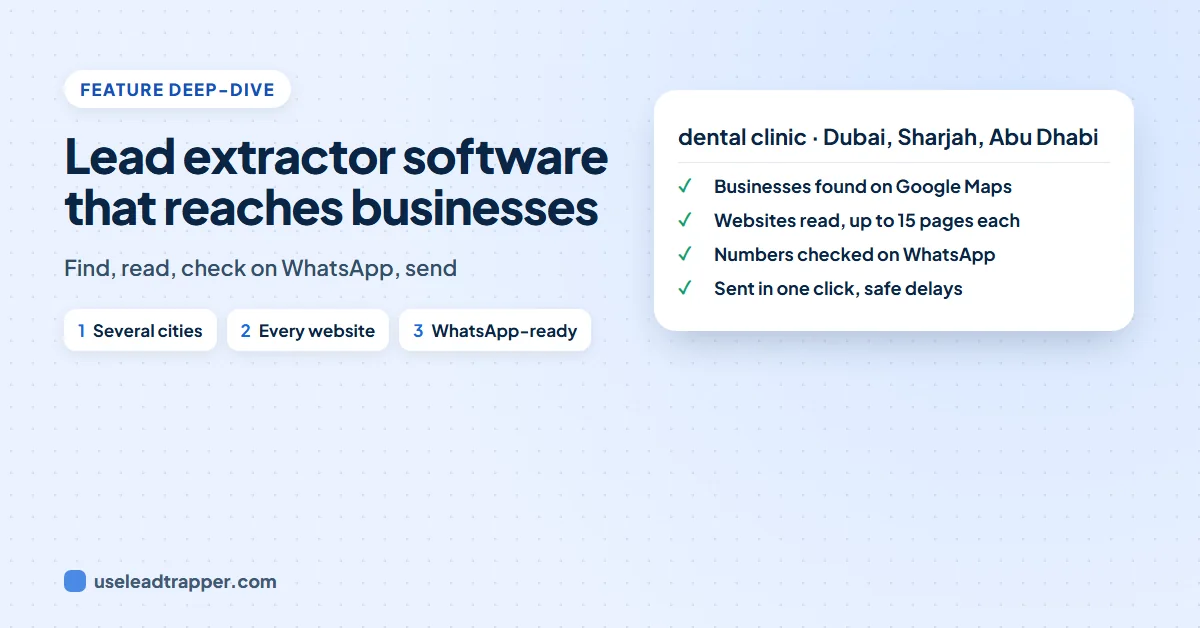
Four steps turn a business type into conversations:
- Find the businesses in the places you sell to.
- Read their websites, where the direct emails, branch numbers and WhatsApp numbers are.
- Check which numbers are on WhatsApp, so you do not message landlines.
- Send, personally and at a safe pace.
A tool that does only the first step leaves you to do the other three by hand.
Step 1: Find the Businesses, City by City
Open Website Contact Finder, under Google Maps in the app’s menu. Search & find is the first option. Type the business, such as “dental clinic”, and the places, one per line:
Dubai
Sharjah
Abu Dhabi
The app searches Google Maps for each city in turn with the same engine as its Google Maps scraper, which splits the big cities it knows into districts to get past the roughly 120 results Google shows for one search. Businesses that appear in two cities are read once. In our real scans, 93% to 99% of businesses had a phone number and 69% to 97% had a website.
Already have websites from somewhere else? Choose My websites and paste them, or load an Excel, CSV or text file.
Step 2: Read Every Website
Leave Up to empty and there is no limit. For each business, the app reads the home page and the site’s own contact pages: Contact, Team, About, Branches and Impressum. Choose how deep:
- Home page only, the fastest.
- Home + contact, team and branch pages, up to 6 more.
- Deep, up to 12 more, or Deepest, up to 15 more, for chains and agencies with a page per branch or agent.
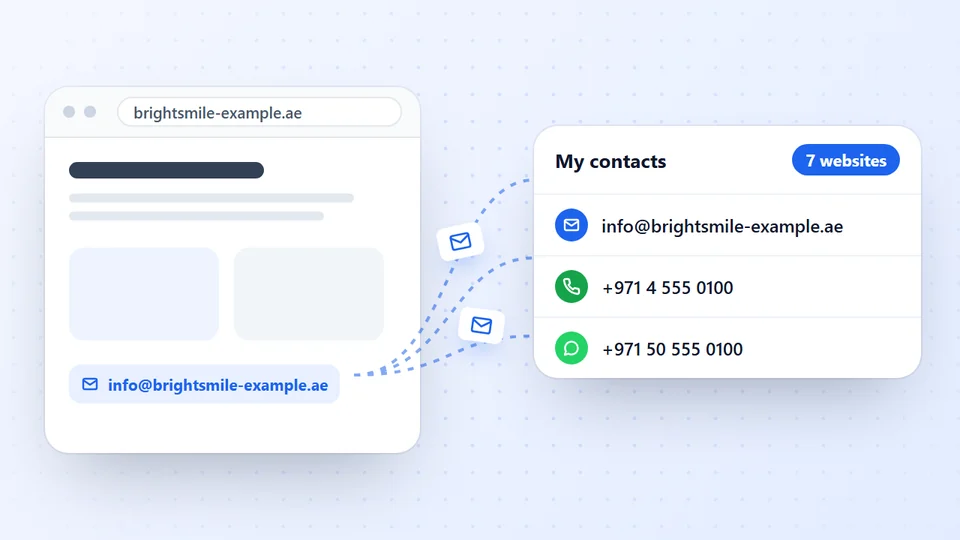
Every email, phone number, WhatsApp number, address and social profile goes into My contacts, labelled as a general inbox, a department, a branch or a person with their name. Websites that refuse automatic reading are opened in a hidden browser. The email finder page lists everything it reads and leaves out.
Step 3: Mark WhatsApp-Ready Numbers
Tick Mark WhatsApp-ready numbers before you start. When the run finishes, the app checks each phone number with your own connected WhatsApp account and marks it WhatsApp-ready (with “Business” for WhatsApp Business accounts) or Not on WhatsApp.
It checks at exactly the pace of its WhatsApp Number Filter: one number at a time, 1 to 3 seconds apart, and a 15-minute Safety Pause after seven numbers in a row that are not on WhatsApp. If a campaign is sending from the same account, the check waits for it. You can also press Check on WhatsApp at any time to check numbers added later; numbers already checked are skipped. The guide to building a business WhatsApp number list shows what the finished list looks like.
Step 4: Send, in One Click
Send to WhatsApp-ready numbers loads only the checked numbers into the WhatsApp bulk sender, each with its business name. Write one message with the name filled in, choose one or several of your numbers, and send with safe delays. Our B2B outreach guide covers what to write to a business you have not spoken to before.
Prefer email or a CRM? Download the same list as Excel, CSV, phone numbers only or phone contacts; the downloads include a WhatsApp column. For a CRM there is a ready HubSpot file and Pipedrive file, or Send to Zapier, Make or any CRM (webhook) to send each contact as its own record; our guide to exporting leads to HubSpot shows the import step by step. Filter to Decision makers or Best contact per business first to send only the people worth writing to.
Long Runs and Restarts
Three cities with no limit can mean a thousand websites and several hours. The app keeps working while you use other screens, and it saves its progress as it goes. If you stop the run, close LeadTrapper or the computer restarts, the screen shows Continue where it stopped, with the number of websites and cities still to do. Websites already read are not read again.
What It Will Not Do
A lead extractor you can trust says what it leaves out:
- It reads only what businesses publish. If a website shows no email, there is no email to find, and it never guesses one from a name pattern. You get the contact form page instead.
- It does not read social networks or search engines. Google Maps finds the businesses; after that it reads their own websites. For Instagram, Facebook, TikTok or LinkedIn leads, the app has separate scrapers.
- Google sometimes says no. On busy days Google Maps can refuse a search. The app reports it, moves to the next district or city, and you can continue later.
- WhatsApp-ready is not permission. A number on WhatsApp can receive your message; whether the business wants it depends on what you send. Keep it personal and give a way to stop.
Free Tools and Where They Stop
We also make two free lead tools. The Google Maps lead extractor for Edge reads the Maps results on your screen, and the Contact Finder extension reads websites you already have, with no limit. Both are good for a quick look. Neither searches several cities, keeps running without an open tab, checks numbers on WhatsApp or sends. Our desktop app vs extension comparison sets the two side by side.
Frequently Asked Questions
Software that collects business contact details, such as names, phone numbers, emails, websites and addresses, from public sources like Google Maps listings and company websites, and saves them as a list you can export or message.
Some parts are free. Our free Google Maps Lead Extractor for Edge reads the Maps results on your screen, and the free Contact Finder extension reads websites you already have. Finding businesses across whole cities, checking numbers on WhatsApp and sending needs the LeadTrapper Windows app, free for 14 days and then $50 a year.
Yes. Type one city or area per line. The app searches Google Maps for each one in turn, skips websites it has already read, and reads every business website it finds.
Yes, if you tick Mark WhatsApp-ready numbers. It checks each number with your own connected WhatsApp account at the same pace as its Number Filter, one number at a time 1 to 3 seconds apart, with a 15-minute Safety Pause after seven numbers in a row that are not on WhatsApp.
The app saves its progress as it goes. When you open Website Contact Finder again, it offers Continue where it stopped, skipping websites already read and cities already searched.
About LeadTrapper
LeadTrapper is a Windows app for finding business leads and contacting them on WhatsApp. It collects business contacts from Google Maps, Instagram, Facebook, TikTok, LinkedIn and business websites, checks which numbers are on WhatsApp with its Number Filter, and sends personalised campaigns with automatic delays from one or more WhatsApp accounts. It also has a chatbot, a shared inbox for every account, and Store Orders for online shops. It installs from the Microsoft Store, and the full app is free for 14 days, then $50 a year. Free web tools, browser extensions and a Wix app are listed on the Free Tools page.
Extract Leads From Whole Cities
LeadTrapper for Windows finds businesses in several cities, reads their websites, marks WhatsApp-ready numbers and sends with safe delays. $50/year, 14-day free trial.