In this article 5 sections
To build a business WhatsApp number list, collect the numbers businesses publish on Google Maps and their own websites, keep the WhatsApp numbers from their chat buttons, then check every other number on WhatsApp before you send. Bought lists are mostly stale; a list you build and check yourself reaches real business owners.
- Business WhatsApp numbers come from two public places: Google Maps listings and the businesses' own websites, where chat buttons hold the number.
- In our Google Maps scans of 24 September 2026, 93% to 99% of businesses had a phone number but only 12% to 32% showed a WhatsApp link.
- Most of the other numbers can be checked: a business mobile is often on WhatsApp without a chat button, and landlines are not.
- Check every number before you send. Messages to numbers without WhatsApp fail, and a run of failures puts your own number at risk.
- LeadTrapper 2.1.126 builds the list in one run: it searches several cities, reads each website, marks WhatsApp-ready numbers at the Number Filter's safe pace and sends to them in one click.
- Bought 'business WhatsApp lists' are usually old, unchecked and collected without consent, which is how numbers get banned.
A business WhatsApp number list is only worth something if the numbers are real, current and on WhatsApp. Most lists for sale are none of those. This guide shows where business WhatsApp numbers actually come from, how to check them without putting your own number at risk, and how to build and send to a list in one run with the LeadTrapper Windows app.
Where Business WhatsApp Numbers Come From
Businesses publish their numbers in two places they keep up to date, because customers use them every day:
- Their Google Maps listing. Almost every business has one, with its main phone number.
- Their own website. The footer, the Contact page and branch pages list more numbers, and a WhatsApp chat button holds the number in its link. Our guide to finding a business’s WhatsApp number shows how to read it.
In three Google Maps scans we ran on 24 September 2026, 93% to 99% of businesses had a phone number, but only 12% to 32% showed a WhatsApp link. The gap is the opportunity: many of those phone numbers are mobiles on WhatsApp, just without a button. The rest are landlines, which are rarely on WhatsApp. Only a check tells them apart.
Why Bought Lists Fail
Lists sold as “business WhatsApp numbers” are usually scraped once, years ago, and resold. Numbers change hands, businesses close, and nobody checked which numbers were on WhatsApp in the first place. The people on them never agreed to hear from you.
Sending to that list produces two things WhatsApp watches closely: messages that fail, and people who block or report you. Both are how numbers get restricted or banned; our guide on invalid numbers and ban risk explains the mechanism. Our article on how reliable B2B phone numbers are compares the sources.
Build the List in One Run
Since version 2.1.126, the email finder in the LeadTrapper Windows app, called Website Contact Finder under Google Maps in the menu, builds the list from both sources at once:
- Choose Search & find. Type the business, for example "beauty salon", and the cities or areas, one per line.
- Leave Up to empty for no limit, and choose how many of each website's pages to read, up to 15.
- Keep Mark WhatsApp-ready numbers ticked, and press Find contacts.
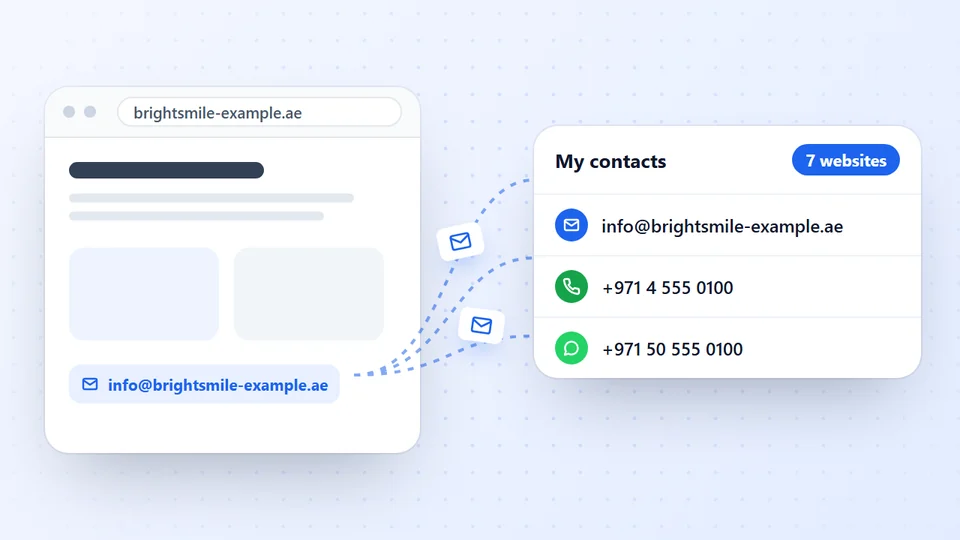
The app searches Google Maps city by city, reads every business’s website for phone numbers, WhatsApp numbers from chat buttons, emails and addresses, and saves them to My contacts, each with the business name and branch. It keeps running while you use other screens, and if the computer restarts, Continue where it stopped picks up the rest. The lead extractor software guide walks through every setting.
Check Every Number Safely
When the search finishes, the app checks each number with your own connected WhatsApp account and marks it WhatsApp-ready or Not on WhatsApp. It uses exactly the settings of its WhatsApp Number Filter:
- one number at a time, 1 to 3 seconds apart;
- a 15-minute Safety Pause after seven numbers in a row that are not on WhatsApp, because a run of dead numbers looks like probing;
- it waits while a campaign is sending from the same account.
Checking sends nothing to the businesses. A number marked “(Business)” belongs to a WhatsApp Business account, usually the owner’s or the front desk’s phone. Filter My contacts by WhatsApp-ready to see the final list, or download it to Excel with a WhatsApp column.
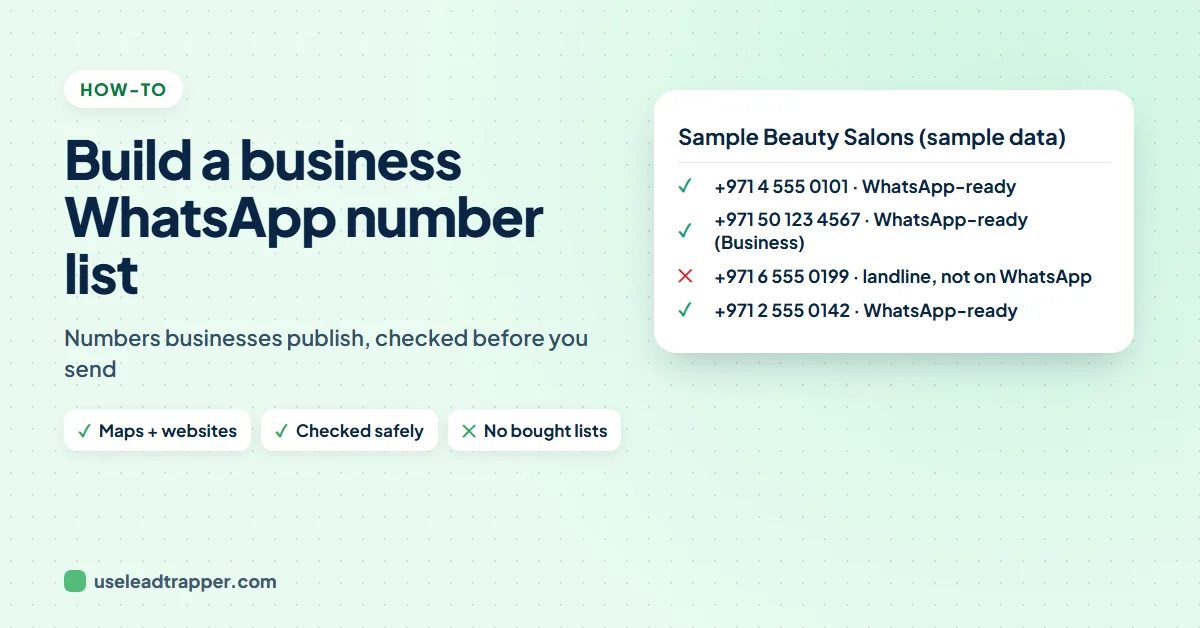
What the finished list looks like, with sample data:
| Business | Phone | Where it was found | |
|---|---|---|---|
| Sample Beauty Lounge | +971 4 555 0101 | WhatsApp-ready | Google Maps listing |
| Sample Beauty Lounge, Marina branch | +971 50 123 4567 | WhatsApp-ready (Business) | Chat button on the Branches page |
| Sample Nails Studio | +971 6 555 0199 | Not on WhatsApp | Website footer (a landline) |
Expect a mix. A salon chain may give you three numbers, one per branch, and a small studio only a landline. The landlines are still worth keeping for a phone call or an email; they just do not belong in a WhatsApp campaign.
Send to the List
Press Send to WhatsApp-ready numbers and the checked numbers load into the WhatsApp bulk sender with each business’s name. The sender checks the numbers once more before it sends and spaces the messages out.
What you write decides whether the list works. Use the business’s name, say who you are and why you are writing to them in particular, make one offer, and give an easy way to say no. Our six-step B2B outreach guide and the cold outreach policy guide cover the rules. A small list that replies beats a big list that reports you.
Frequently Asked Questions
Collect the numbers businesses publish themselves: their Google Maps listing and their website, where a WhatsApp chat button holds the number in its wa.me link. Then check the other phone numbers on WhatsApp, because many business mobiles are on WhatsApp without a button.
We do not recommend it. Bought lists are usually old, full of landlines and numbers that changed hands, and collected without the businesses knowing. Sending to them produces failures and reports, which is what gets WhatsApp numbers banned.
For one number, open wa.me followed by the number in international format. For a list, a number checker such as LeadTrapper's WhatsApp Number Filter checks each number with your own WhatsApp account at a safe pace and marks which are on WhatsApp.
It varies by country and trade. In our Google Maps scans, 12% to 32% of businesses showed a WhatsApp link, but many more had a mobile number that can be checked. Landlines, which Maps lists often, are rarely on WhatsApp.
Yes, with care. Send a personal, relevant message, name yourself, offer an easy way to say no, and use a sender with safe delays. LeadTrapper's bulk sender loads only the numbers marked WhatsApp-ready and checks them again before sending.
About LeadTrapper
LeadTrapper is a Windows app for finding business leads and contacting them on WhatsApp. It collects business contacts from Google Maps, Instagram, Facebook, TikTok, LinkedIn and business websites, checks which numbers are on WhatsApp with its Number Filter, and sends personalised campaigns with automatic delays from one or more WhatsApp accounts. It also has a chatbot, a shared inbox for every account, and Store Orders for online shops. It installs from the Microsoft Store, and the full app is free for 14 days, then $50 a year. Free web tools, browser extensions and a Wix app are listed on the Free Tools page.
Build a WhatsApp-Ready List of Businesses
LeadTrapper for Windows finds businesses in your cities, reads their websites, marks WhatsApp-ready numbers and sends with safe delays. $50/year, 14-day free trial.