In this article 5 sections
An email extractor Chrome extension collects the email addresses written on the web pages you visit. Of seven we checked on 15 November 2026, Email Extractor by Mailsumo is the most installed pure extractor, Hunter and Snov.io are finders that need an account, and Contact Finder by LeadTrapper also collects phones and WhatsApp numbers, free with no sign-up.
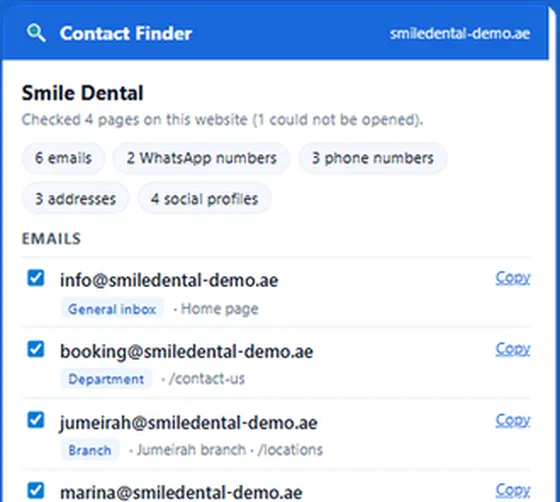

Extract the emails, phones, WhatsApp numbers, addresses and social profiles published on one business website or a whole list of them, and download them to Excel.
- Emails, phones, WhatsApp, addresses and social profiles
- Scan one site, a pasted list of websites or your open tabs
- Email check, Excel or CSV download; nothing is sent to us
- An email extractor reads the addresses written on a web page. An email finder such as Hunter or Snov.io also guesses and verifies addresses from its own database, and needs an account.
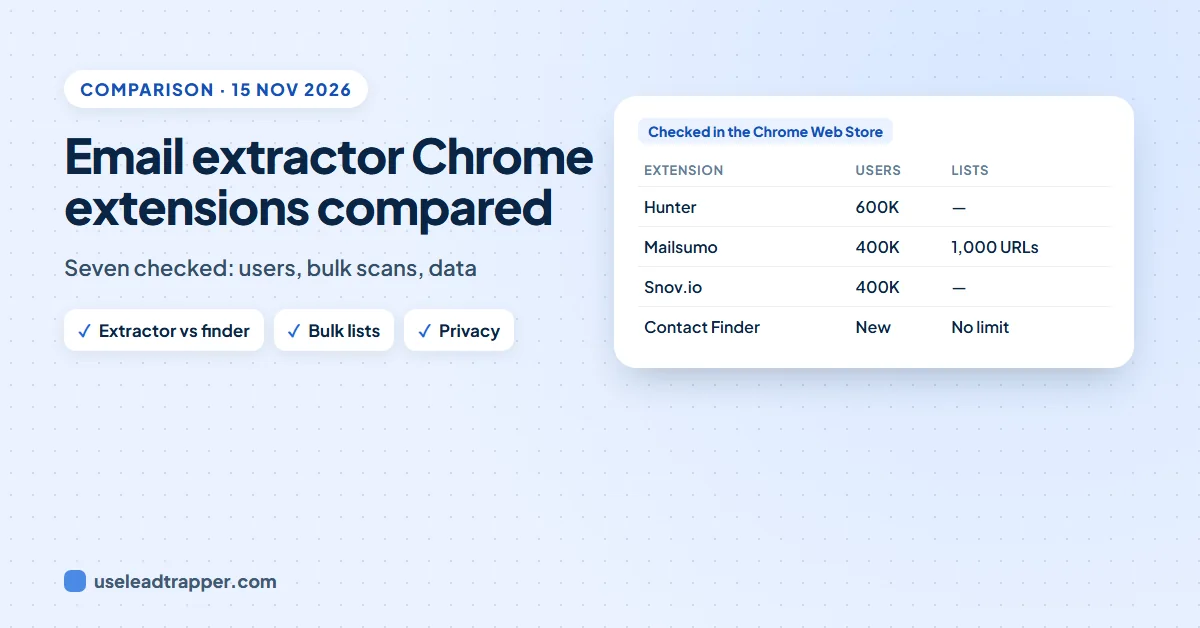
- On 15 November 2026 the most installed extensions were Hunter (600,000 users), Email Extractor by Mailsumo and Snov.io (400,000 each).
- Only some extractors can read a whole list of websites: Mailsumo (a queue of up to 1,000 URLs), Email Magnet and Contact Finder (no limit, plus your open tabs).
- The Chrome Web Store's Privacy section shows what each developer says it handles. Two of the seven declare that they collect no data at all.
- Email Magnet was last updated in September 2023, so check the update date before you rely on an extension.
- Contact Finder is ours. It is the only one of the seven that also lists phone and WhatsApp numbers, labelled by branch or person.
An email extractor Chrome extension collects the email addresses written on the pages you visit, so you do not copy them one by one. There are dozens in the Chrome Web Store, and they differ in three ways that matter: whether they can read a whole list of websites, what happens to the addresses they collect, and whether anyone still maintains them. We read the store pages of seven popular ones on 15 November 2026 and compared what each says it does.
One of the seven is ours, Contact Finder by LeadTrapper. We say so here and keep to facts you can check on each store page.
Extractor or Finder?
Search the store for “email extractor” and you get two kinds of tool mixed together.
An email extractor reads the page. If a dental clinic in Toronto prints info@ and bookings@ in its footer, the extractor collects both. If the site shows no email, it finds nothing. These tools usually need no account and cost nothing.
An email finder goes further. Hunter and Snov.io keep their own database of addresses, guess new ones from a person’s name and a company’s email pattern, and verify them. That is useful when you want one named person at a large company, and it is why they ask you to sign up and spend credits. We compare Hunter with a local-business approach in our Hunter.io alternative guide.
For small and local businesses, the extractor is usually enough: they publish a general address, and a guessed address for the owner often bounces.
The Seven Extensions at a Glance
All figures come from each extension’s Chrome Web Store page on 15 November 2026. “Declared data” is what the developer lists in the store’s Privacy section; it is the developer’s own statement, not our test.
| Extension | Users | Rating | Last updated | Reads a list of websites | Declared data |
|---|---|---|---|---|---|
| Hunter - Email Finder Extension | 600,000 | 4.8 (12.5K) | 11 Nov 2026 | No, the site you are on | Personal information, authentication, user activity |
| Email Extractor by Mailsumo | 400,000 | 4.6 (3.5K) | 28 Oct 2026 | Yes, up to 1,000 URLs | Website content |
| Email Finder by Snov.io | 400,000 | 4.9 (6K) | 13 Nov 2026 | No, the site you are on | Authentication, location, web history, website content |
| Email Extractor Lite | 8,000 | 4.6 (11) | 2 Feb 2025 | Pages you visit, automatically | Declares it collects no data |
| Email Extractor - Pro (Carryfest) | 5,000 | 5.0 (16) | 3 Jun 2026 | No, the page you are on | Personal information, authentication |
| Email Magnet (Email Extractor From Websites) | 1,000 | 4.7 (3) | 17 Sep 2023 | Yes, plus common sub-pages | Personal information |
| Contact Finder by LeadTrapper | 65 | New | 23 Oct 2026 | Yes, no limit, or your open tabs | Personal information, website content (kept on your computer) |
A few things stand out. The two most installed tools are finders, not extractors. Ratings from a handful of reviews, such as Carryfest’s 5.0 from 16 ratings, tell you little. And one extension that still appears in searches has not been updated for more than two years.
Each Extension in Short
Hunter
Click the icon on a company’s site and Hunter shows the addresses it knows for that domain, the company’s usual email pattern and a confidence score for each address. It needs an account; the listing says new accounts get 50 free credits a month. Choose it when you want a named person at a company with a website of its own domain, and you are happy to pay as you grow. For smaller businesses, the owner’s address is often published on the site itself; our guide to finding a website owner’s email shows where.
Email Extractor by Mailsumo
The most installed pure extractor. It reads the page’s source code, so it can collect addresses hidden from view, and its AutoVisit tool works through a queue of up to 1,000 URLs. Its AutoSave feature stores the addresses it finds in the cloud, according to the listing. It suits people who already have a list of pages and only want emails.
Snov.io
Snov.io’s extension is the front door to a larger sales platform: finder, verifier and email campaigns. It is well rated and actively updated, and it declares the widest data handling of the seven, including web history and location. Choose it if you want the whole Snov.io system, not only an extractor.
Email Extractor Lite
Free, no account, and it declares that it collects no data; addresses stay in your browser. It extracts automatically from the pages you visit, including Google and Bing results, and exports to TXT, CSV or JSON. It was last updated in February 2025.
Email Extractor - Pro (Carryfest)
A simple page-by-page extractor with a dashboard and CSV or TXT export. It has 5,000 users and too few ratings to judge.
Email Magnet
It does several useful things: it checks a site’s common sub-pages, saves the contact form page when there is no email, and takes a list of websites with a delay you set. But it has not been updated since September 2023, and Chrome extensions that are not maintained tend to break as Chrome changes.
Contact Finder by LeadTrapper
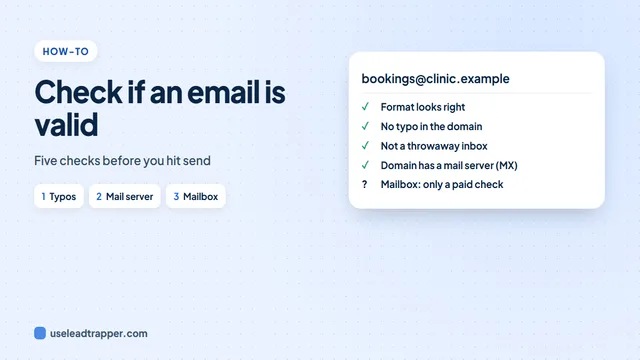
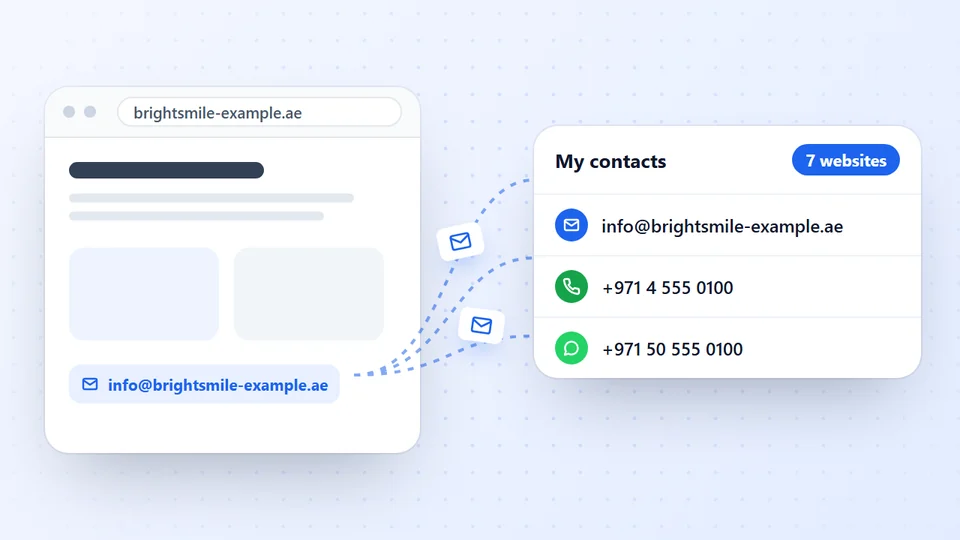
Contact Finder reads the site you are on plus its Contact, Team, About and Branches pages, and collects phone numbers, WhatsApp numbers, addresses and social profiles as well as emails. Each contact is labelled as a general inbox, a department, a branch or a person, with their name when the page shows it. Paste a list of websites of any length, or scan your open tabs, and it works through them one by one. It needs no account, and the addresses stay on your computer. Its email check sends only domain names to a public DNS service; our guide to checking if an email is valid explains what that check can and cannot tell you.
It is new, with 65 users on the day we checked, so it has no rating history yet. It refuses search engines and social networks, so it will not extract from Google results the way Email Extractor Lite does.
Version 1.2.4 came out after our check, in November 2026. It finds contact pages in 12 languages, marks every number mobile or landline and shows how sure each label is; the Contact Finder guide lists the changes. On 17 November 2026 we ran it on 148 business websites whose contacts we had recorded by hand: it found 62% of the published emails and 63% of the phone numbers, and 2.3% of the emails it returned were wrong. We have not run the other six extensions on that test, so this is not a ranking.
What to Check Before You Install
Four questions sort the store quickly.
Where do the addresses go? Open the store page and scroll to Privacy. Some tools keep everything in your browser; others store your list in their cloud or in your account. Neither is wrong, but you should choose knowingly, especially with client data.
Can it read a list? If you have 300 websites from a trade directory, a page-by-page extractor means 300 clicks. Mailsumo, Email Magnet and Contact Finder read lists; the bulk email extractor guide shows how a list scan works from start to finish.
Does it find more than emails? In our Google Maps scans, 93% to 99% of businesses had a phone number but only 15% to 47% had an email. An email-only tool misses most of the ways to reach a local business.
Is it maintained? Look at “Updated” on the store page. More than a year without an update is a warning sign.
Extensions are one kind of tool. For database finders such as Hunter and Snov.io set against tools that read each website, see our comparison of the best email finder tools.
Where an Extension Stops
Every extension on this list works inside your browser, on websites you already have. None of them finds the businesses for you. If your starting point is “every dentist in Riyadh” or “every interior designer in Manchester”, you first need the list of businesses and their websites.
That is the job of the email finder in the LeadTrapper Windows app. Type a business type and a city, and it finds the businesses on Google Maps, reads each website’s contact, team and branch pages, and labels and checks every email, phone and WhatsApp number it publishes, with no limit on websites and several cities in one run. It then marks which numbers are on WhatsApp, sends to them in one click with safe delays, and continues where it stopped after a restart; the desktop app vs extension comparison sets out the difference. Our guide on how to find business email addresses walks through both routes.
Whichever tool you pick, use the addresses lawfully. Write to businesses with an offer that fits them and an easy way to say no, and follow the anti-spam and privacy rules of the countries you contact.
Frequently Asked Questions
It depends on the job. For emails on the page you are reading, Email Extractor Lite and Email Extractor by Mailsumo are free and widely used. To read a whole list of websites, plus their phones and WhatsApp numbers, Contact Finder by LeadTrapper is free with no account and no limit. Hunter and Snov.io need an account and work on credits.
An email extractor collects the addresses that are written on the pages you visit. An email finder, such as Hunter or Snov.io, also searches its own database, guesses addresses from a name and a company's email pattern, and verifies them, which is why it needs an account and credits.
Read the Privacy section of each extension's Chrome Web Store page before installing. The developer lists there what it handles, such as website content, personal information or web history. Two of the seven we checked declare that they collect no data; others store your emails in their cloud or in your account.
Some can. Email Extractor by Mailsumo visits a queue of up to 1,000 URLs, Email Magnet takes a list of websites, and Contact Finder scans a pasted list of any length or all your open tabs. Hunter, Snov.io and Carryfest's extractor work on the page or site you are on.
Collecting addresses a business publishes is generally allowed, but what you do with them is regulated. Anti-spam and privacy laws such as GDPR in Europe and CAN-SPAM in the US apply to the messages you send, and some websites' terms forbid scraping. Write to businesses with a relevant offer and an easy way to opt out.
About LeadTrapper
LeadTrapper is a Windows app for finding business leads and contacting them on WhatsApp. It collects business contacts from Google Maps, Instagram, Facebook, TikTok, LinkedIn and business websites, checks which numbers are on WhatsApp with its Number Filter, and sends personalised campaigns with automatic delays from one or more WhatsApp accounts. It also has a chatbot, a shared inbox for every account, and Store Orders for online shops. It installs from the Microsoft Store, and the full app is free for 14 days, then $50 a year. Free web tools, browser extensions and a Wix app are listed on the Free Tools page.
Find the Businesses, Not Just Their Emails
LeadTrapper for Windows finds businesses by type and city, reads each website for emails, phones and WhatsApp, and messages them with safe delays. $50/year, 14-day free trial.