In this article 6 sections
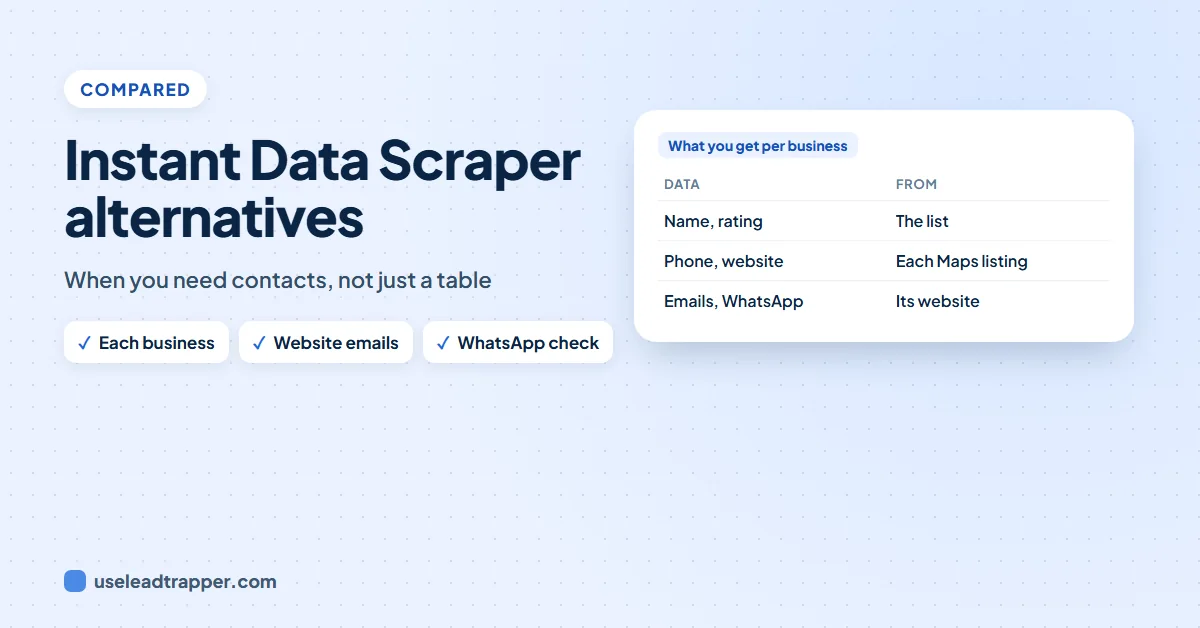
Instant Data Scraper is a free Chrome extension that copies the list or table on the page you're viewing into Excel or CSV. It doesn't open each business or read their websites. For lead lists, LeadTrapper's Google Maps scraper and Email Finder do both, for $50 a year.
- Instant Data Scraper is free. On 19 November 2026 its Chrome Web Store page showed 1,000,000 users, 4.9 out of 5 from 7.8K ratings, and version 1.10.2, updated 18 November 2026.
- It guesses which list or table on a page holds the data, follows next-page buttons and infinite scroll, and saves the rows to Excel or CSV. It has no scripts for particular websites.
- That makes it a good general tool for copying a list you can already see. It doesn't open each result, visit each business's website or check phone numbers.
- For business leads, the details usually sit one or two clicks deeper: the phone and website on each Maps listing, the email on the business's contact page.
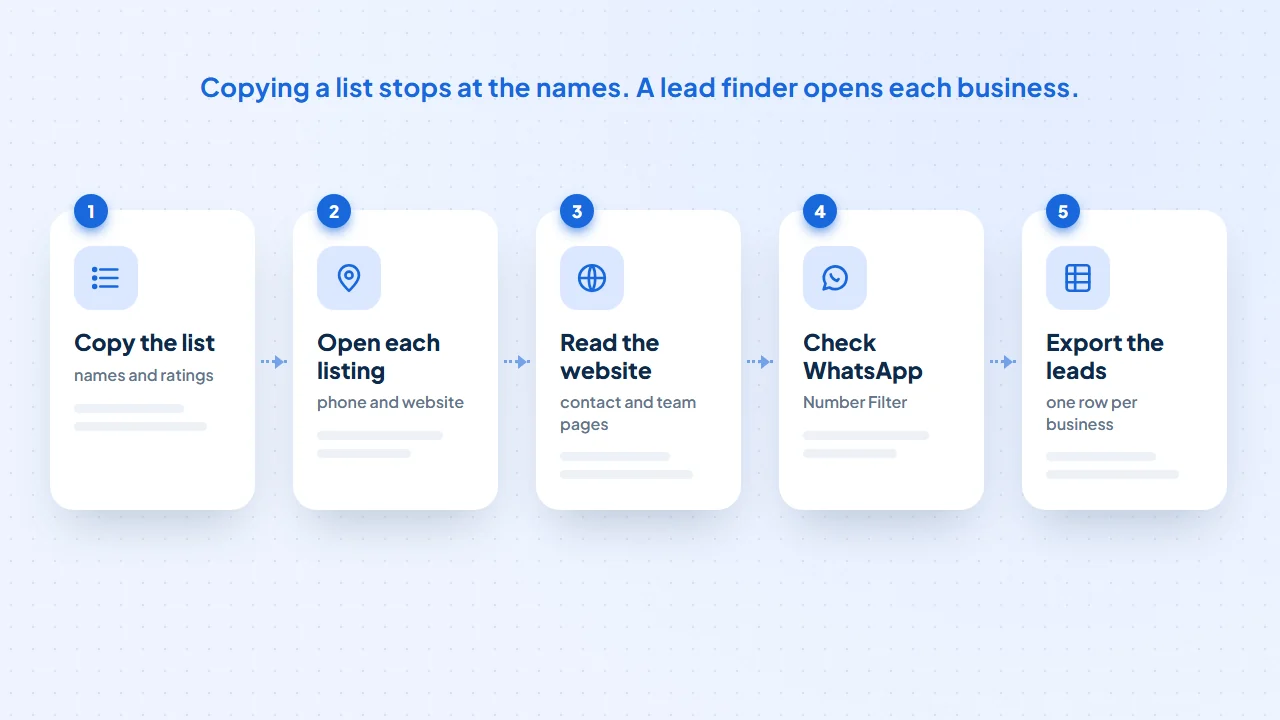
- LeadTrapper's Google Maps scraper opens every business and its Email Finder reads each website, then the Number Filter checks WhatsApp. It costs $50 a year.
Instant Data Scraper is one of the most installed scraping tools there is, and for good reason: it’s free and it works on almost any page without setup. People start looking for an alternative when they use it for lead generation and find the export full of names but short on phones and emails. This guide covers what the extension does well, where it stops for lead lists, and what to use instead. LeadTrapper is ours, and we say so wherever it appears.
What Instant Data Scraper Does Well
On 19 November 2026 its Chrome Web Store page showed 1,000,000 users, a 4.9 rating from 7.8K reviews and version 1.10.2, updated the day before, from Flavr Technology. Its listing describes how it works:
- It guesses the data for you. It looks at the structure of the page and picks the list or table that most likely holds the data, and you can adjust the selection if it guesses wrong.
- It handles more than one page. It clicks next-page buttons or links, waits for content that loads late, and supports infinite scrolling.
- It saves to Excel or CSV. You can rename and filter columns before you export.
- It needs no scripts. Because it reads any page’s structure, it works on small websites as well as big ones.
For copying a directory, a product list or a table of results you can already see, it’s hard to beat a free tool that does this.
Before you replace it, check that you’re getting the most out of it. User guides, such as RapidSeedbox’s review updated in July 2026, describe the same few controls:
- Let the page load fully, then click the extension icon. It highlights the table it picked.
- Press Try another table if it picked the wrong one, such as a menu instead of the results.
- Press Locate ‘Next’ button and click the page’s next button, then Start crawling. For pages that load more as you scroll, tick Infinite scroll instead.
- Raise the Min and Max delay on large jobs so pages have time to load and the site isn’t hit too fast.
- Delete the columns you don’t need, then download CSV or XLSX. XLSX keeps accented and Arabic characters more reliably when opened in Excel.
One more setting is worth a look. Chrome’s help page on installing and managing extensions explains that you can change an extension’s site access from “On all sites” to running only when you select it, which is all a click-to-scrape tool needs.
Where It Stops for Lead Lists
A lead isn’t just a name in a list. To contact a business you need its phone, email or WhatsApp number, and those usually sit one or two clicks deeper than the list:
- On Google Maps, the results list shows names, ratings and categories. The phone number and website are on each business’s own listing, which you’d have to open one by one.
- On a directory, the list links to a profile page, and the profile links to the business’s website.
- On the website, the email is often on the contact, team or branch page, not the home page.
Instant Data Scraper reads the page you’re on. It doesn’t open each result, follow it to the business’s website and read the contact page, and it doesn’t check whether a number is on WhatsApp. So the export is a good start, and the rest is manual work.
A Tool That Opens Each Business
LeadTrapper is a Windows app built for that deeper work:
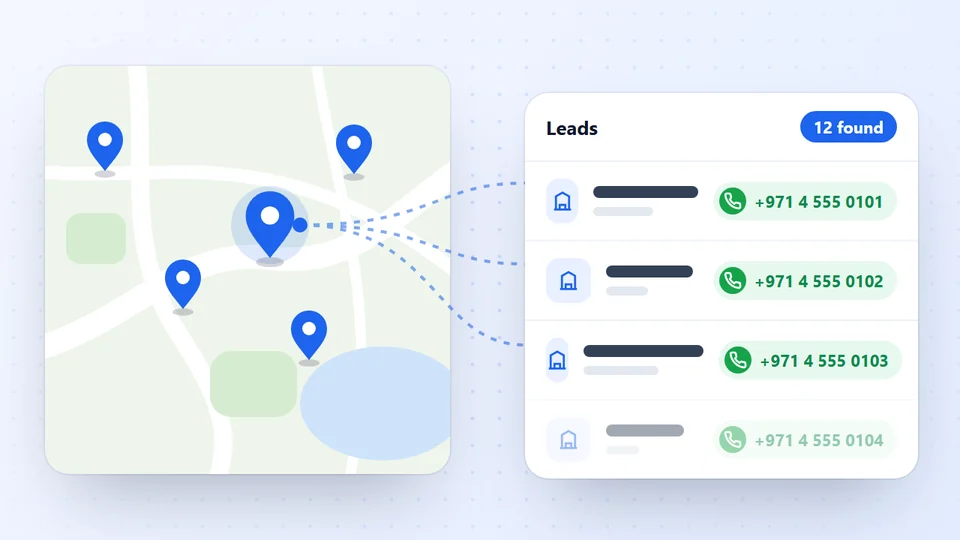
- The Google Maps scraper opens every business. Type a business type and a city and it collects name, phone, address, rating, review count, website and Maps link from each listing. Unlimited scan mode splits the city into districts to get past the roughly 120 results one search shows. In a September 2026 test for dentists in Amman, 158 of 160 businesses came back with a phone number.
- LeadTrapper’s Email Finder reads every website. It opens each site’s contact, team, about and branch pages and collects emails, phones, WhatsApp numbers, addresses and social profiles, with the owners and managers the business names.
- The WhatsApp Number Filter checks each number, so you know who you can message, and the list goes into the WhatsApp bulk sender or out as a CSV.
It’s slower than copying a list: the Maps scraper opens about seven businesses a minute, so 160 businesses take around 20 minutes. You can keep working while it runs. Our guide to scraping phone numbers from Google Maps shows a full run.
A worked example. Say you want real estate agencies in Downtown Dubai. Copying the Google Maps results list gives you names, ratings and categories, and nothing to contact. In our own test on 24 September 2026, the Google Maps scraper opened 60 agencies there in about 13 minutes and came back with a phone for 98% of them, a website for 97%, an email for 47%, a social profile for 45% and a WhatsApp link for 32%. The full numbers, including two runs Google refused that afternoon, are in our Google Maps scan test results.
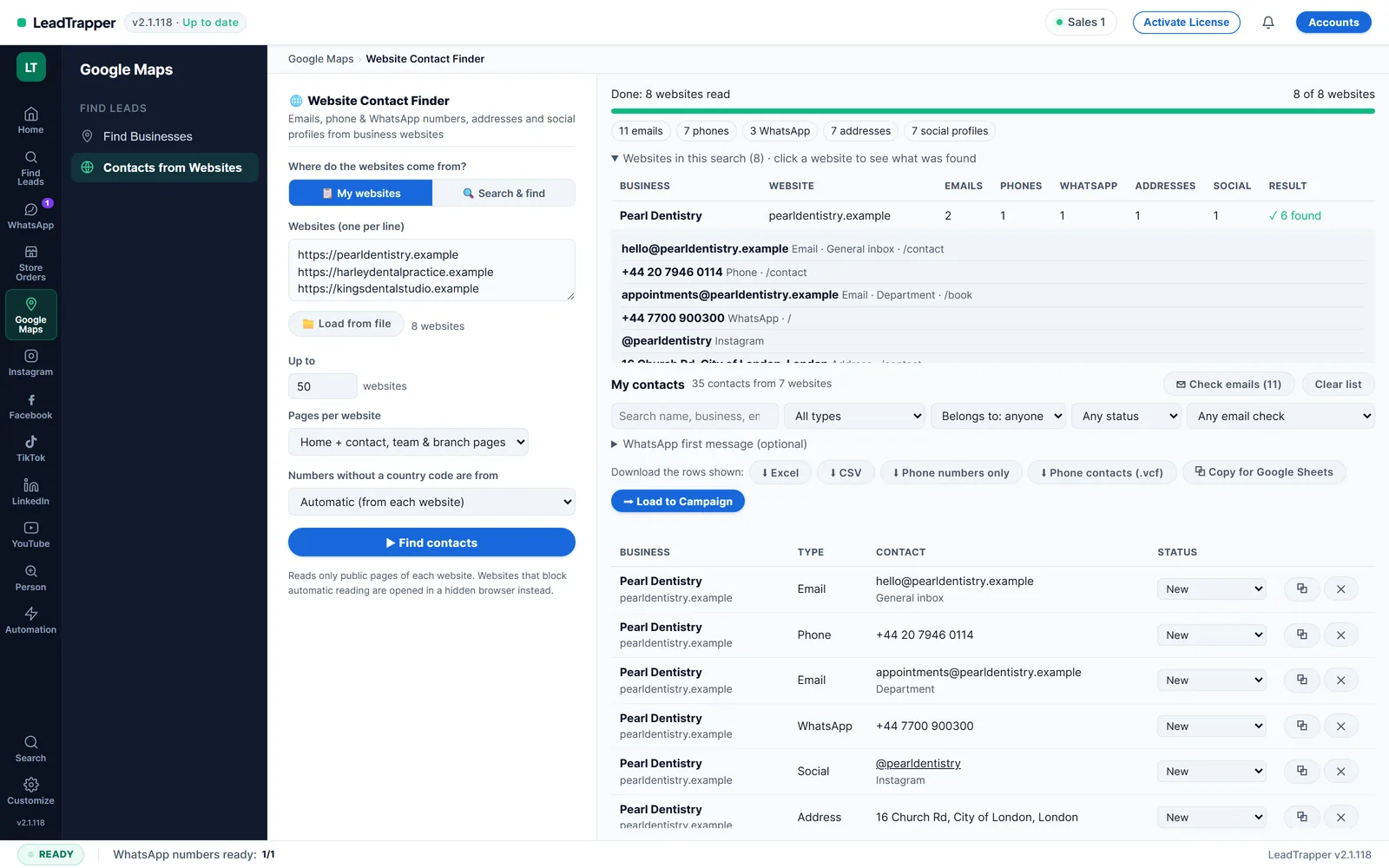
If you’d rather stay in Chrome, our free Contact Finder by LeadTrapper extension reads business websites for their contacts, from a list you paste or the tabs you have open; our guide to the best email extractor Chrome extensions compares it with others.
Try the Google Maps scraper free for 14 days
The Comparison Table
| Compared | Instant Data Scraper | LeadTrapper |
|---|---|---|
| Price | Free | $50 a year, 14-day free trial |
| What it reads | The list or table on the page you’re viewing | Every Google Maps listing, then each business’s website |
| Phone and website per business | Only if the list shows them | Yes, from each listing |
| Emails | Only if the page shows them | From each website’s contact, team and branch pages |
| WhatsApp check | No | Yes, with the Number Filter |
| Pages beyond the first | Next-page buttons and infinite scroll | Splits a city into districts in unlimited scan mode |
| Works on any website | Yes, that’s its strength | Built for Google Maps and business websites |
| Where it runs | Chrome extension | Windows app on your own computer |
Alternatives by Job
The right alternative depends on what’s missing from your export: more pages, harder sites, a schedule, or the contact details themselves. The table matches common jobs to tool types. We checked the prices on each vendor’s pricing page on 21 November 2026. Thunderbit’s page didn’t show its prices to us, so its figures come from Apify’s comparison of instant data scrapers, dated 1 April 2026. Prices change, so check before you buy.
| Tool | Runs as | Free tier | Entry paid plan | Best for | Main catch |
|---|---|---|---|---|---|
| Instant Data Scraper | Chrome extension | Free | None | Copying a visible list or table | One table per run, the page you’re on |
| Web Scraper (webscraper.io) | Extension, plus cloud | Extension on your own computer | $50 a month, billed yearly (cloud) | Multi-page jobs you map with a sitemap | Setup takes time and trial and error |
| Octoparse | Desktop app, plus cloud | 10 saved tasks | $19 a month (Basic, 20 tasks) | Large jobs, logins, scheduling | Standard is $69 a month billed yearly, $83 monthly |
| Thunderbit | Extension, plus cloud | 6 pages (April 2026) | $15 a month (April 2026) | Messy layouts, fields described in plain English | Credits add up on repeat jobs |
| Apify | Cloud | $5 of usage a month | $19 a month (Starter) | Scheduled runs and ready-made scrapers | Built for technical users |
| LeadTrapper (ours) | Windows app | 14-day trial | $50 a year | Business leads from Google Maps and websites | Not a general web scraper |
If your problem is pagination or a JavaScript-heavy site, a general scraper from the first five rows fixes it. If your problem is that the export has names and no phones or emails, none of the general tools fix that on their own, because the contacts aren’t on the page you scrape. That’s the job the last row is built for. For a closer look at one of the cloud options, see our comparison of Apify and a desktop lead finder.
Which One Fits
Instant Data Scraper fits when the data you need is already visible in a list or table, such as a directory, a price list or a search results page, and you want it in a spreadsheet for free.
LeadTrapper fits when you’re building a contact list of businesses and need the phone, email and WhatsApp number for each one, not just its name. For paid cloud tools that do Google Maps, see our guides to the Scrap.io alternative, the D7 Lead Finder alternative and the best Google Maps scrapers.
Answer these before you pick a tool:
- Is the data you need already visible on the page? If yes, Instant Data Scraper is enough.
- Does the list run over many pages or load as you scroll? Try its Locate ‘Next’ button and Infinite scroll first.
- Do you need the same export every week? Look at a tool with scheduling.
- Do you need a phone, email or WhatsApp number for each business? Then you need a tool that opens each listing and website.
- Will you message the list on WhatsApp? Check the numbers first, and message only people who’d expect to hear from you.
Collecting public business details is one thing; using them is regulated. Our guide on whether scraping Google Maps is legal covers the main questions. This is not legal advice.
Where LeadTrapper Finds Leads
LeadTrapper collects leads from each of these sources in one Windows app, then checks the numbers and sends the WhatsApp messages from the same place.
- Google Maps Scraper: Business leads from any city.
- Facebook Scraper: Advertisers, pages and group members.
- Instagram Scraper: Leads from profiles and hashtags.
- TikTok Scraper: Creators, hashtags and commenters.
- LinkedIn Scraper: Profiles by role and city.
- Email Finder: Emails from business websites.
Frequently Asked Questions
For general web tables, other free extensions work in a similar way. For business lead lists, you want a tool that opens each business: LeadTrapper's Google Maps scraper collects each listing's phone, address, rating and website, and its Email Finder reads each website for emails and more numbers, for $50 a year.
Yes. It's a free Chrome extension. On 19 November 2026 its store page showed 1,000,000 users and 4.9 out of 5 from 7.8K ratings.
It can copy what the results list on the page shows, because it reads lists and tables on whatever page you're viewing. It doesn't open each business's listing or website, so details that only appear one click deeper aren't in the export unless the list shows them.
Contact Finder by LeadTrapper is a free Chrome extension that reads business websites for their emails, phones and WhatsApp numbers, from a list you paste or your open tabs. The LeadTrapper Windows app adds the Google Maps scraper and WhatsApp tools, after a 14-day free trial, for $50 a year.
No. In the Google Maps scraper you type a business type and a city and press Start; in the Email Finder you paste websites or load them from Excel. Both export to CSV.
It guesses which list on the page holds the data, so on busy pages it can pick a menu or a sidebar. Press Try another table until the right rows are highlighted. Missing rows usually mean the page hadn't finished loading: wait before you start, tick Infinite scroll for pages that load as you scroll, and raise the Min and Max delay on long crawls.
Yes. Edge is built on Chromium, and in December 2020 Web Robots, which built the extension, wrote that the extension had been published to the Edge add-ons store with no code changes. It works the same way there: it copies the list or table on the page you're viewing into CSV or Excel.
About LeadTrapper
LeadTrapper is a Windows app for finding business leads and contacting them on WhatsApp. It collects business contacts from Google Maps, Instagram, Facebook, TikTok, LinkedIn and business websites, checks which numbers are on WhatsApp with its Number Filter, and sends personalised campaigns with automatic delays from one or more WhatsApp accounts. It also has a chatbot, a shared inbox for every account, and Store Orders for online shops. It installs from the Microsoft Store, and the full app is free for 14 days, then $50 a year. Free web tools, browser extensions and a Wix app are listed on the Free Tools page.
Every Business Opened, Every Website Read
The Google Maps scraper, Email Finder, Number Filter and WhatsApp bulk sender all come with LeadTrapper. $50/year, all features included.