In this article 6 sections
To scrape emails from Google search results, search a business type and city, open every business website in the results, and collect the emails and phones each one publishes. LeadTrapper's Email Finder does it for you: it reads Google and Bing results page after page, area by area, skips directories, then reads each business's own website.
- Google search results list business websites, not emails. The emails are on each business's own website, so a scraper has to open every result and read it.
- LeadTrapper's Email Finder reads Google and Bing results page after page, until the engine has no next page, and searches each city area by area to reach more businesses.
- Directories, review sites, 'Top 10' lists, news sites and social networks are skipped, so only businesses' own websites are read.
- Search engines limit automatic searching. LeadTrapper searches in a visible window at a person's pace, and if Google shows 'I'm not a robot', you tick it yourself; it never solves it for you.
- You can mix Google Maps, Google search and Bing search in one run. Websites found twice are read once.
Search “dentist London” and Google gives you page after page of clinics. Turning that into a list of emails by hand means opening every result, finding the contact page, copying the address and going back for the next one. This guide shows how to scrape emails from Google search results automatically, what a good tool should leave out, and what a real run looks like.
Why the Emails Are Not on the Results Page
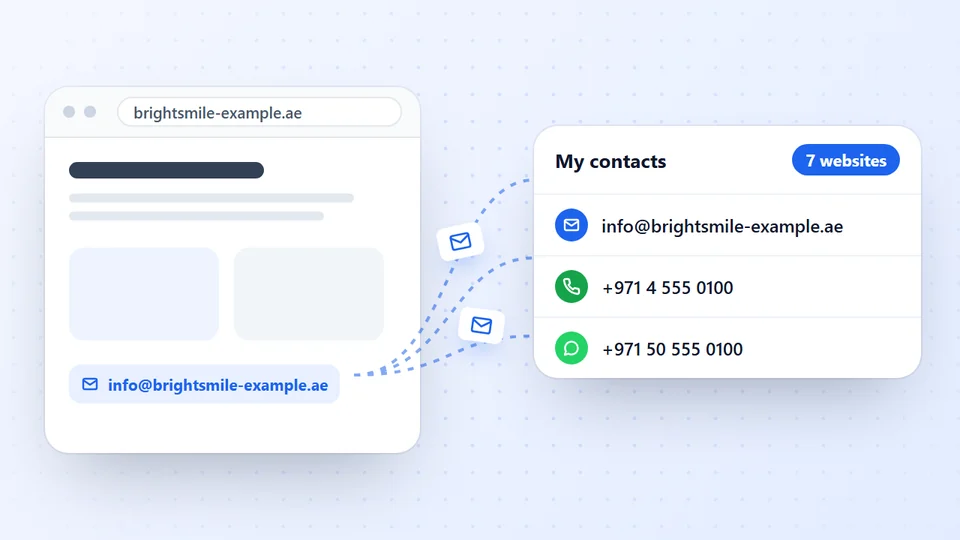
A Google results page shows a title, a web address and two lines of text for each result. Businesses rarely put an email there. The emails, phone numbers and WhatsApp numbers sit on the businesses’ own websites, spread over the home, contact, team and branch pages.
So scraping emails from Google is two jobs. First collect the business websites from the results, every page of them. Then read each website the way our guide to extracting contact details from a website describes.
How LeadTrapper Searches Google and Bing
The email finder in the LeadTrapper Windows app does both jobs in one run. In Search & find, type the business type and one or more cities, one per line, and tick where to search: Google Maps, Google search and Bing search.
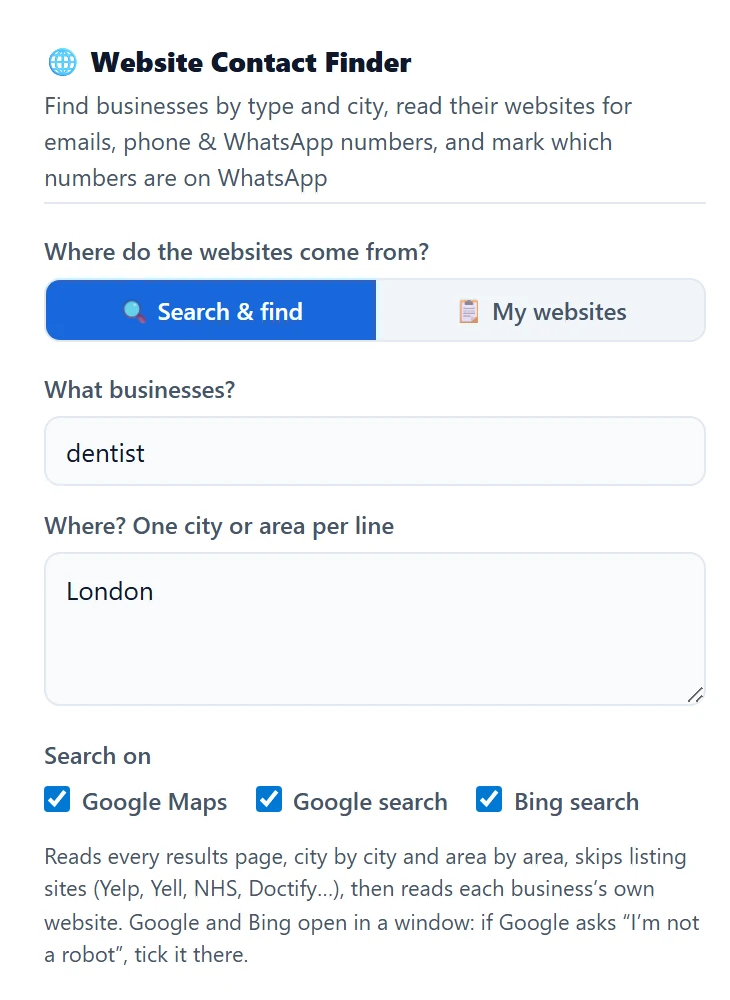
For every city, LeadTrapper searches the city itself and then each of its areas, because a search engine shows only a limited number of results for one search. London, for example, is searched as City of London, Westminster, Canary Wharf, Shoreditch, Brixton, Hackney and Islington; a city without its own area list is searched as its north, south, east and west. The same idea gets more than 120 results from Google Maps.
Each search runs in a visible browser window on your computer. LeadTrapper types the search on Google’s or Bing’s home page, reads the results, then presses Next, page after page, with 5 to 10 seconds between pages. It stops when the engine has no next page, or when three pages in a row bring no website it has not seen, which is how search engines end a search in practice: Google and Bing rarely have 100 real pages, and the later ones repeat earlier results.
Every new website goes straight to the Email Finder, which reads it while the search carries on: the home page plus the contact, team, about and branch pages, one website at a time, following each business website’s robots.txt, the robot rules that the robots.txt standard (RFC 9309) describes. A website found by Google, by Bing and by Google Maps is read once.
What It Skips
Most of a results page is not one business’s own website. LeadTrapper leaves out:
- Directories and review sites such as Yelp, Yell, Doctify, Top Doctors, WhatClinic, Trustpilot and the NHS service finder. Their contacts belong to the directory or to many businesses at once.
- List pages whose title reads like “Top 10 Dentists in London” or “1307 Dentists in London”.
- News sites, job boards, marketplaces, Wikipedia and social networks.
- Results that have nothing to do with the search. A result must share a word with what you typed: “dent” for dentist matches Dental, Dentistry and smile-dentistry.com, but not “student” or “accident”.
- Results from somewhere else. A result must name the city or area you searched, unless the website belongs to the country you picked under “Numbers without a country code are from” (a .co.uk site on a UK search). In our test Bing answered “dentist Brixton, London” with dentists in Irvine, California; those were skipped. With a country picked, websites from another country, such as the clinics of London, Ontario, are skipped too.
Google's "I'm Not a Robot" Check
Google and Bing limit automatic searching, and Google sometimes answers with an “I’m not a robot” page. Google’s help page on the “unusual traffic from your computer network” message says it appears when a network seems to send automated traffic to Google Search, and that solving the reCAPTCHA makes it go away. LeadTrapper never solves that check and does not hide that it is a program.
It shows “Google asks you to show you are not a robot” and waits up to 5 minutes for you to tick the box in the Google window, as any visitor would. If the box is not ticked, the rest of the run uses Bing only, and every website already found is still read. Our guide on why websites block contact finders explains the same rule for business websites.
A long run can be stopped at any time. If LeadTrapper or the computer restarts, Continue where it stopped skips the searches already finished.
A Real Run: Dentists in London
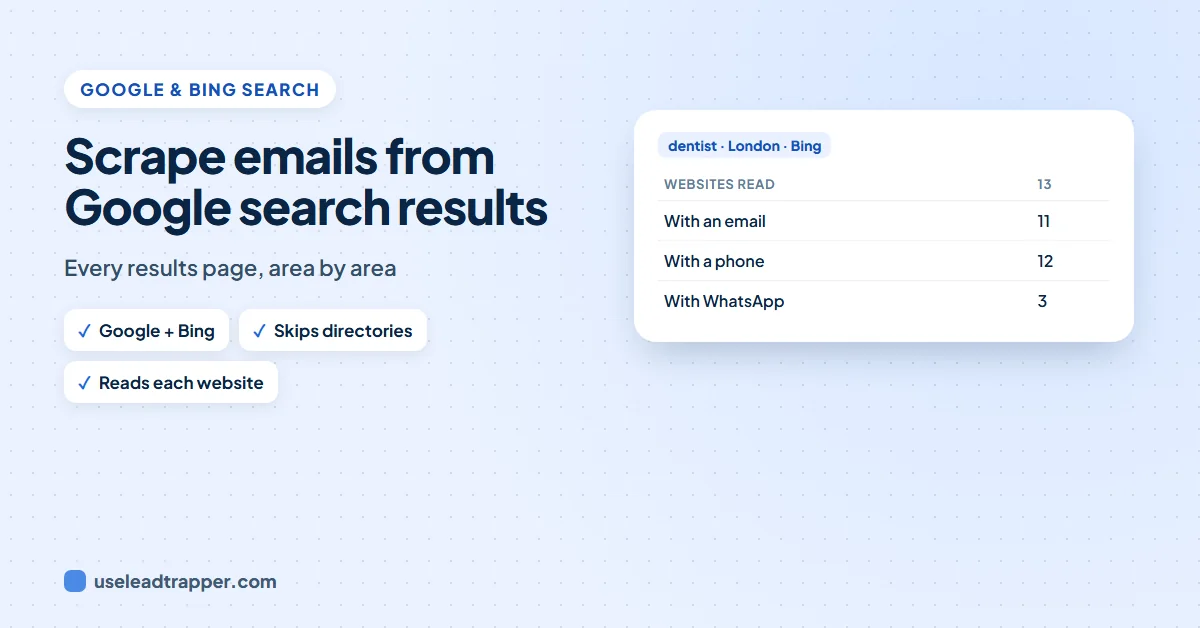
On 20 November 2026 we searched “dentist” in “London” on Bing only, with the code of LeadTrapper 2.1.136: London itself plus its seven areas, 8 searches and 24 results pages. Most of what Bing showed was skipped: directories, “Top 10” lists, the same clinics again, and dentists in other cities called London or nowhere near it. What was left was 13 London dental clinics’ own websites:
| Compared | Websites |
|---|---|
| Read | 13 |
| With at least one email | 11 |
| With at least one phone number | 12 |
| With a WhatsApp number | 3 |
Together they published 14 emails, 36 phone numbers and 23 addresses. That is a small list, and an honest one: Bing gives a program that says it is a program fewer real results than a person gets, and LeadTrapper does not pretend otherwise. Tick Google Maps as well for the clinics with a map listing, and Google search when you can be there to tick its robot check. Many clinics show only a contact form; our guide to contacting a business with no email covers those. How often a contact is right is measured separately in our accuracy test on 190 hand-checked websites.
When the run ends, LeadTrapper can mark which phone numbers are on WhatsApp with the WhatsApp Number Filter’s safe pace, then load them into the WhatsApp bulk sender.
Google Search, Bing or Google Maps?
They find different businesses, so ticking all three finds the most:
| Compared | Google Maps | Google and Bing search |
|---|---|---|
| Finds | Places with a map listing | Websites, including offices and online businesses without a listing |
| Comes with | Phone, address, rating from the listing | The business’s own website only |
| Speed | Faster | 5 to 10 seconds per results page |
| Robot check | Rare | Google sometimes; you tick it |
For local shops, clinics and restaurants, the Google Maps scraper alone finds most of them. For consultancies, agencies, B2B suppliers and anyone without a shop front, Google and Bing search add the businesses Maps misses. Before you write to anyone, read whether email scraping is legal where you and they are: collecting what a business publishes is one thing, and the rules on sending to it are another.
Where LeadTrapper Finds Leads
LeadTrapper collects leads from each of these sources in one Windows app, then checks the numbers and sends the WhatsApp messages from the same place.
- Google Maps Scraper: Business leads from any city.
- Facebook Scraper: Advertisers, pages and group members.
- Instagram Scraper: Leads from profiles and hashtags.
- TikTok Scraper: Creators, hashtags and commenters.
- LinkedIn Scraper: Profiles by role and city.
- Email Finder: Emails from business websites.
Frequently Asked Questions
Not from the results page itself: Google shows each website's title and a short text, and almost never an email. The emails are on the businesses' own websites, usually on the contact, team and about pages. A Google search email scraper therefore collects the websites from the results and then reads each one.
As many as the search engine shows. Google and Bing stop well before 100 pages for most searches, or start repeating earlier results. LeadTrapper reads until there is no next page, or until three pages in a row bring no new website, then searches the next area of the city, for example Westminster, Hackney or Canary Wharf in London.
The search window stays open and LeadTrapper waits up to 5 minutes for you to tick the box. It never solves the check itself. If it is not ticked, the rest of that run uses Bing, and the websites already found are still read.
No. Directories, review and booking sites, 'Top 10' and 'best of' lists, news sites, job boards and social networks are skipped, because their contacts are not one business's own. Results that have nothing to do with what you searched are skipped too.
No, they find different businesses. Google Maps lists places with a map pin; Google and Bing search list websites, including businesses that work from an office or online and have no Maps listing. You can tick Google Maps, Google search and Bing search together, and a website found by more than one is read once.
About LeadTrapper
LeadTrapper is a Windows app for finding business leads and contacting them on WhatsApp. It collects business contacts from Google Maps, Instagram, Facebook, TikTok, LinkedIn and business websites, checks which numbers are on WhatsApp with its Number Filter, and sends personalised campaigns with automatic delays from one or more WhatsApp accounts. It also has a chatbot, a shared inbox for every account, and Store Orders for online shops. It installs from the Microsoft Store, and the full app is free for 14 days, then $50 a year. Free web tools, browser extensions and a Wix app are listed on the Free Tools page.
Turn a Search Into a Contact List
LeadTrapper for Windows reads Google and Bing results and Google Maps, then every business website they list, for emails, phones and WhatsApp numbers. $50/year, 14-day free trial.