In this article 9 sections
Free US B2B leads come from Google Maps for phones and websites, state business registries for legal names and addresses, and each company's own website for emails. CAN-SPAM allows cold email to businesses with your identity, postal address and an opt-out, but autodialed texts to mobile numbers need prior written consent.
- Google Maps is the most up-to-date free directory of US local businesses, with phone, website, address and reviews kept up by the owners.
- Most states offer a free business entity search on the Secretary of State's website, with the legal name, status, registered agent and often the officers, but no phone or email.
- CAN-SPAM makes no exception for business-to-business email: say who you are, use an honest subject, include your postal address and honour opt-outs within 10 business days.
- Most business-to-business calls are exempt from the FTC's Telemarketing Sales Rule and the National Do Not Call Registry, which covers residential subscribers.
- Texts are stricter: telemarketing to a mobile number with an autodialer or prerecorded voice needs the person's prior express written consent under the TCPA rules.
The US has more lead list vendors than any other country, and many of their lists start from the same public sources you can read yourself. If you sell to American businesses, especially local ones such as clinics, contractors, restaurants, agencies and shops, you can build a fresher list for free. The US rules are also different by channel: email is fairly open, business calls are mostly exempt from Do Not Call, and texts to mobile numbers are strict. This guide covers both. We make LeadTrapper, which appears in some steps, and we say so where it does.
Free Source 1: Google Maps
For US local businesses, Google Maps is the best free directory, because owners keep their own listings up to date to win customers. Search a business type and a city, such as “dental clinic Austin” or “commercial roofing contractor Denver”, and each listing shows the phone number, website, address, rating and review count.
One search shows about 120 places, and a big US metro area has many more than that. Split the area by city, neighborhood or ZIP code, and use the words owners use: “HVAC”, “heating and air” and “air conditioning contractor” can return different firms.
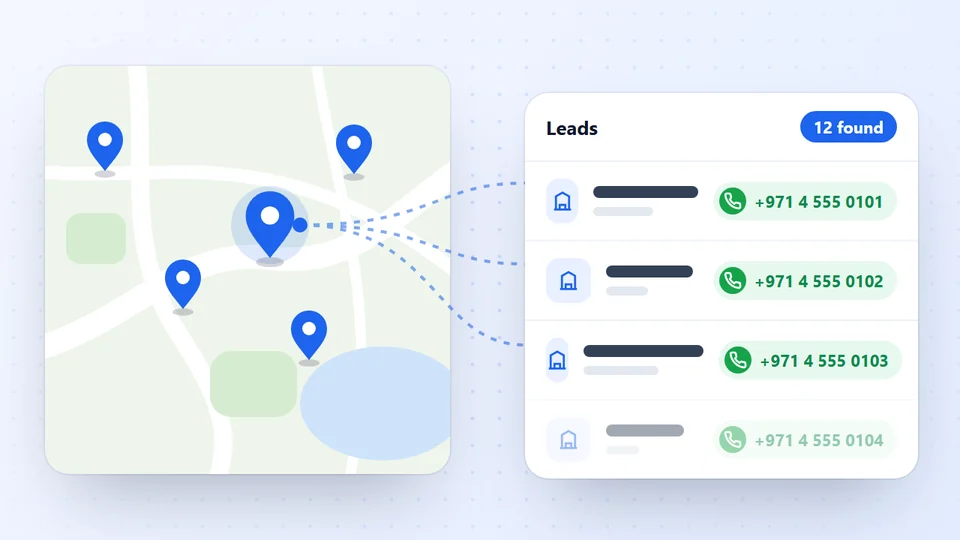
LeadTrapper’s Google Maps scraper does the splitting for you on Windows. Type the business type and city, and unlimited scan mode divides the city into districts and keeps going until Google Maps shows nothing new, one row per business, with name, phone, website, address, rating and reviews. Our guide to getting more than 120 results from Google Maps explains how the split works.
Collect US business leads free for 14 days
Free Source 2: State Business Registries
The US has no single national company register like the UK’s Companies House. Each state keeps its own, usually run by the Secretary of State, and most offer a free online business entity search. A few charge, so check before you plan a big lookup job.
Here is what the five busiest registries offered when we checked their official pages on 21 November 2026:
| State | Where to search | Cost | Worth knowing |
|---|---|---|---|
| California | bizfile Online (Secretary of State) | Free | Entity type, status, formation date and agent for service of process |
| Florida | Sunbiz (Division of Corporations) | Free, no account | You can search by officer or registered agent name, not only company name |
| Texas | SOSDirect (Secretary of State) | $1.00 per search, account needed | The Comptroller’s franchise tax account status search is a free way to see if an entity may do business in Texas |
| New York | Department of State corporation and business entity database | Free | Entity type, county and process agent |
| Delaware | Division of Corporations entity search | Name search free; status $10, detailed record $20 per entity | The free result lists active and inactive entities alike, so it does not tell you the company is in good standing |
Many US companies are formed in Delaware but run from another state, so also search the state where the office actually is.
- What you get: the legal name, entity type (LLC, corporation), status, formation date, registered agent and address, and in many states the officers or managers.
- What you don't: phone numbers or emails.
- Best use: confirming a business is active before you add it, finding the legal name behind a trading name, and spotting newly formed companies in your sector.
If you sell to companies that work with the federal government, SAM.gov lists businesses registered to bid on federal contracts, with their registered address and business type.
Free Source 3: Company Websites and LinkedIn
The buyer’s name and email usually come from the company’s own website, and LinkedIn shows who holds a role. Maps and registries give you companies. For the person who buys:
- Company websites publish a general email, and many list the owner or team. LeadTrapper's Email Finder reads the contact, about, team and branch pages of each site in your list and labels every email as a general inbox, a department, a named person or a branch. Owners, founders and presidents named on the site are marked as decision makers.
- LinkedIn shows who holds a role, such as "office manager Chicago". Our guide to finding the decision makers in a company shows how to combine a role with the company's own site.
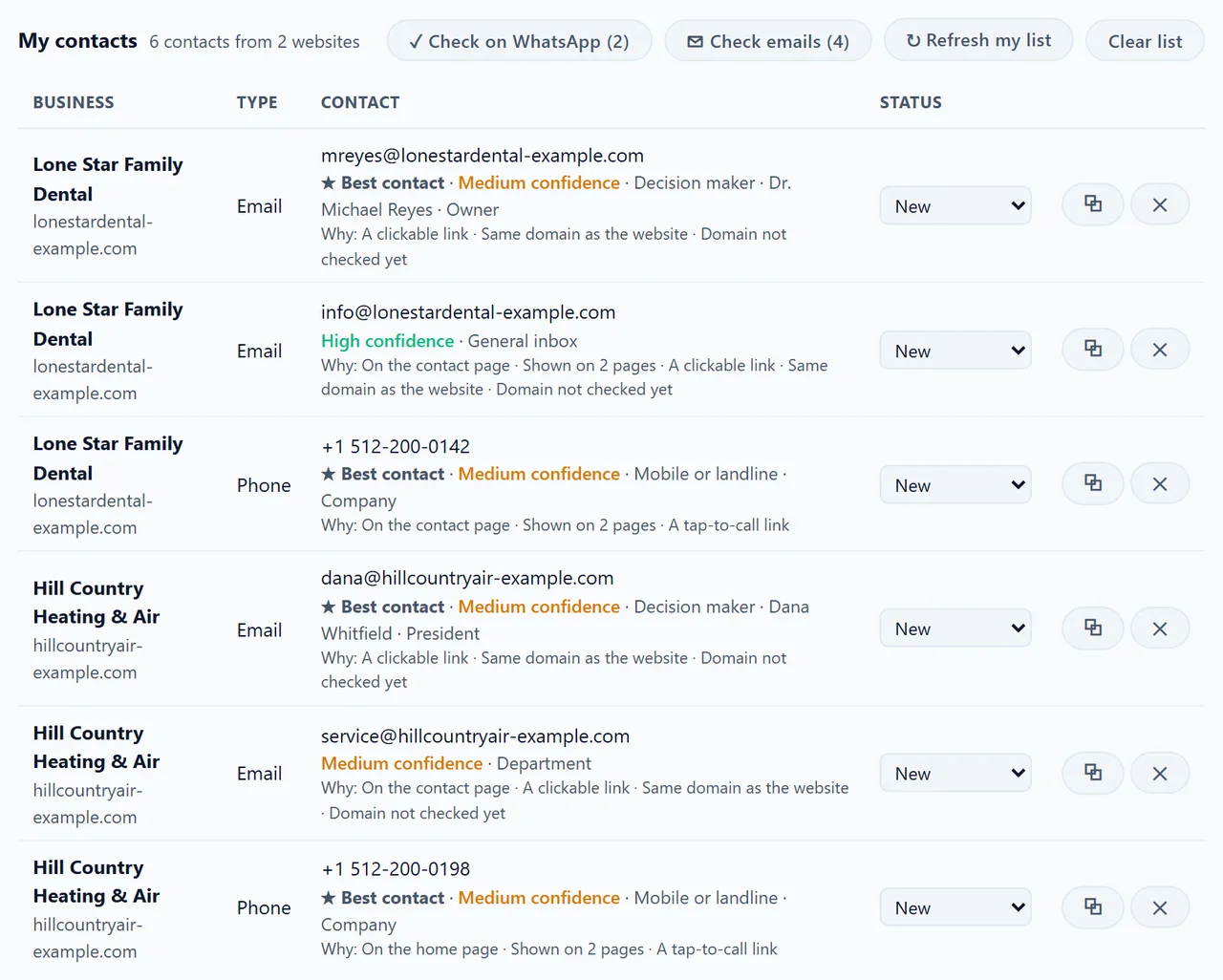
The businesses in this screenshot are samples, shown in the real app screen.
A note on US phone numbers: US and Canadian numbers all have 10 digits after the +1 country code, and a mobile looks the same as a landline. The Email Finder labels them “mobile or landline”, and the WhatsApp Number Filter shows which ones are on WhatsApp. WhatsApp is less common for business in the US than in the Gulf or India, so plan on email and phone first.
The Rules for Email, Calls and Texts
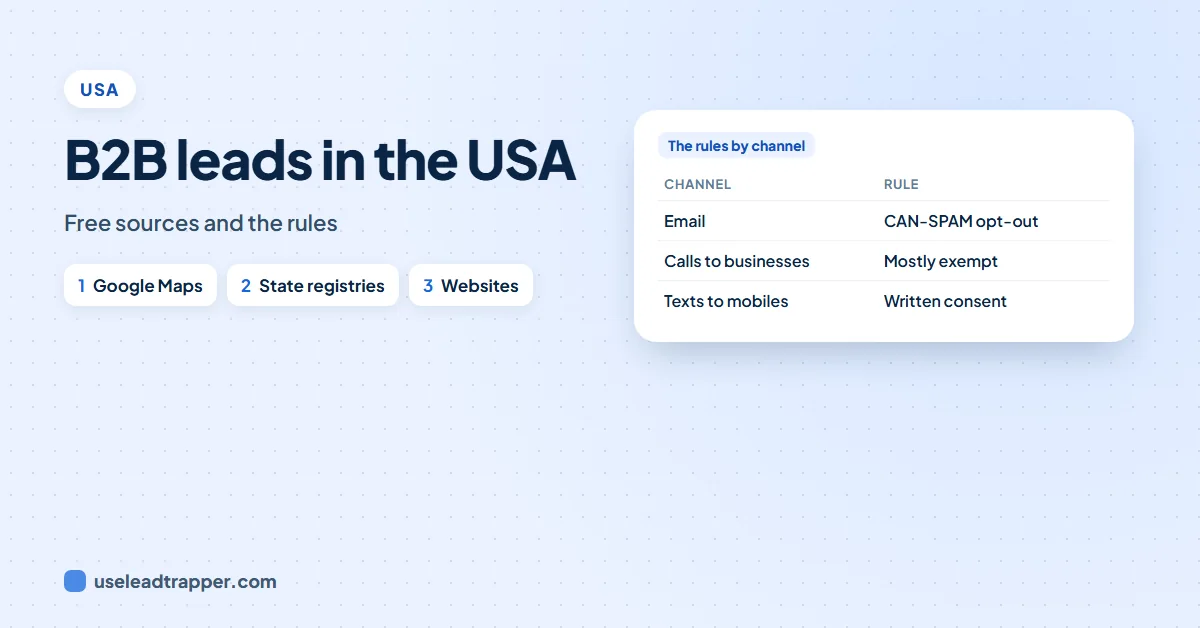
Email to US businesses needs no prior consent, most business-to-business calls are exempt from Do Not Call, and autodialed marketing texts to mobile numbers need written consent. The detail depends on the channel. Here is a summary of the official guidance:
| Channel | The main rule | What you must do |
|---|---|---|
| Email to businesses | CAN-SPAM, with no business-to-business exception | Honest headers and subject, say it’s an ad, include your postal address and an opt-out, honour opt-outs within 10 business days |
| Calls to businesses | Most B2B calls are exempt from the FTC’s Telemarketing Sales Rule; the Do Not Call Registry covers residential subscribers | Don’t pitch employees for personal use; calls selling nondurable office or cleaning supplies are not exempt |
| Texts and robocalls to mobiles | TCPA: autodialed or prerecorded telemarketing to wireless numbers needs prior express written consent | Get written consent first, and honour a “stop” within 10 business days |
Three things catch people out:
- Business owners often list a mobile. A small business may publish the owner's cell phone. That number is still a wireless number under the TCPA, so don't send automated marketing texts to it without consent.
- CAN-SPAM covers each email. The FTC's CAN-SPAM compliance guide said on 21 November 2026 that each email that breaks the law can bring a penalty of up to $53,088, and both the sender and the business being promoted can be responsible.
- States add their own rules. Some states have stricter telemarketing laws than the federal ones; see state laws below.
Which rule applies: 12 common situations
The table answers the questions we see most. Each line comes from the FTC, the FCC or the law text listed under Sources, read on 21 November 2026.
| Situation | Allowed? | The condition |
|---|---|---|
| Cold email to info@ or sales@ at a company | Yes | Honest From line and subject, say it’s an ad, postal address, working opt-out |
| Cold email to a named employee’s work address | Yes | Same rules; CAN-SPAM has no B2B exception |
| Emailing again after someone opted out | No | Stop within 10 business days; the opt-out link must keep working for at least 30 days after you send |
| Asking for a fee or personal details before someone can opt out | No | You may ask only for their email address |
| Selling or sharing a list of people who opted out | No | Except to a firm you hired to help you comply |
| Sending to addresses made up by combining names and letters | No | An unlawful email sent to such guessed addresses is an aggravated violation |
| Sending to addresses copied by software from a site that says it won’t share them | No | An aggravated violation when the email breaks CAN-SPAM and you knew where the addresses came from |
| Live call to a business’s main line | Yes | The Do Not Call ban does not apply to business-to-business calls, and the FTC says business numbers are not covered by the Registry |
| Calling a business line to sell office or cleaning supplies like toner or paper | Telemarketing Sales Rule applies | This is the main B2B exception |
| Calling staff at work to sell them something for personal use | Telemarketing Sales Rule applies | Treat it as a consumer call |
| Autodialed or prerecorded sales text to the owner’s mobile | Only with prior express written consent | The mobile is a wireless number even if the business lists it |
| Someone replies STOP to your text | Stop within 10 business days | Under FCC 26-67 you may name one opt-out method, if every message says so |
On 30 September 2026 the FCC adopted order FCC 26-67 on opt-outs. A sender may now name one exclusive way to revoke consent: a key-press opt-out on the call, a reply text with a standard word (stop, quit, end, revoke, opt out, cancel or unsubscribe), or a set website or phone number. It must say so clearly in each call or text. A sender that names no method still has to accept a request made in any reasonable way, and the 10-business-day limit stays.
This is a summary of federal guidance, not legal advice. Our guide to whether email scraping is legal compares the rules in other countries.
State Laws on Calls and Texts
The federal rules are the floor. Several states add their own, often called “mini-TCPA” laws, and they let the person called sue you directly. Florida’s Telephone Solicitation Act (section 501.059 of the Florida Statutes) is the best-known example. When we read it on 20 November 2026, it said:
- It covers calls, texts and voicemails made to a consumer, meaning a buyer of consumer goods or services. Selling business services to a business is a different case, but a sole trader's personal mobile is a grey area, so treat it with care.
- Automated sales calls and texts need prior express written consent, signed by the person called. Replying yes to a text can count as the signature.
- STOP, then 15 days. Someone who gets your sales texts can reply STOP. If the texts still come 15 days later, they can sue for their actual damages or $500 per violation, whichever is more, and up to three times that if the court finds it was willful.
- Businesses can opt out too. Its rule against calling people who asked not to be called covers businesses as well as consumers.
- Florida keeps its own no-sales-calls list, and a call to a Florida area code is presumed to reach a Florida resident.
Other states have their own do-not-call lists or ask telemarketers to register before calling. Before a calling or texting campaign into a state, check that state’s attorney general or consumer protection pages. A safe default everywhere: email first, make live calls to business lines, and send marketing texts only with written consent.
Worked Example: One Tampa HVAC Lead
One lead can carry three different rules at once, one per contact detail. Here is a made-up Tampa company, the kind of row a Google Maps search for “HVAC contractor Tampa” returns, and what you may do with each detail.
- From Google Maps: Bay Breeze Air Conditioning, main line (813) 555-0142, website, 4.7 stars from 212 reviews.
- From the website: service@ and the owner, "Maria Lopez, Owner", with a cell number (813) 555-0187 on the Contact page.
- From Sunbiz: the legal name is Bay Breeze Air Conditioning LLC, status active, with Maria Lopez listed as manager.
| Contact detail | What you may do | Why |
|---|---|---|
| service@ email | Send a cold email | CAN-SPAM: no consent needed; include your postal address and an opt-out |
| Main line (813) 555-0142 | Make a live sales call | Business-to-business calls are outside the Do Not Call ban |
| Owner’s cell (813) 555-0187 | Call it by hand; no automated sales texts | A wireless number under the TCPA, and a grey area under Florida’s law, which covers consumers |
| Sunbiz record | Use the legal name in your contract or proposal | Registry data has no phone or email, but confirms who you are dealing with |
The safe order for this lead: one useful email, a live call to the main line a few days later, and texts only if Maria agrees in writing.
Free Sources vs a Bought US List
A bought list is faster to get; a free list is fresher and you know where each line came from. Vendors build US lists from the same public sources: CompanyData’s US page, read on 21 November 2026, says its data starts from Secretary of State filings in all 50 states, topped up from company websites and phone directories.
The same page shows what a typical US list looks like. Of 27,173,177 US leads with a phone number, 9,315,806 (34%) also had a business email, and 79% were firms with 1 to 4 employees. A custom list of 1,000 leads cost €386. Those are the vendor’s own figures, and it states that it cannot guarantee the data is accurate or current.
| Compared | Free sources (Maps, registry, websites) | Bought list |
|---|---|---|
| Cost | Your time, or a tool | Per lead, e.g. €386 for 1,000 from one vendor |
| How fresh | As of today | As of the vendor’s last refresh |
| Where each line came from | You know | The vendor’s word |
| Emails | Only those the business publishes | Often more, but check how they were collected |
| Rules | Same CAN-SPAM and TCPA rules | Same rules; buying does not move the risk |
If you do buy, ask for a free sample, check 20 lines against Google Maps and the company websites, and ask how the emails were collected. Our guide to buying or building B2B lead lists has a fuller checklist.
A Simple US Lead Workflow
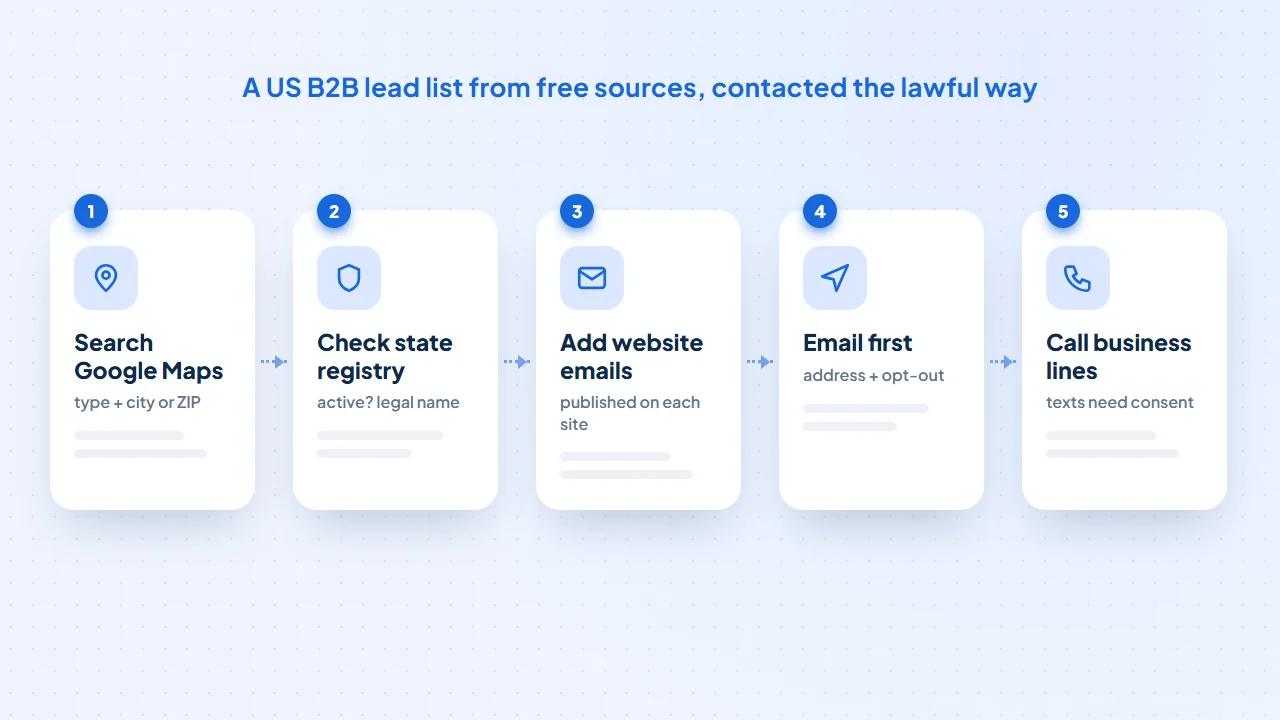
- Pick one business type and one metro area, such as "physical therapy clinics in Phoenix".
- Run the search in LeadTrapper's Google Maps scraper with unlimited scan mode, and export the list.
- Run the websites through the Email Finder to add published emails and the owners named on each site.
- Check your top prospects on the state business search: active, and what's the legal name?
- Email first, with your postal address and an opt-out line in every message, then call. Keep a do-not-contact list and remove anyone who opts out.
For the full method, see the B2B lead generation how-to. Selling into other countries too? Our guides cover B2B leads in Canada, B2B leads in Australia and B2B leads in the UK, each with that country’s rules.
Sources
- FTC. CAN-SPAM Act: A Compliance Guide for Business.
- FTC. Complying with the Telemarketing Sales Rule.
- FTC. National Do Not Call Registry FAQs.
- 15 U.S.C. 7704, CAN-SPAM rules on address harvesting and dictionary attacks, via Cornell Law School's Legal Information Institute.
- FCC. FCC 26-67, TCPA consent revocation order, adopted 30 September 2026.
- 47 CFR 64.1200, Delivery restrictions (TCPA rules), via Cornell Law School's Legal Information Institute.
- The Florida Legislature. Florida Statutes section 501.059, Telephone solicitation.
- CompanyData. B2B leads USA, vendor page read 21 November 2026.
- SAM.gov. Entity information.
The Google Maps scraper is part of LeadTrapper for Windows, which costs $50 a year with a 14-day free trial. LeadTrapper is not affiliated with or endorsed by Google.
Frequently Asked Questions
Google Maps lists local businesses with phone numbers, websites and reviews. Your state's Secretary of State business search gives the legal name, status and often the officers. Each company's website has its published email and team. Together they cover most of what paid US lead lists sell.
Yes, under CAN-SPAM, which applies to business email with no B2B exception. Every message must have accurate headers, an honest subject line, a valid physical postal address and a working opt-out, and you must honour opt-outs within 10 business days. This is not legal advice.
The FTC says most calls between a telemarketer and a business are exempt from the Telemarketing Sales Rule, and the National Do Not Call Registry covers residential subscribers. Exceptions apply, such as calls selling nondurable office or cleaning supplies, and calls to a business line that pitch an employee for personal use.
Be careful. The FCC's TCPA rules require prior express written consent for telemarketing calls and texts sent with an autodialer or prerecorded voice to wireless numbers. Many business owners list their own mobile, so treat texts as needing consent.
Yes. Several states add stricter rules, often called mini-TCPA laws. Florida's Telephone Solicitation Act, for example, requires signed written consent for automated sales calls and texts to consumers, and lets a person who replied STOP sue for $500 per violation if texts continue 15 days later. Check each state before calling or texting into it.
Not from the number itself. US and Canadian numbers share the same 10-digit format, so LeadTrapper's Email Finder labels them mobile or landline. The WhatsApp Number Filter shows which ones are on WhatsApp.
No. The FTC's Registry FAQ says the Registry is for personal phone numbers, and business phone numbers and fax lines are not covered. Its Telemarketing Sales Rule guide adds that the ban on calling registered numbers does not apply to business-to-business calls. A business can still ask you directly to stop calling, and you should keep a do-not-call list of your own.
On 30 September 2026 the FCC adopted order FCC 26-67. It lets a sender name one exclusive way to opt out, such as replying STOP, QUIT, END, REVOKE, OPT OUT, CANCEL or UNSUBSCRIBE, if each call or text says so clearly. Opt-outs must still be honoured within 10 business days. Senders that name no method must accept any reasonable request.
About LeadTrapper
LeadTrapper is a Windows app for finding business leads and contacting them on WhatsApp. It collects business contacts from Google Maps, Instagram, Facebook, TikTok, LinkedIn and business websites, checks which numbers are on WhatsApp with its Number Filter, and sends personalised campaigns with automatic delays from one or more WhatsApp accounts. It also has a chatbot, a shared inbox for every account, and Store Orders for online shops. It installs from the Microsoft Store, and the full app is free for 14 days, then $50 a year. Free web tools, browser extensions and a Wix app are listed on the Free Tools page.
Build a US B2B Lead List in an Afternoon
LeadTrapper's Google Maps scraper collects US businesses city by city with phone, website and rating, and its Email Finder reads the emails each website publishes. $50/year, 14-day free trial.