In this article 7 sections
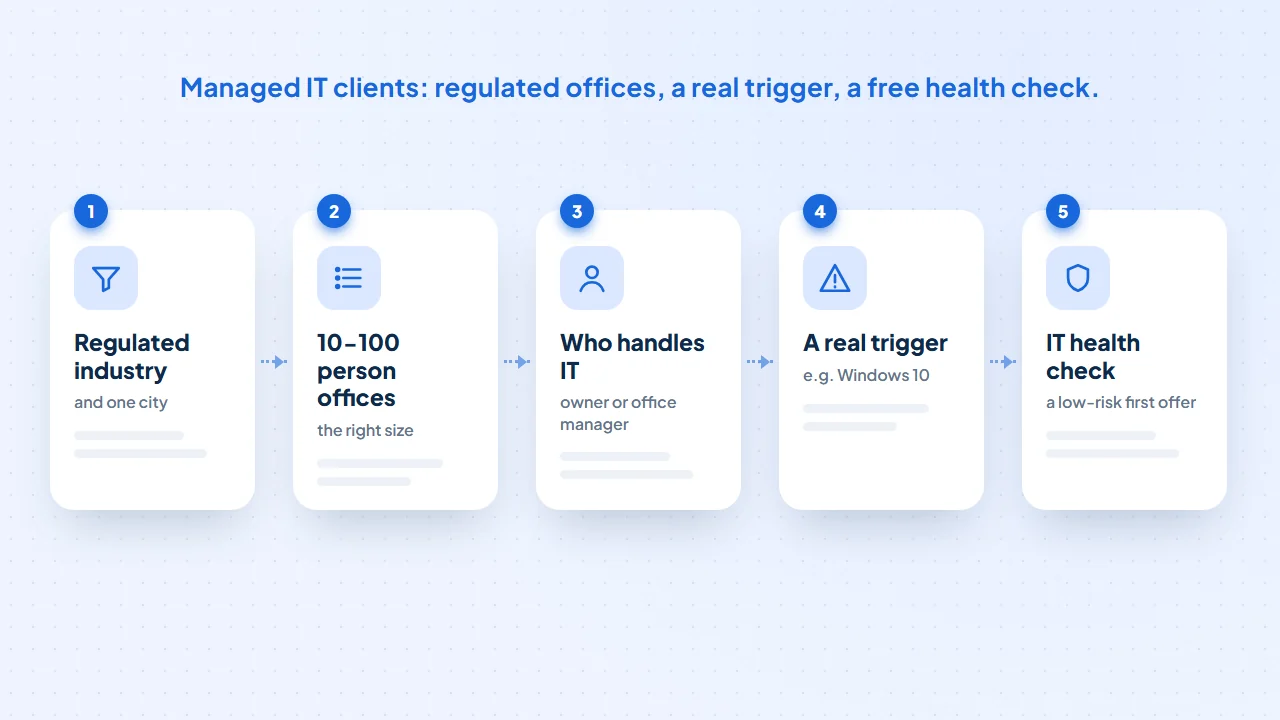
Target offices of 10 to 100 staff in industries that hold sensitive data, such as law, accounting, medical and engineering firms. List them from Google Maps, reach the owner or office manager, and open on a trigger: end-of-support software, a cyber-insurance form, an outage or a new office.
- The best MSP prospects are offices of about 10 to 100 people, too big for 'the nephew who does IT' and too small for an IT department, in industries with sensitive data.
- MSP buying is triggered by pain or paperwork: an outage, a ransomware scare, a cyber-insurance questionnaire, an audit, end-of-support software, a move or a new office.
- Verizon's 2025 Data Breach Investigations Report found ransomware in 88% of breaches at small and medium-sized businesses, against 39% at larger organisations.
- Decision makers are owners and managing partners, plus office, practice or operations managers who currently handle IT. LinkedIn titles help you find them; their contact details come from the company's own site.
- Sales cycles are long. A prospect who says no today may call in six months after an outage, so log every contact and follow up on a schedule.
Almost every office uses computers. An MSP’s hard problem is finding the ones ready to hand IT to someone else. Many MSP marketing guides, from vendors such as Syncro, N-able and Technibble, recommend content, referrals, local networking and watching for triggers. This guide covers the outbound part: building a list of the right offices, finding the one person who decides, and opening on a trigger that is true. We make LeadTrapper, which we use in two steps, and we say so where it appears.
Who Buys Managed IT, and Why Now
The buyer is usually an office of about 10 to 100 people where IT is handled by a part-timer and the business can no longer afford downtime. Below ten people a break-fix technician is often enough; above a hundred, there is an internal team and a procurement process. In between, you sell peace of mind.
| Industry | Why they buy | A real trigger |
|---|---|---|
| Law firms | Client confidentiality, deadlines | Insurance questionnaire, a client’s security audit |
| Accountants and tax preparers | Seasonal peaks and client data | In the US, the FTC Safeguards Rule’s written security programme |
| Medical and dental practices | Patient records, uptime | Health-data rules, a ransomware scare |
| Engineers and architects | Large files, remote access | A move, a new office, software licensing |
| Financial advisers | Regulation, client data | An audit or regulator’s questions |
| Wholesalers and trades with a back office | Orders and invoices depend on the system | An outage, a new warehouse |
Security is the common thread. Verizon’s 2025 Data Breach Investigations Report snapshot for small and medium-sized businesses reports ransomware in 88% of breaches at small and medium-sized businesses, against 39% at larger organisations. The figure is Verizon’s analysis of breaches it studied, not of all businesses, so quote it as such.
List the Right Offices
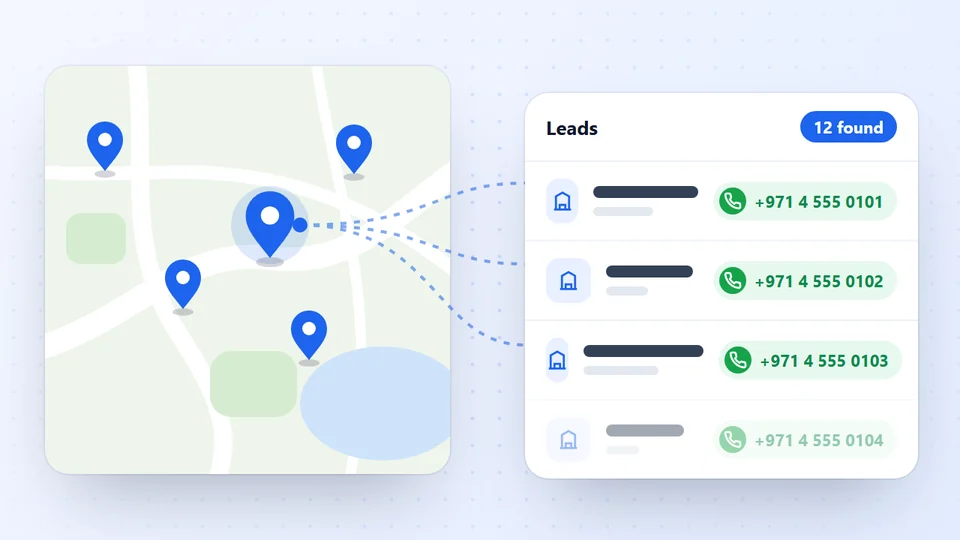
Google Maps shows nearly every office of a type in a city, and review counts and branches give a rough guide to size. LeadTrapper’s Google Maps scraper exports one row per business as a CSV with name, phone, WhatsApp, email, website, social links, rating, review count and address. It does not show staff numbers, so judge size from the website’s team page, the number of branches and LinkedIn.
Start with one industry in one city, such as dental practices or law firms in Birmingham. Remove one-person offices and branches of national chains whose IT is handled centrally. A list of 80 well-screened practices is a better start than 800 random businesses. Our guide on getting more than 120 Google Maps results shows how to cover a big city by district.
Find the Person Who Handles IT
In a small office, the person who handles IT is often the owner, a partner or the office or practice manager, and the person who pays is the owner or managing partner. LeadTrapper’s Email Finder reads each website’s contact, team and about pages and returns the emails and numbers the business publishes, labelled as a general inbox, a department or a named person, with owners and directors marked as decision makers. Offices that list their staff make this easy.
For titles that sites rarely list, such as “Office Manager”, “Practice Manager” or “IT Manager”, LeadTrapper’s LinkedIn scraper searches by keyword, job title and city and returns each profile’s link, name, headline and location. It collects no emails or phone numbers. LinkedIn’s terms prohibit scraping and the risk is yours; our guide on whether LinkedIn allows scraping covers it, and finding the decision makers in a company shows how to combine the sources. Pair a name with the company’s own contact details to reach the person.
List offices in your area free for 14 days
Triggers You Can Name in a Message
A message that names something true and current gets read. A generic “we provide managed IT” gets ignored. Here are five triggers you can use without any private information:
- End-of-support software. Microsoft ended Windows 10 support on 14 October 2025; Computerworld’s report on the deadline and later coverage describe paid Extended Security Updates for businesses that need more time. Check Microsoft’s own pages for what applies to a business’s licences before you quote any date.
- Compliance. The FTC’s Safeguards Rule guidance (December 2024) lists tax preparation firms among covered businesses and requires a written information security programme, a named Qualified Individual, access controls, encryption and multi-factor authentication. Medical, legal and financial practices have their own rules.
- Insurance. Cyber-insurance forms ask about backups, multi-factor authentication and patching. Ask prospects whether they have filled one in lately.
- Change. A new office, a merger, a new partner or a growth in staff. Google Maps listings and company news show these.
- A bad week. An outage or an attack, usually in the news or on a prospect’s own page. Be respectful and offer help, not a sales pitch.
Whichever you use, keep the message short and specific: “Hi Priya, I work with dental practices in Birmingham. Windows 10 stopped getting standard security updates on 14 October 2025; I’m offering practices a free 30-minute check of which machines are affected and what a move would cost. Would that help?”
A Low-Risk First Offer
The usual first offer is a free or low-cost IT health check, because it turns a vague worry into a list. Cover what you can inspect with permission: how many machines run unsupported software, whether backups have been tested, whether multi-factor authentication is on, who has admin rights, and what happens if the office is offline for a day. Give the owner a one-page result with a price for fixing the top three items.
On price, Kaseya’s MSP pricing white paper reports that 22% of the MSPs it surveyed charge 50 to 100 US dollars per user per month, and that a mix of per-user and per-device fees is the most common billing model (26%). These are vendors’ figures, not regulator data; set your price from your own costs and the scope of your agreement, including response times and what is not covered.
A Worked Example
An MSP that targets “dental practices in Birmingham” can turn one scan into a month of outreach. The figures below are illustrative, not measured.
| Step | Result |
|---|---|
| Scan “dentist” and “dental clinic” in Birmingham, by district | 180 listings |
| Remove single-chair practices and group branches managed centrally | 75 |
| With a named owner or practice manager found | 48 |
| First wave, a free health-check offer (8 a day over 6 working days) | 48 |
| Follow-up call to each, 5 days later | 48 |
| Realistic outcome | A few health checks and a small number of proposals; track your own rate |
Keep every contact in a sheet with the date, the trigger you used and the next step. An MSP sale often takes months. Technibble’s MSP guide and several vendor blogs make the same point: the prospect who says no today may call after an outage.
Rules and Honest Limits
Contact offices through the emails and numbers they publish, name yourself, and stop when asked. The FTC says most calls to a business made to solicit sales are exempt from the Do Not Call provisions, and its CAN-SPAM guide says email has no business exception: include a postal address and an opt-out. In the UK, the ICO’s business-to-business marketing guidance says live calls should be screened against the CTPS and TPS registers, and sole traders are treated as individuals.
Do not scan, probe or test a prospect’s network without written permission, even to prove a point. That can be a crime in many countries. LeadTrapper does not scan networks or detect software. It builds the list and the contact details. If your prospects use WhatsApp, the WhatsApp Number Filter shows which numbers are on it, and our guide to B2B outreach on WhatsApp covers the rules. This is not legal advice. Another service business with long, trust-based contracts, a commercial cleaning business, uses the same list-first routine.
Where LeadTrapper Finds Leads
LeadTrapper collects leads from each of these sources in one Windows app, then checks the numbers and sends the WhatsApp messages from the same place.
- Google Maps Scraper: Business leads from any city.
- Facebook Scraper: Advertisers, pages and group members.
- Instagram Scraper: Leads from profiles and hashtags.
- TikTok Scraper: Creators, hashtags and commenters.
- LinkedIn Scraper: Profiles by role and city.
- Email Finder: Emails from business websites.
Frequently Asked Questions
Mostly through referrals, local networking, content that answers search questions and direct outreach to a defined niche. Direct outreach works best when it names a trigger: a software end-of-support date, a compliance rule or an insurance requirement. A list of offices in one industry and city, with the right contact, is the starting point.
Offices with about 10 to 100 staff in industries that handle confidential data and have deadlines for compliance: law firms, accountants, medical and dental practices, engineers and architects, financial advisers. They depend on IT every day but rarely have a full-time IT person.
Prices vary widely. In Kaseya's MSP pricing survey, the most common single answer for per-user pricing was 50 to 100 US dollars per user per month (22% of respondents), and many MSPs mix per-user and per-device fees. These are survey figures from a software vendor, not regulator data, so set your price from your own costs.
In the US, the FTC says most calls to a business made to solicit sales are exempt from Do Not Call rules, but CAN-SPAM covers email to businesses too. In the UK, companies are screened on the Corporate TPS and sole traders on the TPS. Check each country's rules and honour every opt-out. This is not legal advice.
No. LeadTrapper does not scan networks or detect software. It lists businesses from Google Maps, finds the emails and numbers they publish, and lists LinkedIn profiles by title and city. Trigger research such as software end-of-support is done from public information and your own conversations.
About LeadTrapper
LeadTrapper is a Windows app for finding business leads and contacting them on WhatsApp. It collects business contacts from Google Maps, Instagram, Facebook, TikTok, LinkedIn and business websites, checks which numbers are on WhatsApp with its Number Filter, and sends personalised campaigns with automatic delays from one or more WhatsApp accounts. It also has a chatbot, a shared inbox for every account, and Store Orders for online shops. It installs from the Microsoft Store, and the full app is free for 14 days, then $50 a year. Free web tools, browser extensions and a Wix app are listed on the Free Tools page.
Every 10 to 100 Person Office in Your Area, Listed
The Google Maps scraper, Email Finder, LinkedIn scraper and WhatsApp tools all come with LeadTrapper. $50/year, all features included.