In this article 7 sections
To find leads from Google Business Profiles, search a trade and a city on Google Maps, export each listing's phone, website, rating and reviews, then sort by what is missing: no website, few reviews, a weak rating or an unclaimed profile. Each gap is an offer, such as a site for a plumber with 80 reviews.
- A Google Business Profile is a public listing: name, phone, website, address, rating and review count are visible to anyone, which makes it a ready-made lead card.
- The gaps are the leads: no website, few or no reviews, a low rating with many reviews, or no WhatsApp link each point to a different offer.
- An unclaimed profile shows a Claim this business option; Google says claiming is free and the page names the path, so an unclaimed local business is a good prospect for setup help.
- LeadTrapper's Google Maps scraper exports name, phone, WhatsApp link, email, website, social links, address, rating, reviews and the Maps link, but not the category, opening hours or whether a profile is claimed.
- Sort by review count first: 60 or more reviews and a gap means a busy business with a fixable problem; two reviews may mean a closed one.
Most articles about Google Business Profile leads are written for owners: how to make your own profile bring in customers. This guide is for the other side. If you sell to local businesses, such as web design, reviews, SEO, WhatsApp tools, accounting or supplies, every profile on Google Maps is a prospect card that shows what the business does, how busy it is and what it is missing. We make LeadTrapper, which appears in some steps, and we say so where it does.
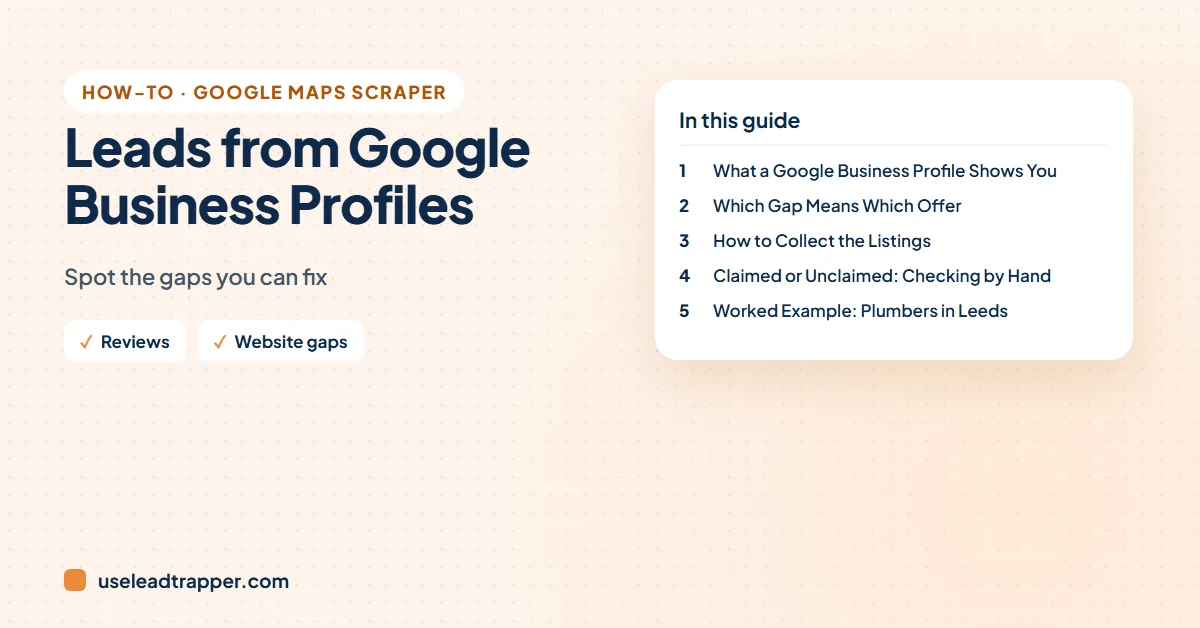
What a Google Business Profile Shows You
A Business Profile is the public card Google shows for a local business on Search and Maps, and its visible fields are exactly what a prospect list needs. Anyone can read them without an account.
| Field on the profile | What it tells you | In LeadTrapper’s export |
|---|---|---|
| Name and address | Who and where; the area to split a search by | Yes |
| Phone number | A direct line to call or message | Yes |
| Website button | Whether the business has a site; blank means a gap | Yes (Website column) |
| Rating and review count | How busy and how well liked it is | Yes (Rating / Reviews) |
| Social links and WhatsApp link | Other channels, read from the business’s own site | Yes |
| Read from the business’s own website, not from the profile | Yes, when the site shows one | |
| Products or services and prices | What it sells | Yes (Services, Prices), when listed |
| Category and opening hours | Trade and when to call | No |
| Review text and owner replies | Whether the owner answers customers | No |
| Claimed or unclaimed status | Whether an owner manages the profile | No |
The last three rows matter. LeadTrapper’s export has only the columns marked Yes, so category, hours, review text and claimed status need a manual look at the Maps link, which every row includes. Our guide to the Google Maps reviews scraper covers tools that do collect review text.
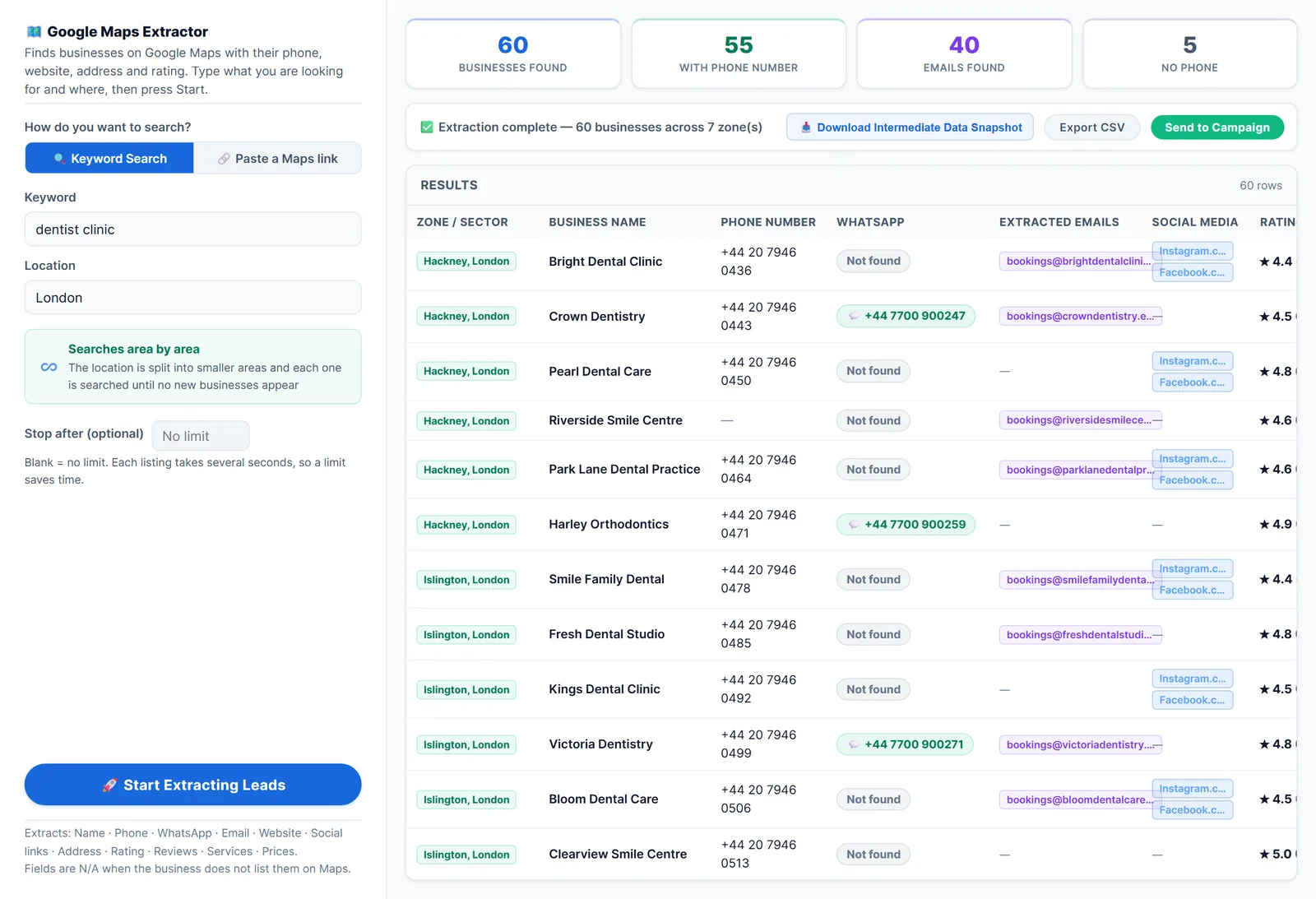
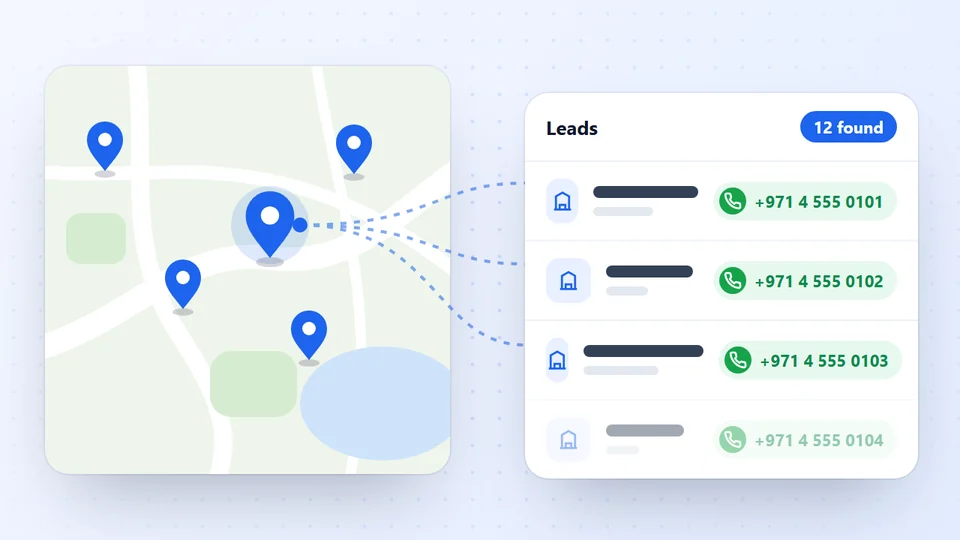
LeadTrapper’s Google Maps scraper collects these fields for every business in a search and exports them to Excel or CSV.
Which Gap Means Which Offer
The best prospects are busy businesses with one fixable gap, and each gap points to a different offer. A gap in a profile with 60 or more reviews is more valuable than the same gap in a profile with 2 reviews, which may be a closed or new business.
| What you see | What it suggests | Offer | Who sells it |
|---|---|---|---|
| Phone and reviews, no website | Customers find them on Maps but cannot read more | A one-page site with hours, prices and a WhatsApp button | Web designers, freelancers |
| Many reviews, rating under 4.0 | An unhappy minority is hurting a busy business | Reputation help: ask happy customers for reviews, reply to bad ones | Review and reputation agencies |
| Few reviews, open for years | Customers are not asked | A simple way to ask for reviews after each job | Review and CRM tools |
| Website but no email on it, only a phone | Calls are the only way in | A contact form or WhatsApp button | Web and chat tools |
| No WhatsApp link on a mobile-first market listing | Customers cannot chat with one tap | WhatsApp link and quick replies; see adding WhatsApp to a Business Profile | WhatsApp and Business Profile setup |
| Social link only, no website | The business lives on Facebook or Instagram | A site so Google can find them | Web designers |
| Unclaimed (checked by hand) | Nobody manages the listing | Claim, verify and complete it for them | Local SEO freelancers |
The first row has its own guide: finding businesses without a website shows how to filter, check and rank them. This guide covers the wider set of gaps.
How to Collect the Listings
By hand, you open each listing and copy the fields into a sheet. That works for 20 businesses and breaks at 200. A scraper reads a whole city for you.
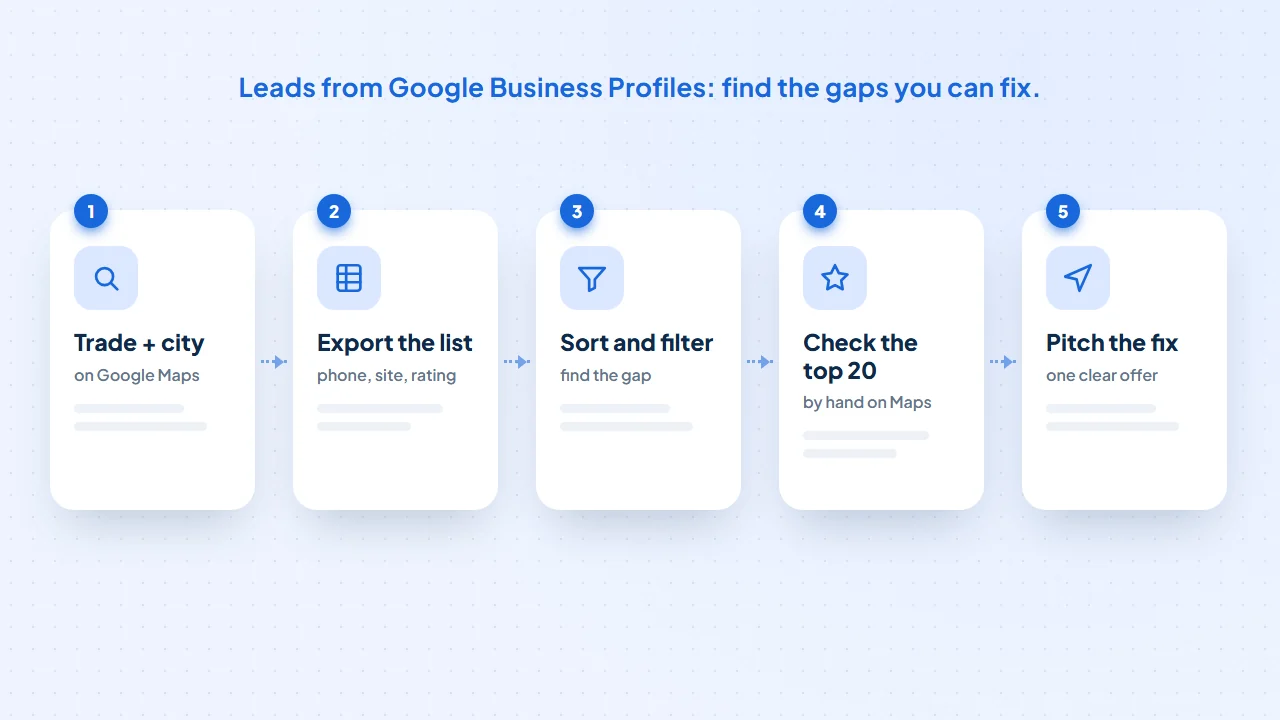
- Pick one trade and one area. “Plumbers in Leeds” beats “services in the UK”: one niche makes the offer specific.
- Run the search. LeadTrapper’s Google Maps scraper takes a keyword and a location, splits the location into smaller areas and searches each until no new businesses appear. One Maps search alone stops at about 120 places, as our guide to getting more than 120 results from Google Maps explains.
- Export to CSV and open it in Excel or Google Sheets. Each business is one row with the columns in the table above.
- Filter and sort. Sort by reviews, high to low. Then filter for the gap: blank Website, Rating under 4.0, blank WhatsApp.
- Check the top 20 by hand using each row’s Maps link, for the category, claimed status and the owner’s replies to reviews.
Collect Business Profile leads free for 14 days
Our guide to scraping phone numbers from Google Maps covers the phone column in detail, and our real scan results show how many businesses had each field in tests we ran: for example, 93% of dentists in Nasr City, Cairo had a phone number and 73% a website.
Claimed or Unclaimed: Checking by Hand
Google’s help page says a business can claim an existing unverified profile with the Claim this business option and that doing so is free. A profile that still shows the option has not been verified by an owner, which makes the business a good prospect for setup help. The page says that when a profile is already verified by someone else, a person can request ownership from the current owner.
To check, open the Maps link from your export. On a computer, search the business name in Google Maps and look for the Claim this business link; on the phone app, Google’s page says to open the profile, tap About, then look for it. Check ten or twenty prospects, not thousands. The check is manual, and Google can change the wording or position of the option. Do not claim a business’s profile yourself unless the owner has asked you to; Google ties a profile to the person authorised to manage the business.
Worked Example: Plumbers in Leeds
This is an illustrative example with made-up numbers, to show the method; it is not a measured result. Say a scan of “plumber” in Leeds returns 140 listings, and you sell website and review help.
| Step | Count left | What you do |
|---|---|---|
| All listings | 140 | Export to CSV |
| Reviews 40 or more | 52 | Busy, so worth a message |
| Of those, Website blank | 11 | Pitch a one-page site |
| Of those, Rating under 4.0 | 9 | Pitch a review plan |
| Both gaps in one profile | 3 | Best prospects: call first |
Then open the Maps link of the 20 best rows and note which show Claim this business. You end up with a short, ranked list of about 20 businesses and one specific sentence for each, such as “Your listing has 74 reviews and no website, so customers who want prices cannot find them.” Send that by call or WhatsApp to the business’s published number rather than a generic message to everyone.
Rules and Limits
- Google’s terms. Google’s Maps terms restrict automated collection of its content, and our guide on whether scraping Google Maps is legal explains what that means. The risk is yours.
- Personal data. A sole trader’s phone number is personal data under laws such as the GDPR. Contact a business through the number it publishes for customers, say who you are, and stop when asked.
- Honest data limits. A blank Website column means the listing shows no website. Some businesses have a site that was never added, so search the name before you pitch.
- No promises. A review or a site does not guarantee more customers, so offer the work, not a result.
- WhatsApp. If you write on WhatsApp, follow the WhatsApp Business Messaging Policy on opt-in and opt-out.
If you are the owner, not the seller, our guide to adding WhatsApp to your Google Business Profile covers your own listing.
Sources
- Google Business Profile Help. Add or claim your Business Profile, read 23 November 2026.
- Google. Google Maps Platform Terms of Service.
- WhatsApp. WhatsApp Business Messaging Policy.
- ReviewTrackers. How to use Google Business Profile to generate leads, read 23 November 2026 (owner-side guide).
Where LeadTrapper Finds Leads
LeadTrapper collects leads from each of these sources in one Windows app, then checks the numbers and sends the WhatsApp messages from the same place.
- Google Maps Scraper: Business leads from any city.
- Facebook Scraper: Advertisers, pages and group members.
- Instagram Scraper: Leads from profiles and hashtags.
- TikTok Scraper: Creators, hashtags and commenters.
- LinkedIn Scraper: Profiles by role and city.
- Email Finder: Emails from business websites.
Frequently Asked Questions
Search a business type and city on Google Maps, collect each listing's phone, website, rating and review count into a sheet, then filter for gaps such as a blank website or a low rating. Each gap suggests an offer. Then contact the best ones on the phone number the profile publishes.
Yes. Google renamed Google My Business to Google Business Profile, and people still use both names. The listing is the same thing: the card that appears on Google Search and Google Maps with a business's phone, address, website, hours and reviews.
Partly, by hand. Google's help page says an unverified profile offers a Claim this business option in Google Maps, and that you can request ownership if someone else has verified it. LeadTrapper's export does not include a claimed field, so open the Maps link of your best prospects and check each one.
Anything shown publicly: name, address, phone, website, rating, review count and review text, hours, photos and owner replies. LeadTrapper's Google Maps scraper exports name, phone, WhatsApp link, email, website, social links, address, rating, reviews, services, prices and the Maps link.
Reading what a business publishes is common, but Google's terms limit automated collection, and personal data rules such as the GDPR can apply to named people. Our guide on whether scraping Google Maps is legal covers the terms. You are responsible for how you collect and contact.
Offer to claim and set it up for them: verify ownership, add the website and WhatsApp link, fix the hours and answer reviews. Say it in one line that shows you looked, such as that their listing has 74 reviews but no website. Claiming is free from Google, so you sell your time and results.
About LeadTrapper
LeadTrapper is a Windows app for finding business leads and contacting them on WhatsApp. It collects business contacts from Google Maps, Instagram, Facebook, TikTok, LinkedIn and business websites, checks which numbers are on WhatsApp with its Number Filter, and sends personalised campaigns with automatic delays from one or more WhatsApp accounts. It also has a chatbot, a shared inbox for every account, and Store Orders for online shops. It installs from the Microsoft Store, and the full app is free for 14 days, then $50 a year. Free web tools, browser extensions and a Wix app are listed on the Free Tools page.
Turn Google Business Profiles into a Lead List
LeadTrapper's Google Maps scraper collects each business's phone, website, rating and reviews for a whole city. $50/year, 14-day free trial.