In this article 8 sections
GB WhatsApp banned problem solution: WhatsApp names GB WhatsApp as an unofficial app that breaks its terms, so the only lasting fix is to save your chats and media, uninstall every modified app, install official WhatsApp and register the same number. Most GB features now exist in the official app.
- WhatsApp's help page names GB WhatsApp, FM WhatsApp and TM WhatsApp as unofficial apps; using them breaks its Terms of Service and can lead to a temporary or permanent ban, or limits such as not being able to link devices.
- 'You need the official WhatsApp to log in' and 'You have been logged out for using an unofficial app' are WhatsApp's own messages. The fix that lasts is switching to the official app, not a newer mod.
- No 'anti-ban' version can promise anything: WhatsApp says it can't check these apps' security, and they may carry malware.
- Save what matters before you uninstall: export important chats, copy your photos and videos, and make the app's own backup. WhatsApp can't guarantee a mod's backup will restore.
- Hiding online, read receipts, chat lock, hidden statuses and two numbers on one phone are now official features. Business auto replies are in the free WhatsApp Business app.
You open GB WhatsApp and it won’t let you in. Maybe it says you need the official WhatsApp, maybe your account is “temporarily banned”, or maybe the number can’t use WhatsApp at all. This guide explains what each message means, why the usual workarounds stop working, and how to move to the official app without losing the chats, photos and contacts that matter to you.
The Messages People Are Seeing Now
WhatsApp’s help page on unofficial apps now names GB WhatsApp directly, together with FM WhatsApp, TM WhatsApp and TeleMessage. These are the messages its users run into, and what each one asks of you:
| What you see | What it means | What to do |
|---|---|---|
| “You need the official WhatsApp to log in” | WhatsApp won’t let the modified app sign in | Switch to the official app (steps below) |
| “You have been logged out for using an unofficial app” | The session in the modified app has been ended | Switch before you log in again |
| “Temporarily banned” | A warning about an unofficial app or scraping | Switch now; WhatsApp says otherwise the ban can become permanent |
| “This phone number can’t use WhatsApp” | The number is banned | Tap Request review; see WhatsApp banned my number |
| “This account is not allowed to use WhatsApp due to spam” (wording reported by users) | The number was banned for spam, not only for the app | Switch, request a review, and change how you send before using the number again |
| You can’t link a computer or tablet | WhatsApp lists limits on linking devices as one result of using unofficial apps | Switch, then link your devices again |
The first two messages are quoted on WhatsApp’s own page. The temporary ban comes from its page on temporarily banned accounts, which gives no fixed length, so a site that promises an exact countdown is guessing.
Why WhatsApp Bans GB WhatsApp
GB WhatsApp is a copy of WhatsApp rebuilt by third parties, with extra features such as hiding that you’ve read a message or seeing deleted ones. WhatsApp says apps like it are made “without WhatsApp’s approval” and that using them, or linking your account to them, breaks its Terms of Service.
The ban is also about safety. WhatsApp says it can’t validate the security or privacy of unofficial apps, that they “might carry malware that can steal your data, and damage your phone”, and that there’s no guarantee your messages, location or files stay private. A modified app sits between you and every chat, so you are trusting whoever built it with all of them.
Anti-Ban Versions and Other Workarounds
Search for a fix and you’ll find three popular ideas. All three keep the risk that caused the problem.
"Download the latest anti-ban version"
Download sites label new builds “anti-ban”. Nobody outside WhatsApp can know what its systems will catch next, and WhatsApp’s page says plainly that using these apps can get an account temporarily or permanently banned, or restricted. A newer build is also new code from an unknown source, installed outside the app store.
"Log in with official WhatsApp, then reinstall GB"
Some videos tell you to verify the number in the official app and then go back to the mod. That gets you past the log-in screen for now, but the account is again running in an app WhatsApp names as breaking its terms. WhatsApp’s instruction is the opposite: remove all unofficial WhatsApp apps before you install and register the official one.
"Keep the official app on your phone and link GB as a second device"
WhatsApp says linking your account to an unofficial version also breaks its terms, and limits on linking devices are one of the restrictions it lists. This route puts your main account at risk too.
The fix that lasts is the official app. The rest of this guide makes that switch painless.
How to Switch Without Losing What Matters
WhatsApp says that only chat history created in the official app can be securely backed up, and that it can’t guarantee a backup made in an unofficial app will transfer. So save your own copy first, then switch.
- Export the chats you can’t lose. Open each important chat in GB WhatsApp and use Export chat, if your version has it, with media. Save the files to Google Drive, email them to yourself, or copy them to a computer. An exported chat is a readable copy, kept outside the app.
- Copy your photos, videos and voice notes. With a file manager, find GB WhatsApp’s media folder in your phone’s storage and copy it to a computer or cloud drive. Your phone contacts are saved in the phone, not the app, so they stay.
- Make the app’s own backup. Use GB WhatsApp’s chat backup option as well. It may restore into the official app, but WhatsApp can’t promise it, which is why steps 1 and 2 come first.
- Uninstall every unofficial WhatsApp app. WhatsApp asks you to remove all of them, not only the one you use, before installing the official app.
- Install official WhatsApp or WhatsApp Business. Use the Google Play Store, the App Store, or WhatsApp’s own download page. If Android says the app isn’t available in your country, WhatsApp’s help page links a direct download for that case.
- Register the same number. If the app offers to restore a backup, try it. If it finds nothing or fails, your exported chats and copied media are still safe.
- Turn on official backup straight away. If you later change phones, WhatsApp messages not transferred to a new phone covers restores that fail. Open Settings, Chats, Chat backup, and set it to daily. From now on your history can be restored, even after a lost phone or a ban review.
- Link your computer again. Open WhatsApp Web or the desktop app and scan the QR code from Linked devices.
If the account is already “temporarily banned”, do this now rather than waiting: WhatsApp says an account that keeps using an unofficial app can be banned permanently. If the number shows “This phone number can’t use WhatsApp” instead, the guide to what to do when WhatsApp bans your number covers Request review, what happens to your backups, and how to keep your customers while you wait.
Problems People Hit During the Switch
WhatsApp’s pages cover the rules. The problems below come from the questions GB users ask most, and from other guides that rank for this search, many of them run by GB download sites. Each answer says which parts WhatsApp confirms and which are only reported by users.
"The timer says wait a few hours. Should I wait it out?"
GB guides report temporary-ban timers from about an hour to 48 hours, and tell you to wait, then keep using the mod. WhatsApp doesn’t publish a length, and its page says the fix is to switch to the official app or stop scraping. Waiting only brings you back to the same app that caused the timer, so use the time to save your chats and switch.
"Official WhatsApp also says the number is banned"
People often install the official app and see a ban screen straight away. That is the ban on the number, not on the app. If a Request review option appears, tap it once. If it doesn’t, WhatsApp says the ban is final. Don’t register the same number again and again on new phones hoping it clears; it doesn’t, and it adds more failed attempts to the number.
"Restore says no backup found"
This is the most common complaint after a switch, and it is expected. WhatsApp can’t guarantee that a backup made in an unofficial app will restore, and backup guides list the usual reasons: a file from a different app or version, the backup in a folder the official app doesn’t look in, missing storage permission, or too little free space. Some sites suggest renaming the GB folders or copying the GB database file into WhatsApp’s folder. That isn’t supported by WhatsApp and can leave you with a corrupted restore, so keep it as a last experiment on a copy, never on your only backup. Your exported chats and copied media from the switch steps above are the reliable copy.
"The verification code doesn't arrive"
Other GB guides skip this, but it stops many people at the last step. WhatsApp’s help page on registration gives the fixes:
- Wait for the timer to finish before asking again; each new request makes the next wait longer.
- When the timer ends, use Call me, and an automated call reads the 6-digit code.
- Enter the number in full international format, with the country code and without a leading zero.
- Check that the SIM is active and can receive texts, and turn off call or SMS blocking apps.
- Don’t guess the code: wrong guesses can lock you out for a while.
If you see “Login not available right now”, the number has a restriction and these steps won’t help. Contact your mobile provider if texts and calls to the number don’t arrive at all.
"Should I email WhatsApp support with an appeal template?"
Many guides share support addresses and long appeal templates. WhatsApp’s own pages say contacting it outside the in-app review won’t speed it up or change the decision. If you still want to write, keep it short and honest: say which modified app you used, that it is uninstalled, and that you now use only the official app. A message that denies using a mod, invents a story, or threatens WhatsApp works against you.
"I got banned again after switching"
Users who are banned twice usually went back to a mod, ran a mod and the official app side by side with a phone’s dual-app or clone feature, or kept sending bulk messages from the number. Use one official app per number, and if you need two numbers on one phone, use WhatsApp’s own second-account option. If the number is for business, slow down: the WhatsApp warm-up schedule is a sensible pace for a number that has just come back.
"Should I pay an unban service or a transfer tool?"
No service outside WhatsApp can lift a ban; WhatsApp says so on its ban page. Paid “GB to WhatsApp” transfer tools need full access to your phone and your chats, and WhatsApp can’t promise a modified app’s backup will work in the official app with any tool. Export the chats you need instead; it is free.
"Nothing worked. How do I start again on a new number?"
Get a new SIM and set up official WhatsApp on it the same day. If that number is already banned, the previous owner may be the reason, as WhatsApp’s ban page explains, so tap Request review or swap the SIM. Then tell your contacts the new number through a channel you still have, such as SMS, email, your website or social media, and give it a quiet first week before any business messages.
GB Features You Can Get in Official WhatsApp
Most people install GB WhatsApp for a handful of privacy features. Several are now built into the official app:
| You used GB WhatsApp to… | In official WhatsApp |
|---|---|
| Hide that you’re online | Settings, Privacy, Last seen and online: choose who sees your last seen and when you’re online |
| Read messages without blue ticks | Settings, Privacy, Read receipts (switching it off also hides other people’s from you) |
| Lock private chats | Chat lock: locked chats move to a folder behind your fingerprint, face or a secret code, and the folder can be hidden |
| Run two numbers on one phone | Add a second account in Settings; WhatsApp supports up to two accounts on one phone, each with its own number |
| Hide some people’s statuses | Hide a status from the Status tab; it moves to a Hidden section |
| Send automatic replies for a shop | The free WhatsApp Business app has a greeting message, an away message and quick replies |
Some things have no official version: reading messages the sender deleted, custom themes beyond WhatsApp’s own, and mass messaging from the phone. Losing them is the price of an account that doesn’t get banned for the app you use.
Using GB WhatsApp for Business
Many shops and agents used GB WhatsApp because it could send to many chats or reply automatically. Moving to the free WhatsApp Business app covers the everyday part: a business profile, a greeting for new customers, an away message out of hours, and quick replies for questions you answer all day.
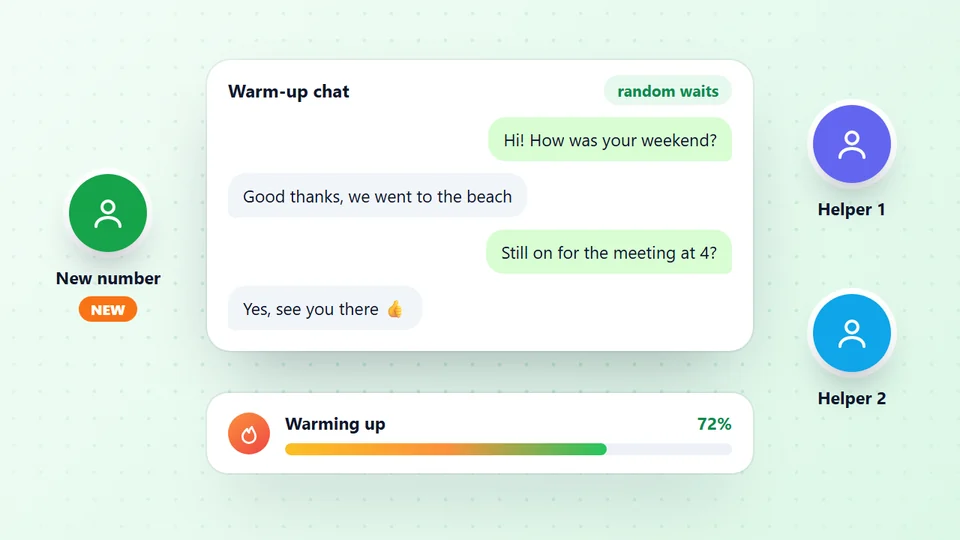
For larger lists, LeadTrapper is a Windows app that sends through your own WhatsApp account in WhatsApp Web on your PC, so the phone keeps the official app. The WhatsApp bulk sender checks every number on WhatsApp first, uses random waits and rests, and pauses a campaign by itself when too many numbers in a row aren’t on WhatsApp. Be clear on two things. Like every desktop sender and Chrome extension, it is an unofficial tool, not the WhatsApp Business API. And WhatsApp’s terms don’t allow unwanted bulk messages from any tool, so send only to people who expect to hear from you; no tool can promise a number won’t be banned. A new or re-registered number should also build normal history first with the WhatsApp warmer before it sends anything in bulk.
Protect the Number After You Switch
A number that has just come back from a modified app deserves a careful first month:
- Turn on two-step verification in Settings, Account, so nobody can register your number on another phone without your PIN. Never share a code you receive; the guide to a WhatsApp verification code requested for your number explains the scams.
- Keep daily backup on. It is the only thing that brings your chats back after a lost phone or a successful ban review.
- Share a link you control, not the raw number. If the number is ever lost, you point the link at a new one; the banned number guide shows how, with a free WhatsApp link generator.
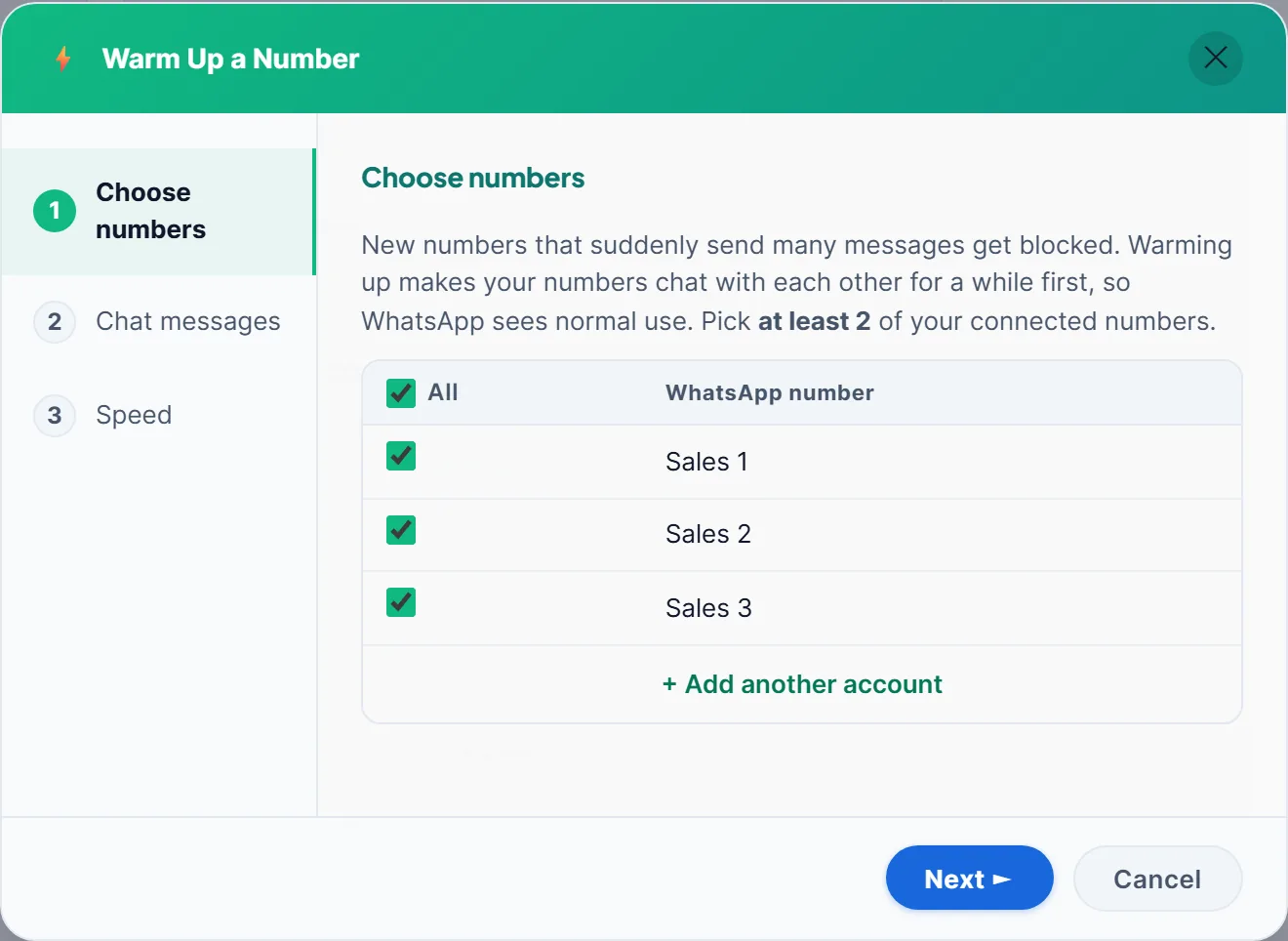
- Go slowly with business messages. The WhatsApp warm-up schedule gives a day-by-day plan for a number that is new, or new again.
If messages you send later stay on one grey tick, that is a different problem from a ban; why a WhatsApp message shows one tick explains the difference.
Frequently Asked Questions
WhatsApp's help page on unofficial apps names GB WhatsApp, FM WhatsApp and TM WhatsApp as examples of apps made by third parties without WhatsApp's approval. Using them violates WhatsApp's Terms of Service, and WhatsApp says accounts that use them can be temporarily or permanently banned, or restricted.
It is one of the messages WhatsApp shows people who use an unofficial app. The lasting fix is to save your chats and media, uninstall every unofficial WhatsApp app, then install official WhatsApp or WhatsApp Business from WhatsApp's website or your app store and register your number again.
Download sites advertise 'anti-ban' versions, but nobody can promise that. WhatsApp says it can't validate the security or privacy of unofficial apps, that they might carry malware, and that using them can get an account banned or restricted.
Possibly. WhatsApp says only chat history created in the official app can be securely backed up, and that it can't guarantee a backup made in an unofficial app will transfer. Export your important chats and copy your media folder before you uninstall, so you keep a copy whatever happens.
Don't. WhatsApp tells users to remove all unofficial WhatsApp apps from the phone before installing and registering the official app, and linking an account to an unofficial version also breaks its terms.
WhatsApp's page on temporary bans doesn't give a fixed length. It says to switch to the official app or stop scraping, and that an account that doesn't may be banned permanently, so switch now rather than waiting it out.
WhatsApp says it can't guarantee that a backup made in an unofficial app will transfer. A file from a different app or version, a backup in a folder the official app doesn't check, missing storage permission or too little space can all stop it. Export your important chats before you switch, so you keep a copy either way.
WhatsApp's help page says to wait for the timer before asking again, then use Call me to get the 6-digit code by phone call. Enter the number with its country code and no leading zero, make sure the SIM can receive texts, and don't guess the code, because wrong guesses can lock you out for a while.
Yes. In official WhatsApp open Settings, Privacy, Last seen and online, and choose who can see your last seen and when you're online. Read receipts, chat lock and hidden statuses are in the same app.
About LeadTrapper
LeadTrapper is a Windows app for finding business leads and contacting them on WhatsApp. It collects business contacts from Google Maps, Instagram, Facebook, TikTok, LinkedIn and business websites, checks which numbers are on WhatsApp with its Number Filter, and sends personalised campaigns with automatic delays from one or more WhatsApp accounts. It also has a chatbot, a shared inbox for every account, and Store Orders for online shops. It installs from the Microsoft Store, and the full app is free for 14 days, then $50 a year. Free web tools, browser extensions and a Wix app are listed on the Free Tools page.
Grow on WhatsApp Without a Modified App
LeadTrapper warms up new numbers, checks every number on WhatsApp before sending and paces each message. $50/year after a 14-day free trial.