In this article 7 sections
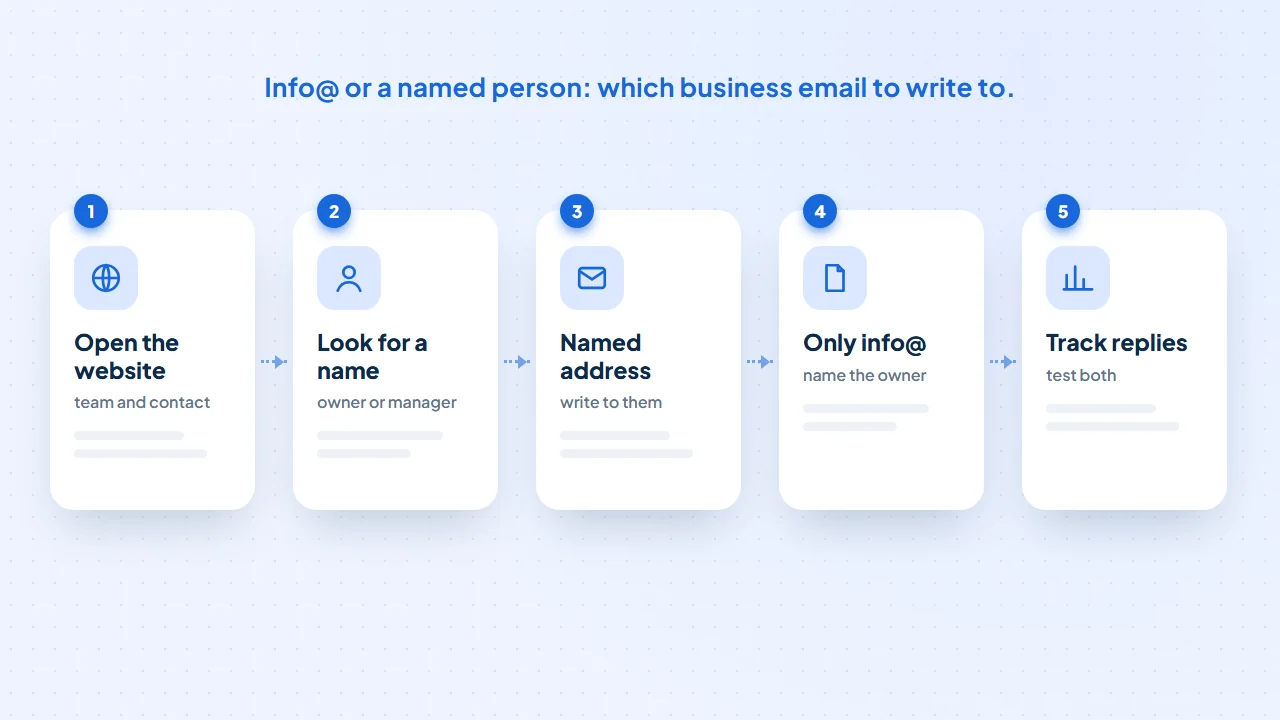
Write to a named decision maker when the business publishes one, and to the info@ inbox when it does not. Example: a dental clinic lists info@ and the owner's own address, so write to the owner and mention the clinic. No study proves one gets more replies, so test both on small batches.
- A personal address reaches the person who decides; an info@ inbox reaches whoever opens it. Use the person when the business names them, and info@ when it does not.
- No independent study compares reply rates for info@ against named addresses. The numbers you see online are about sender domains or personalisation, so test small batches yourself.
- In the UK, a message to a person you cannot name is not personal data processing, but a named work email is personal data and the person's right to object is absolute (ICO).
- CAN-SPAM in the US treats both the same: identity, honest subject, postal address and an opt-out.
- An info@ email can still be personal in tone: name the owner in the first line if you know who they are.
When a business website lists info@ and a named person, which do you write to? The honest answer is “it depends on who decides and what the business publishes”, and there is less hard evidence than most blogs suggest. This guide compares the two, shows what the reply-rate claims actually measure, and explains the legal difference. We make LeadTrapper, which labels both kinds of address, and we say so where it appears.
The Short Difference
An info@ address belongs to the business and is read by whoever opens the inbox, while a personal address belongs to one named person and reaches them directly. The first is easier to find and safer for a first contact. The second is more likely to reach someone who can say yes.
| Compared | info@ and other role addresses | Named personal address |
|---|---|---|
| Who reads it | Whoever checks the inbox: owner, receptionist, assistant | One person |
| Typical examples | info@, hello@, contact@, office@, sales@, booking@ | sarah.bell@, ahmed@ |
| Where you find it | Contact page, footer | Team, about or legal notice page, sometimes a contact card |
| Chance it reaches the decision maker | Lower, depends on who sorts the mail | Higher, if the person is the right one |
| Risk of a sticky inbox | Higher: many people send to it | Lower |
| Data protection (UK) | Not personal data if you do not know the name | Personal data; the person can object |
| Best for | First contact, small shops, no named owner published | Direct pitch to an owner, manager or department head |
Which One to Choose, by Situation
Choose by what the business publishes and who decides, not by a general rule. The same method gives different answers for a one-chair clinic and a hotel group.
| Situation | Send to | Why |
|---|---|---|
| One-owner shop, only info@ published | info@, name the owner if you know it | The inbox is probably read by the owner |
| Owner named on the website, personal address published | The owner | The decision maker, and the business chose to publish it |
| Larger company, no named buyer | Department address (sales@, procurement@) and call to find the buyer | The right team, not the front desk |
| Larger company, department head named | The named head | Direct route to budget |
| Sole trader or one-person partnership in the UK | Call, or email only with consent | Treated as an individual under PECR |
| Business publishes only a contact form | The form, or a phone call | No address to use |
| Recruiters, agencies, press | Published role address such as careers@ or press@ | They set up those addresses for exactly this |
If the business is a larger company, our guide on finding the decision makers in a company shows where owners and managers are named.
What the Reply-Rate Claims Show
We found no controlled study that compares reply rates for info@ against named addresses, and the numbers you see online measure something else. Treat any claim of “personal emails get X times more replies” as a vendor opinion until you see the test.
What the sources we checked on 24 November 2026 actually say:
- Sender, not recipient. A SyncGTM blog says sending from a generic alias such as info@ or sales@ is the lowest-performing approach for outbound email. That is about the sender’s address, not the recipient’s, and it gives no reply figure for info@.
- Domain type. Hunter’s State of Cold Email 2025, based on emails its users sent in 2024, reports an overall average reply rate of 4.1% and says webmail senders do worse than custom domains. It does not compare info@ with personal recipients.
- Personalisation. Backlinko’s 2019 study of 12 million outreach emails found personalised email bodies raised replies by 32.7%. Personalising the message is something you can do for either type of address.
All three come from companies that sell outreach tools, and the Backlinko study is old. The practical conclusion is the opposite of a rule: test it. Send the same message to 30 named addresses and 30 info@ addresses in the same niche, and count replies after two weeks. Thirty each is small, so only a big difference tells you anything.
Label the emails on your list free for 14 days
The Legal Difference
In the UK, the data protection risk is lower for info@ because you are not processing personal data when you do not know the name of the person, while in the US the law treats both the same. Neither is a way around the rules on commercial email. This is not legal advice.
- United Kingdom. The ICO’s business-to-business marketing guidance says the PECR email rule does not apply to corporate subscribers, so you may email a limited company’s address if you identify yourself and give an opt-out. It also says that if an address identifies a person, such as a name-based work email, you are processing personal data under UK GDPR, and the person’s right to object to direct marketing is absolute. If you do not know the name of the person you email at a business, you are not processing personal data. Sole traders and some partnerships are individuals who need consent or the soft opt-in, and in doubtful cases the ICO advises treating the address as an individual’s.
- United States. The FTC’s CAN-SPAM guide makes no difference between addresses: accurate sender details, an honest subject, a clear note that it is an ad, a postal address, and an opt-out honoured within 10 business days. It lists penalties of up to $53,088 per violating email (page updated January 2024, read 24 November 2026).
- Germany and other EU countries. Rules differ by country. Section 7 of Germany’s Unfair Competition Act treats advertising email without the addressee’s prior express consent as an unacceptable nuisance, businesses included (read 24 Nov 2026) (see the German Unfair Competition Act in English). Check your national data protection authority.
Our guide on whether email scraping is legal sets out the rules country by country, and cold email to local businesses covers writing the message.
A Worked Example
Take a dental clinic in Manchester whose website lists three addresses. These names are invented for the example.
| Address on the website | Type | What to do |
|---|---|---|
| info@brightsmile.example | General inbox | Use only if nothing better exists |
| bookings@brightsmile.example | Department | Wrong team for a software pitch; right for a patient-booking offer |
| s.rahman@brightsmile.example, “Dr Sara Rahman, Practice Owner” | Named owner | Write here first |
You are a web designer selling online booking. You write to Dr Rahman, the owner, with one sentence about the clinic’s booking page and one question. If she does not answer after a week, you follow up once to the same address. You do not also send the same message to info@ and bookings@, because three emails in a day from one stranger read like spam. If the website had published only info@, you would write to that inbox and open with “Hi, could you pass this to the practice owner?”
Finding Both From a Business Website
Both kinds of address are on the business’s own website, usually on the contact, team, about and legal notice pages, so one pass over those pages finds them. By hand that takes a few minutes per site.
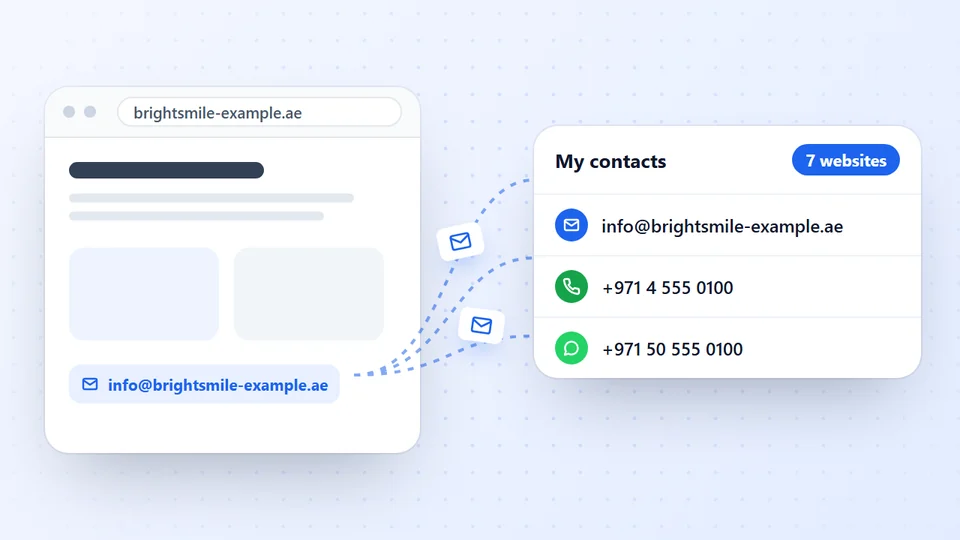
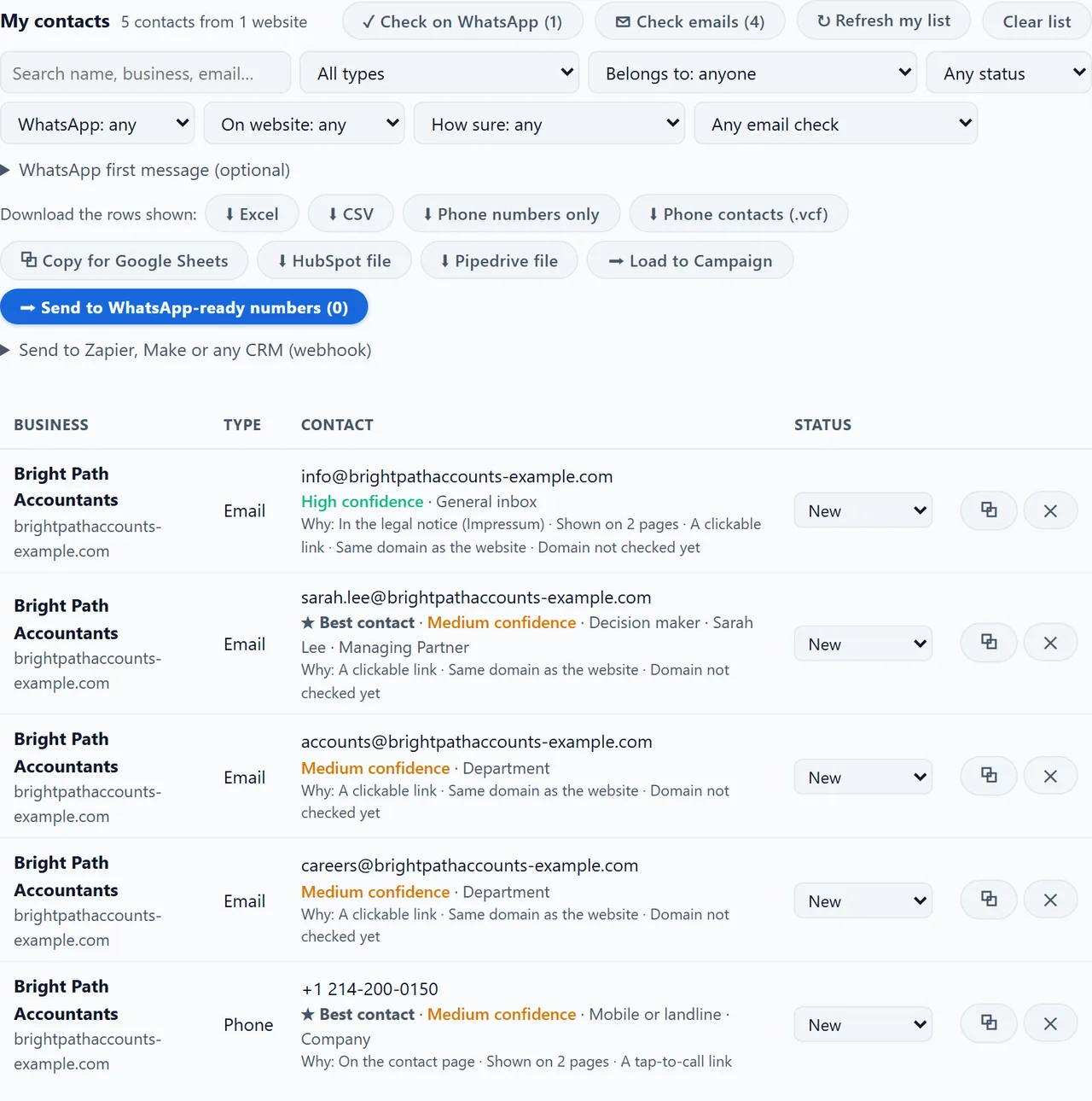
LeadTrapper’s Email Finder reads those pages for a whole list of websites and labels each email as a general inbox, a department, a team member with their name, or a branch. It marks owners, founders and managing directors as decision makers when the business names them itself, and the My contacts list has a filter for decision makers, team members, general inboxes, departments and branches.
It never guesses an address from a name, and it never calls an email verified: each one shows how sure LeadTrapper is, with the reasons. The labels are described in our guide on how to find business email addresses, and a pre-send check is covered in how to check if an email is valid.
What LeadTrapper cannot do: it cannot find a personal address the business has not published, and it does not send email. If you only have a name, our guide on finding someone’s email address by name covers the options and their limits.
Make an Info@ Email Personal
An email to info@ works better when the first line names the person you want. Business owners who read info@ themselves notice that it was written for them, and staff who sort the mail know where to send it.
- Open with the owner’s name when you have it: “Hi Sara, I’m writing about the Bright Smile booking page.”
- If you have no name, ask for one: “Could you pass this to whoever manages the clinic’s website?”
- Say one specific thing about the business in the first sentence.
- Keep it under about 100 words with one question.
- Add your name, postal address and an opt-out line.
Follow up once. If you get a reply from a named person, use that address from then on and note it in your list.
Where LeadTrapper Finds Leads
LeadTrapper collects leads from each of these sources in one Windows app, then checks the numbers and sends the WhatsApp messages from the same place.
- Google Maps Scraper: Business leads from any city.
- Facebook Scraper: Advertisers, pages and group members.
- Instagram Scraper: Leads from profiles and hashtags.
- TikTok Scraper: Creators, hashtags and commenters.
- LinkedIn Scraper: Profiles by role and city.
- Email Finder: Emails from business websites.
Frequently Asked Questions
Email the named owner or manager when the business publishes their address or name, since that person can decide. Use info@ when no named address is published, or when you want a first light contact. A short message to info@ that names the owner often gets passed to them.
Nobody has published a controlled study that settles it. Sales vendors claim named addresses do better, but the figures they cite compare sender domains and personalisation, not recipients. Send 30 messages to each type, same wording, and count your own replies.
Often, with conditions. In the UK, the ICO says a named work email is personal data under UK GDPR even when the person acts in a business role, and the person can object to direct marketing at any time. In the US, CAN-SPAM covers all commercial email. This is not legal advice.
In the UK, the ICO says that if you do not know the name of the person you email at a business, you are not processing personal data. That lowers the data protection risk, but PECR still applies, and sole traders count as individuals. In the US, CAN-SPAM applies the same to both.
It is an address tied to a job or function rather than a person, such as info@, sales@, booking@ or support@. Many businesses route role addresses to several people. LeadTrapper labels them general inbox or department, and names team members' addresses with the person.
Check the business's own website: team, about, legal notice and contact pages often name the owner, and sometimes list their address. LeadTrapper's Email Finder reads those pages for a whole list and marks owners it finds named there. It does not guess addresses from names.
About LeadTrapper
LeadTrapper is a Windows app for finding business leads and contacting them on WhatsApp. It collects business contacts from Google Maps, Instagram, Facebook, TikTok, LinkedIn and business websites, checks which numbers are on WhatsApp with its Number Filter, and sends personalised campaigns with automatic delays from one or more WhatsApp accounts. It also has a chatbot, a shared inbox for every account, and Store Orders for online shops. It installs from the Microsoft Store, and the full app is free for 14 days, then $50 a year. Free web tools, browser extensions and a Wix app are listed on the Free Tools page.
See Which Emails Each Business Publishes, Labelled
The Email Finder, Google Maps scraper and WhatsApp tools all come with LeadTrapper. $50/year, all features included.