In this article 7 sections
Find one real address at the company, such as anna.lee@acme.com on its team page, press page or a signature, and copy its shape to the name you need. That gives you a pattern, not proof. Check the address with a verifier before sending, and expect some companies to use several formats.
- The reliable way to learn a company's email format is to find one or two real addresses it published, on its team page, press page, speaker bios or an email signature.
- first.last@ is the most common pattern. A July 2026 Tomba estimate puts it at about 40 to 45% of B2B domains, and says that is a directional figure, not a named study.
- A pattern applied to a new name is a hypothesis. It can fail on duplicate names, aliases, merged companies and companies that use two formats.
- Catch-all domains accept any address, so a verifier cannot tell you much there. Send one careful message first, never a batch of guesses.
- LeadTrapper's Email Finder never guesses. It reads the addresses a company publishes on its own website, and labels team members by name, which gives you the example you need.
A company email format is the shape its staff addresses share, such as anna.lee@acme.com. If you know the format and a person’s name, you can build their address. If you only guess, you risk bounces and a damaged sender name. This guide shows how to learn the format from evidence, how to check it, and where it stops working. We make LeadTrapper, which helps in step 2, and we say so there.
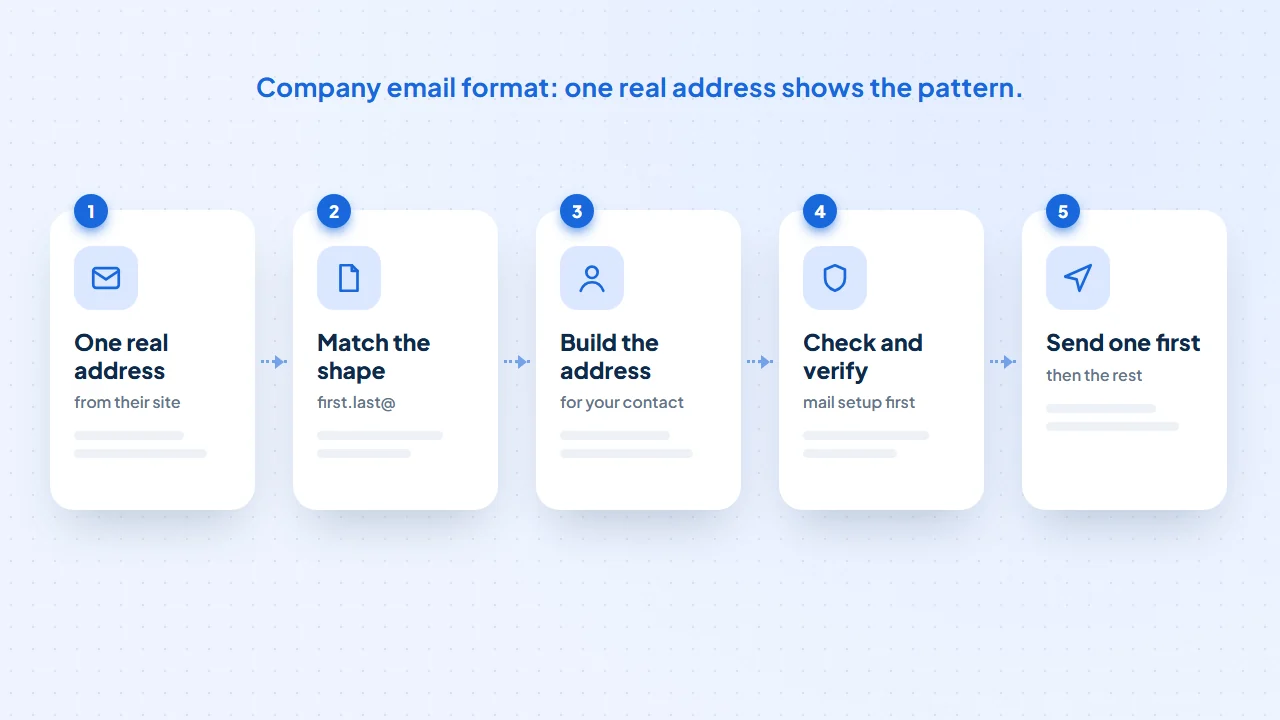
Start From One Real Address
The only dependable evidence of a company’s format is an address the company itself uses. Everything else is a statistical guess.
Where real addresses appear:
- The company’s website: team, about, contact, press and careers pages, and PDF brochures.
- Press releases and news: the “media contact” line usually shows a named address.
- Event pages and speaker bios: conference sites often list a speaker’s work email.
- Email signatures from earlier messages with someone at the company.
- Public registers: some company registers list a contact email for the business, not for a named person.
Tomba’s guide to email address formats (published 30 July 2026, read 24 November 2026) rates reverse-engineering one known-good address as the most reliable method. Vonsel’s guide to company email formats (updated October 2026) gives the same first step. Both are vendors of email tools, so read their figures as their own estimates.
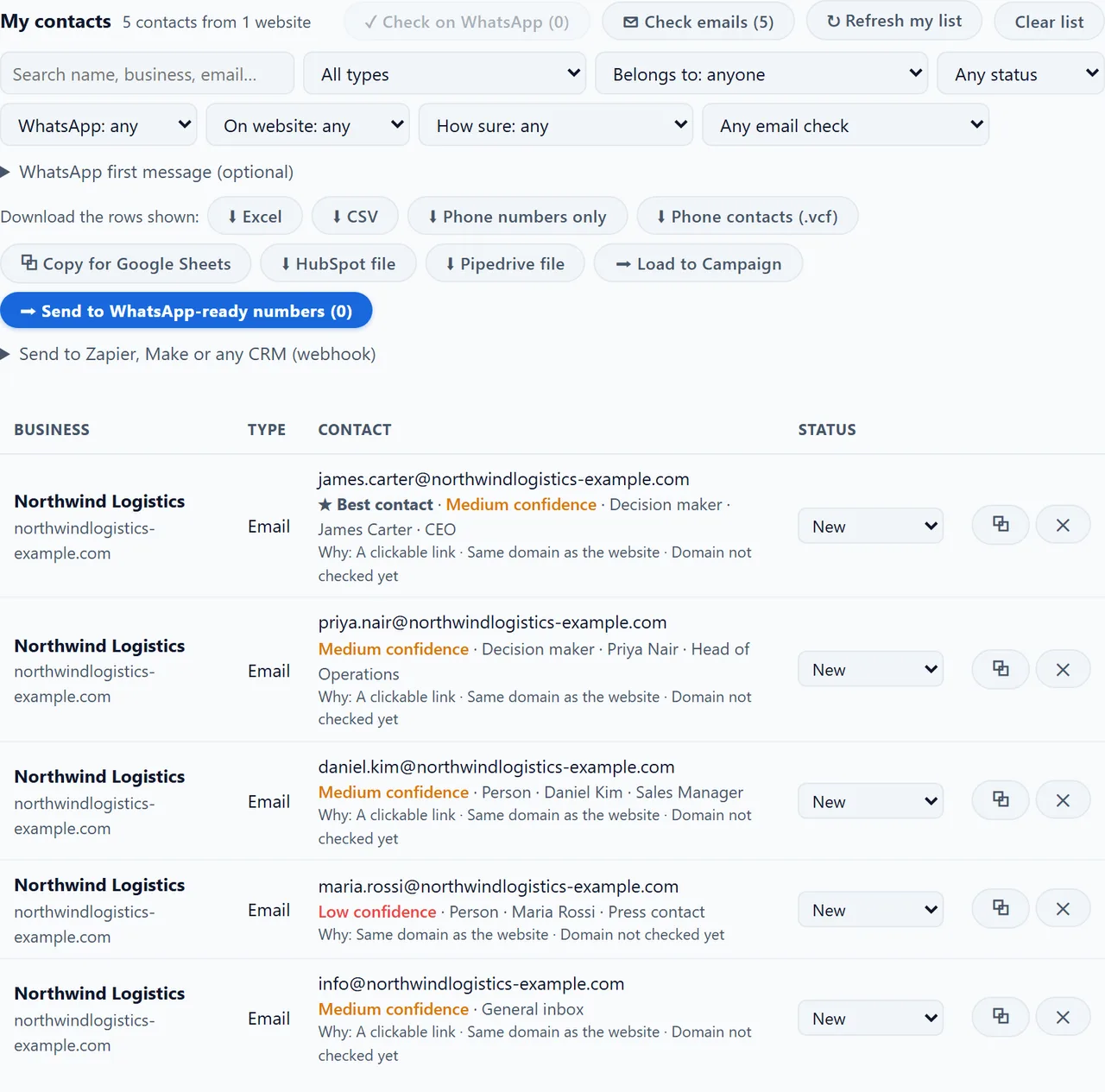
LeadTrapper’s email finder collects the addresses a company publishes on its own pages, which gives you real examples to read the format from.
The Common Patterns
Most companies use one of about eight patterns built from a first name and a last name. The figures below are Tomba’s rough shares of B2B domains from July 2026; Tomba calls them directional and names no study behind them.
| Pattern | Example for Sarah Chen | Rough share of B2B domains | Often seen at |
|---|---|---|---|
| first.last@ | sarah.chen@ | 40-45% | Mid-size and large firms |
| first@ | sarah@ | 15-20% | Startups and small teams |
| flast@ | schen@ | 10-15% | Enterprises, banks, agencies |
| first_last@ | sarah_chen@ | about 5% | Older systems |
| firstlast@ | sarahchen@ | about 5% | Mixed |
| f.last@ | s.chen@ | about 4% | European corporates |
| firstl@ | sarahc@ | about 3% | Tech companies |
| lastf@ or last.first@ | chens@ or chen.sarah@ | 2-3% | Government, academia |
“Often seen at” comes from Vonsel’s list, which gives no percentages. Two points about the table: the shares add up to just under 100%, so a few companies use something else, and a company that uses first@ at ten staff often changes when it grows.
The part after the @ is the domain, and it is not case sensitive. RFC 5321, section 2.4 says mailbox domains follow normal DNS rules and are not case sensitive, while the part before the @ must be treated as case sensitive by the standard. In practice most providers ignore capitals, so write addresses in lowercase.
Five Steps to Work It Out
You can work out a format in a few minutes with this routine.
- Find the real domain. Use the one in the company’s website address and its published emails. Companies sometimes email from a different domain, such as acme.co.uk on the site and acme.com for staff.
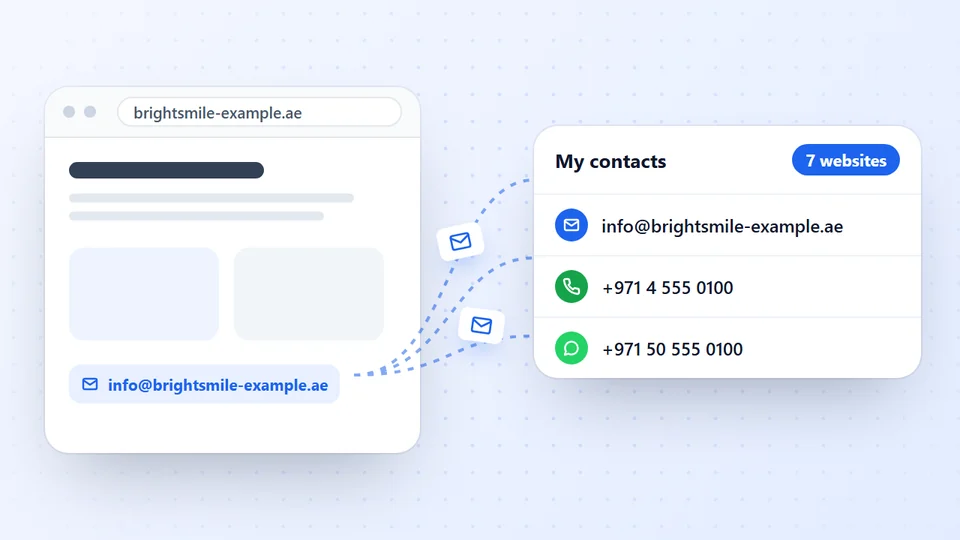
- Collect one or two real staff addresses. Read the team, press and contact pages by hand for one company. For a list of companies, LeadTrapper’s Email Finder reads each website’s contact, team and about pages and labels each email as a general inbox, a department, a team member (with their name) or a branch, so the team member rows are your examples. It never guesses an address, so it will not give you the format for a company that publishes none.
- Match the shape. Compare anna.lee@acme.com with the person’s name. It is first.last@. If you have two addresses with the same shape, you can be more confident.
- Build the address for your contact. Apply the pattern to the name you need. Spell the name the way the company does: an accent, a hyphen or a double surname may be handled differently, and Vonsel notes that these cases are inconsistent.
- Check it before you send. See the next two sections.
If you find no real address, our guide to finding someone’s email address by name covers other routes, and where businesses publish their emails shows which pages to read first.
Find published emails free for 14 days
Checking the Mail Setup
A mail-record lookup shows which email service a company uses. That is a hint about the format, never proof. The MX records of the domain name the mail provider. Tomba’s guide says Google MX records suggest Google Workspace, where first.last@ and first@ dominate, and Microsoft records suggest Microsoft 365, where older flast@ addresses survive more often. That is one vendor’s rule of thumb, not a standard.
You can look up MX records with any free DNS lookup tool. Use it for two things only: to confirm that the domain accepts email at all, and to spot a mail filter service in front of it, which can block verification tests.
Confirm Before You Send
A built address is a guess until you test it. These checks help, but none is perfect.
- Check the second address. If your pattern also matches a second real address, your confidence rises.
- Run a verifier. A verifier tests the syntax, the mail domain and, where the server allows, whether the mailbox exists. Our guide on how to check if an email is valid explains what each result means.
- Watch for catch-all domains. A catch-all domain accepts mail for any name, so a check says “valid” for almost everything. Tomba estimates 15 to 25% of B2B domains are catch-all (July 2026, its own estimate). For those, send one message first and look for a bounce before you build more addresses.
- Mind the bounce rate. Tomba says a hard-bounce rate above about 2% can lead to throttling. Send small batches and stop if bounces rise.
- Keep it small. HubSpot’s advice, quoted in our business email guide, is to try one or two guesses at most.
Worked Example
You want to email Maria Lopez, operations manager at Harbor Foods, which sells to restaurants. The names are invented.
- Harbor Foods’ website uses harborfoods.example. Its team page shows “Tom Reed, Sales” with tom.reed@harborfoods.example, and a press release names j.patel@harborfoods.example.
- The two addresses disagree: first.last@ and f.last@. The company uses two formats, probably because J. Patel’s address was set up later or by another team.
- You find a third address, a supplier flyer with david.cho@harborfoods.example. Two of three are first.last@, so you pick it.
- Built address: maria.lopez@harborfoods.example. You run a check: the domain accepts mail and the check says “accepts all”. It is catch-all, so the result proves little.
- You send one short message to that address, and a second to the published info@ address, and watch for a bounce. No bounce after two days, and a reply from Maria, confirms it.
This example is invented to show the steps. It does not describe a real company.
Limits and the Rules
A format is a shortcut that fails often enough to need a plan B. Reasons it fails: merged companies run two formats, two people share a name (Tom Reed and Tim Reed), staff use aliases, and small companies use shared inboxes.
- Published beats built. A role address that the company publishes, such as sales@, has been chosen for outside mail. Our guide on finding decision makers shows how to use named people only where the site shows them.
- Privacy and marketing law. Building a personal address of a named person is more sensitive than using a published business inbox. The FTC’s CAN-SPAM guide says the US law has no business-to-business exception. In the UK, the ICO’s guidance on electronic mail marketing separates corporate subscribers from individuals such as sole traders. See whether email scraping is legal. This is not legal advice.
- Tools that guess. Database tools build addresses from patterns and score them. Our Hunter.io alternative guide compares that approach with reading what a business publishes.
- LeadTrapper’s own limit. It collects published emails only. If a company publishes none, you will not get an example from it.
Where LeadTrapper Finds Leads
LeadTrapper collects leads from each of these sources in one Windows app, then checks the numbers and sends the WhatsApp messages from the same place.
- Google Maps Scraper: Business leads from any city.
- Facebook Scraper: Advertisers, pages and group members.
- Instagram Scraper: Leads from profiles and hashtags.
- TikTok Scraper: Creators, hashtags and commenters.
- LinkedIn Scraper: Profiles by role and city.
- Email Finder: Emails from business websites.
Frequently Asked Questions
Find one or two real employee addresses the company has published, for example on its team page, in a press release or in a signature. Compare their shape with the common patterns, such as first.last@company.com or flast@company.com. Then verify the address you build before you send.
first.last@company.com is the most common. Tomba's blog, published on 30 July 2026, estimates about 40 to 45% of B2B domains use it, followed by first@ at 15 to 20% and flast@ at 10 to 15%. It calls these directional figures from no named study, so treat them as a guide.
You can build a likely address, but it is a guess until confirmed. Wrong guesses bounce and hurt your sender reputation. Check the format against a real address first, verify the address, and keep guesses to a minimum. Privacy law also applies to personal addresses.
Check it against a second real address from the same company. Then run it through a verifier that tests the mail domain and mailbox. If the domain is catch-all, the check proves little, so send one message first and watch for a bounce.
Not directly. LeadTrapper's Email Finder reads the emails a company publishes on its website and labels each as a general inbox, a department, a team member or a branch. Team member addresses give you a real example to copy the format from. It does not guess or build addresses.
A named person is usually the one who decides, but a published info@ address is safer when you are not sure of the name or the format. Our guide on which address to send to compares the two.
About LeadTrapper
LeadTrapper is a Windows app for finding business leads and contacting them on WhatsApp. It collects business contacts from Google Maps, Instagram, Facebook, TikTok, LinkedIn and business websites, checks which numbers are on WhatsApp with its Number Filter, and sends personalised campaigns with automatic delays from one or more WhatsApp accounts. It also has a chatbot, a shared inbox for every account, and Store Orders for online shops. It installs from the Microsoft Store, and the full app is free for 14 days, then $50 a year. Free web tools, browser extensions and a Wix app are listed on the Free Tools page.
Real Addresses, Read From Websites
LeadTrapper's Email Finder reads the emails each company publishes, with names where the site shows them. $50/year, all features included.