In this article 7 sections
Search the title in quotes on LinkedIn, add a location, and widen it with OR for variants, such as ("HR Manager" OR "People Manager"). For a list of hundreds, LeadTrapper's LinkedIn scraper finds profiles by title and city and exports a CSV. LinkedIn's rules ban scraping.
- People write the same job in many ways. Search the title plus its variants joined with OR, such as "Head of Marketing" OR "Marketing Director" OR "CMO", or you miss half of them.
- LinkedIn's own search needs capital AND, OR and NOT, quotes for exact phrases and parentheses for groups. Asterisk wildcards are not supported.
- A title search shows what people typed in their headline and profile. It is self-reported, so check the headline before you contact anyone.
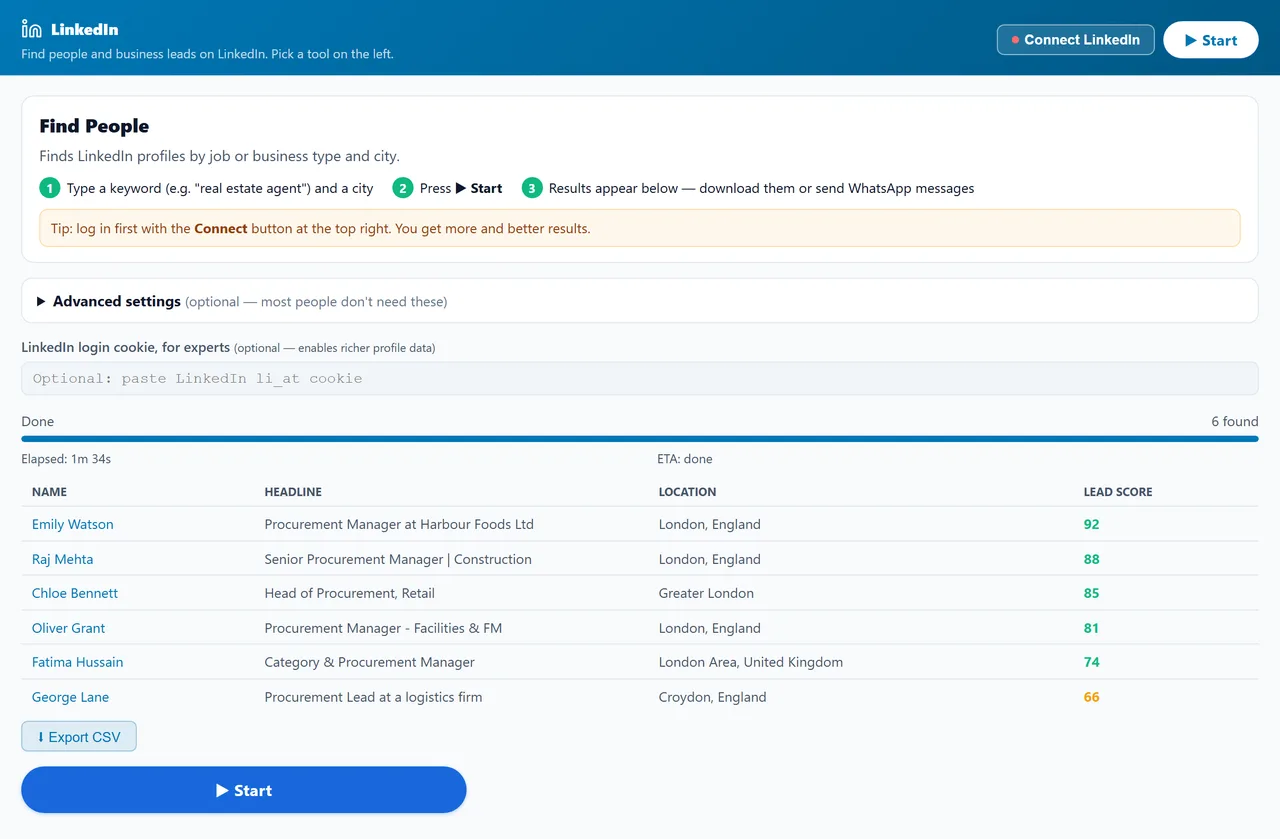
- LeadTrapper's LinkedIn scraper takes a keyword, a location and an optional Title Filter, finds profile links through Bing, Yahoo and DuckDuckGo, and exports name, headline and location to CSV. It returns no emails or phone numbers.
- LinkedIn bans scraping tools in its User Agreement. Searching by hand inside LinkedIn is allowed; using a tool is at your own risk.
Searching LinkedIn for “marketing manager” sounds simple, until you notice that half the people you want call themselves “Head of Growth” or “Digital Marketing Lead”. Finding people by job title works when you search the variants, narrow by place, and check what you get. This guide shows three ways, from free to bulk. We make LeadTrapper, which appears in method 3, and we say so there.
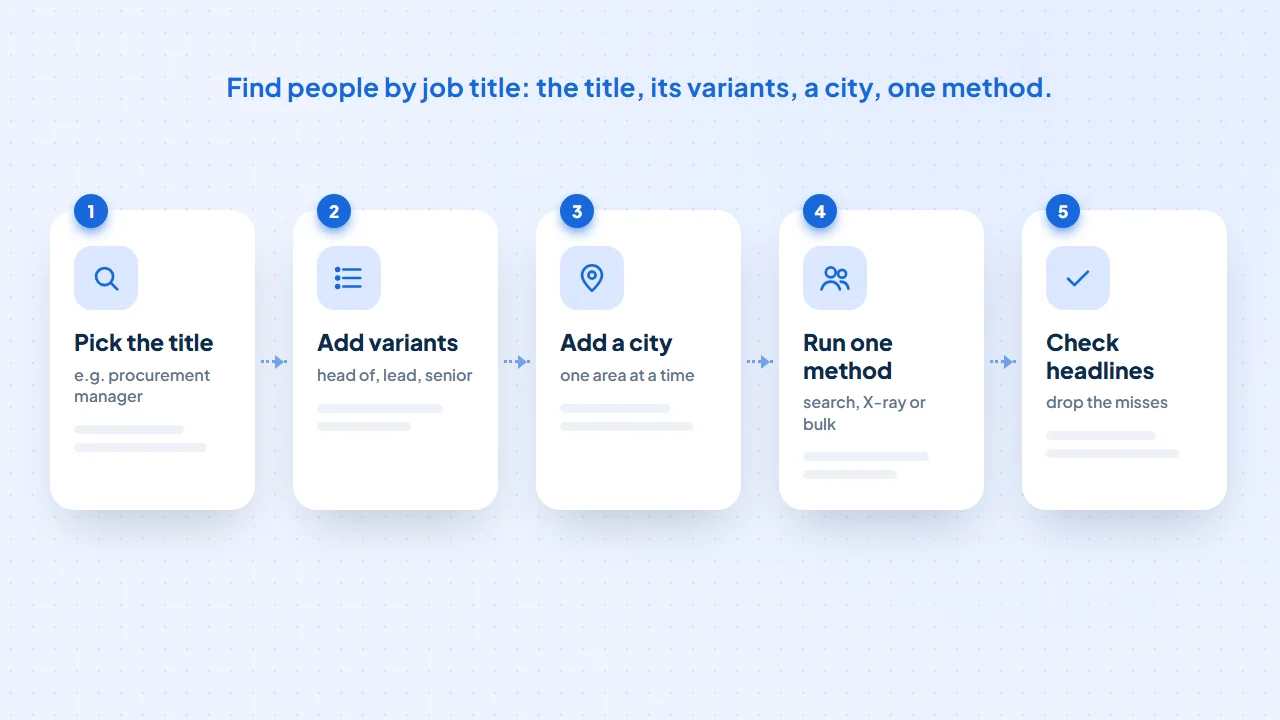
Start With Title Variants
The same job has many names, so list the variants before you search. A search for one exact title finds only the people who typed exactly that.
Write down, for the role you want:
- The formal title: “Human Resources Manager”.
- The short forms: “HR Manager”, “HR Lead”.
- The senior and junior neighbours: “Head of HR”, “HR Director”, “HR Business Partner”.
- Other words for the same work: “People Operations”, “Talent Manager”.
- Other languages: a Dubai or Paris search finds “Responsable RH” or “Direttore commerciale” that an English search misses.
A small business often has no such title at all. There the person is the “Owner”, “Founder” or “Managing Director”, and the department title is the wrong search.
LeadTrapper’s LinkedIn scraper can run each variant with a city and return name, headline and location in one CSV.
Method 1: LinkedIn's Own Search
LinkedIn’s main search box accepts the Boolean operators AND, OR and NOT. LinkedIn’s help page on Boolean search (read on 24 November 2026) says the operators must be typed in capitals, quotes mark an exact phrase, parentheses group terms, and braces, brackets and asterisk wildcards are not supported. It lists the order as quotes first, then parentheses, then NOT, then AND, then OR.
Steps:
- Type the title variants in the search box, for example
("HR Manager" OR "Head of HR" OR "People Operations Manager") NOT assistant. - Press Enter, then choose People in the filter row.
- Open All filters and add a Location. Add a Current company or Industry if you have one.
- Save what you find by hand. A normal LinkedIn search has no export button.
The searches match words anywhere on the profile, not only the current job, so a former HR manager who is now a CEO can show up. Read the headline before you act on a result. Free accounts also have limits on filters and result browsing; LinkedIn does not publish one fixed number, so expect to hit them on broad searches.
Method 2: Search-Engine X-Ray
An X-ray search asks Google or Bing for LinkedIn profile pages, so you search without being logged in. A query such as site:linkedin.com/in "HR Manager" Manchester returns public profile links that mention both words. Google’s guide to refining web searches confirms that quotes return exact phrases and site: limits results to one website.
It shows only the profiles the search engine has indexed, so some people are missing, and the snippet may be older than the live profile. Our guide to LinkedIn X-ray search has the query patterns and the limits in detail.
Method 3: A Bulk List in a CSV
LeadTrapper’s LinkedIn scraper turns an X-ray search into a list. In the app’s Find People tab you type a keyword, a location and, if you want, a Title Filter, and set the maximum number of results, up to 1,000. It builds a site:linkedin.com/in query from your words and reads the results from Bing, Yahoo and DuckDuckGo, so the basic search does not use your LinkedIn account. For each profile it then reads the name, headline and location, and gives a score from 0 to 100 for how well the headline and place match. The list exports to CSV.
Some practical points, all from how the app works:
- Put the role in Keyword, one level in Title Filter. Keyword is “job title, industry, or company”. The Title Filter is added to the query as an exact phrase, so use it for one word such as “Director” or “Manager”.
- Run one variant at a time. The app searches one keyword per run, so run “HR manager”, then “head of HR”, and combine the CSVs.
- Expect gaps. Search engines show only some profiles, and when LinkedIn hides a page behind a sign-in wall the row is marked as partial, with the name taken from the link.
- It is slow on purpose. The app waits 2 to 4 seconds between profiles, so 200 profiles take several minutes.
- No contact details. It collects no emails or phone numbers and sends no LinkedIn messages. Our LinkedIn profile scraper guide lists exactly what each row holds.
Build your list free for 14 days
LinkedIn’s Prohibited software and extensions page (read on 24 November 2026) says it does not permit third-party software that scrapes the site, and that members who use it may have accounts restricted. The risk is yours. Using only the search-engine mode keeps your LinkedIn account out of it, and our guide on whether LinkedIn allows scraping explains the rules.
Methods Compared
The right method depends on how many people you need and whether you want a file. In short: search by hand for a handful, X-ray for a quick wider view, and a bulk tool when you need a spreadsheet.
| Need | LinkedIn search | X-ray in Google or Bing | Bulk list (LeadTrapper) | Sales Navigator |
|---|---|---|---|---|
| 10 people in a city | Best | Fine | Overkill | Overkill |
| 200+ people in a CSV | No export | Copy by hand | Yes, up to 1,000 per run | Needs an export tool |
| Needs your LinkedIn login | Yes | No | No, in search-engine mode | Yes |
| Filter by seniority | Paid plans | By words only | By Title Filter words | Yes |
| Result is up to date | Live | Can be weeks old | Reads each page when run | Live |
| Cost | Free basic | Free | $50 a year, all features | Core $119.99 a month (21 November 2026) |
Our Sales Navigator alternatives guide compares the paid options.
Worked Example
A payroll software seller wants HR managers at logistics firms in Manchester. The numbers below are invented to show the steps, not a test result.
- Variants: “HR Manager”, “Head of HR”, “People Manager”, “HR Business Partner”.
- Method 1: the Boolean string
("HR Manager" OR "Head of HR" OR "People Manager") AND logistics, People filter, location Manchester. The seller notes 30 names by hand. - Method 3: a run with Keyword “HR manager logistics”, Location “Manchester”, maximum 100. Say it returns 64 rows, and 41 headlines show “HR” and a logistics company.
- Check: the seller deletes rows whose headline says “recruiter” or “student” and keeps 38.
- Next: for each company name in a headline, the seller opens the firm’s site and runs it through the Email Finder, since LinkedIn gives no email.
Checking Titles and Using the List
A title on LinkedIn is what the person typed, so check it before you send anything. Headlines carry slogans (“Helping teams grow”), old jobs and honorary titles.
- Read the headline. Keep a row only if the title and company are there.
- Check the company is current. Open the company’s website team page or news.
- Reach them through the company. Our guide to finding decision makers shows how to read names and titles from a company’s own website, and finding an email from a LinkedIn profile covers the legitimate routes.
- Know the email rules. Messages to people you found by title fall under CAN-SPAM, PECR and GDPR rules; see whether email scraping is legal. This is not legal advice.
Where LeadTrapper Finds Leads
LeadTrapper collects leads from each of these sources in one Windows app, then checks the numbers and sends the WhatsApp messages from the same place.
- Google Maps Scraper: Business leads from any city.
- Facebook Scraper: Advertisers, pages and group members.
- Instagram Scraper: Leads from profiles and hashtags.
- TikTok Scraper: Creators, hashtags and commenters.
- LinkedIn Scraper: Profiles by role and city.
- Email Finder: Emails from business websites.
Frequently Asked Questions
Type the title in quotes in the main search box, choose People, then add a location or company with the filters. Join variants with a capital OR, for example "Operations Manager" OR "Head of Operations". LinkedIn ignores lowercase operators, so type AND, OR and NOT in capitals.
You can find most of them, not all. People who left the title out of their headline are missed, and LinkedIn limits how many results a free account can browse. A search-engine X-ray query or a scraper adds more, but no method lists every person with a title.
Basic people search by title and location works on a free account, though LinkedIn limits some filters and how many results you can browse. Sales Navigator adds more filters and costs from $119.99 a month on the Core plan, as listed on 21 November 2026.
LinkedIn has no export for a normal search. A tool that finds profile links can write name, headline and location to a CSV that opens in Excel. LeadTrapper's LinkedIn scraper does this. It does not collect email addresses or phone numbers.
No. It reads only the profile link, name, headline and location. To reach a person, take the company from the headline and look up the contact details that company publishes on its own website.
Search for the title that owns the budget. At a small business that is Owner or Founder, at a mid-size firm a Director or Head of the department, and at a large company a VP or Director. Try two levels and compare.
About LeadTrapper
LeadTrapper is a Windows app for finding business leads and contacting them on WhatsApp. It collects business contacts from Google Maps, Instagram, Facebook, TikTok, LinkedIn and business websites, checks which numbers are on WhatsApp with its Number Filter, and sends personalised campaigns with automatic delays from one or more WhatsApp accounts. It also has a chatbot, a shared inbox for every account, and Store Orders for online shops. It installs from the Microsoft Store, and the full app is free for 14 days, then $50 a year. Free web tools, browser extensions and a Wix app are listed on the Free Tools page.
A Title and a City, One List
LeadTrapper's LinkedIn scraper, Google Maps scraper and Email Finder all come with the app. $50/year, all features included.